Icon 2000 v4 Profibus EDD for AMS Manual
A
AA
A
© Copyright by BIFFI Italia. All right reserved 234/Rev.1 Page 8
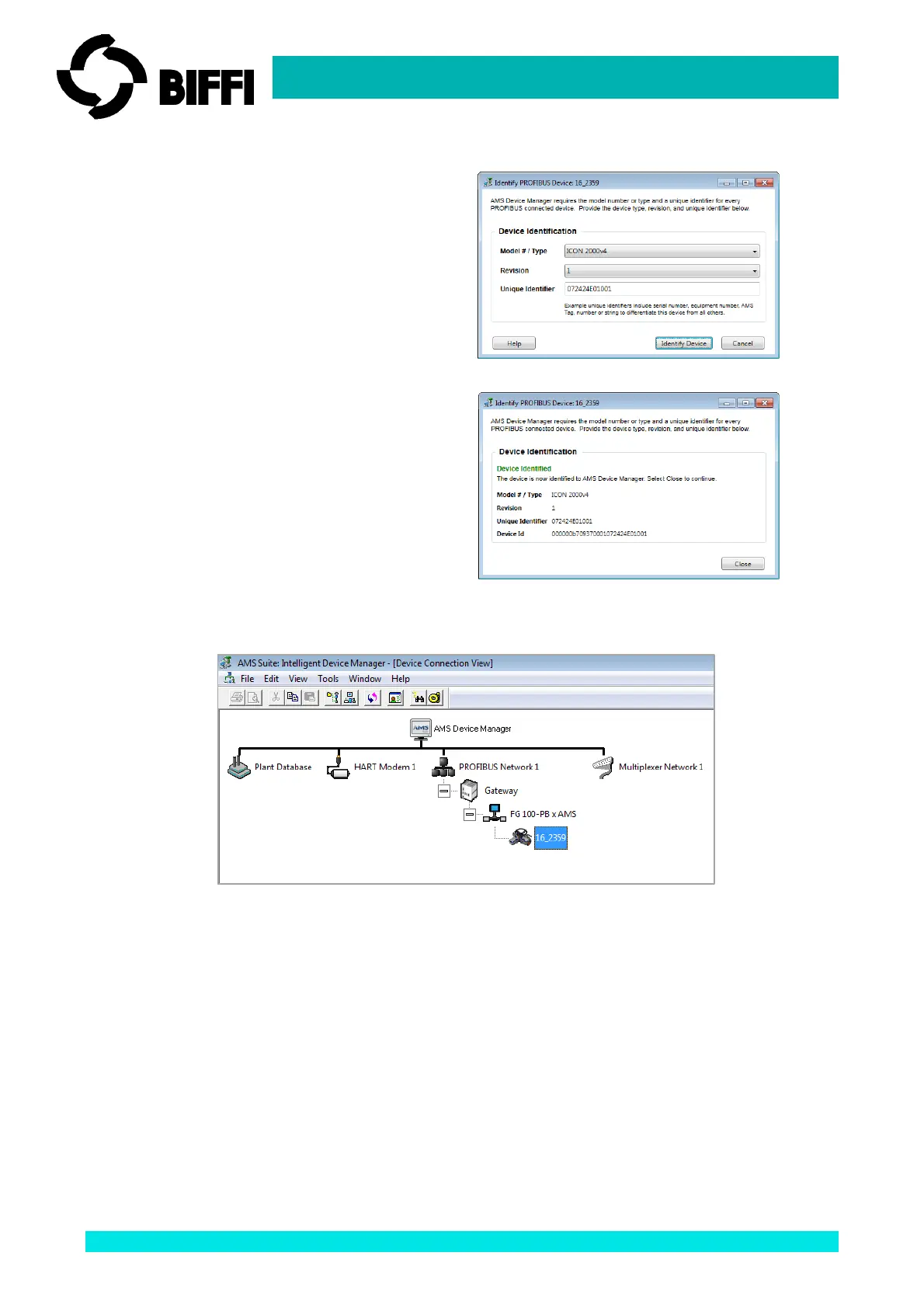
2. A new window will be displayed.
Select the “Identify Device” button.
3. Once identified, the window will be
updated with device data.
Select “Close” button to terminate.
The actuator will be displayed into the “AMS Device Manager” application as it is shown on the figure
below:



 To Next Page