Icon 2000 v4 Profibus EDD for AMS Manual
A
AA
A
© Copyright by BIFFI Italia. All right reserved 234/Rev.1 Page 20
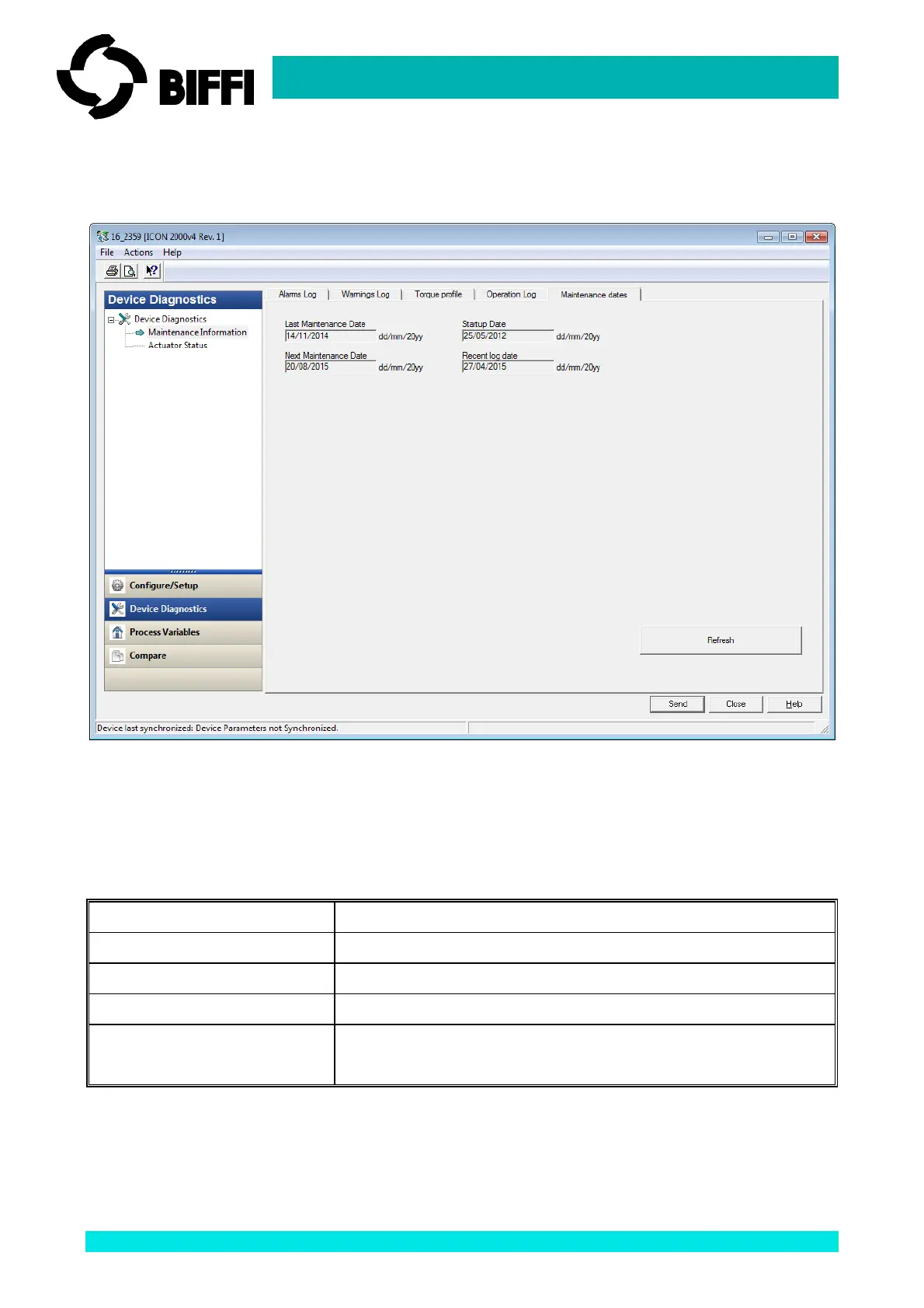
5.6 Maintenance Information / Maintenance dates
This Tab collects the dates of important actuator services.
All the displayed data are READ-ONLY and static. The data are read from the actuator only when the
window is opened: a ‘Refresh’ button is present for re-read all the data from the actuator.
Name Description
Last Maintenance Date This is the date of the last maintenance operation
Next Maintenance Date This is the date of the next scheduled actuator maintenance
Start-up Date This is the date of the actuator start-up
Recent log date The date of the last clearing of recent Log. This is updated after
entering the command "Clear recent data log"
It is possible to write these dates from “Configure/Setup - Maintenance Commands” page.



 To Next Page