Field Description
The function is enabled with "1.
The function is not activated by default.
11.3.3 Wireless Networks (VSS)
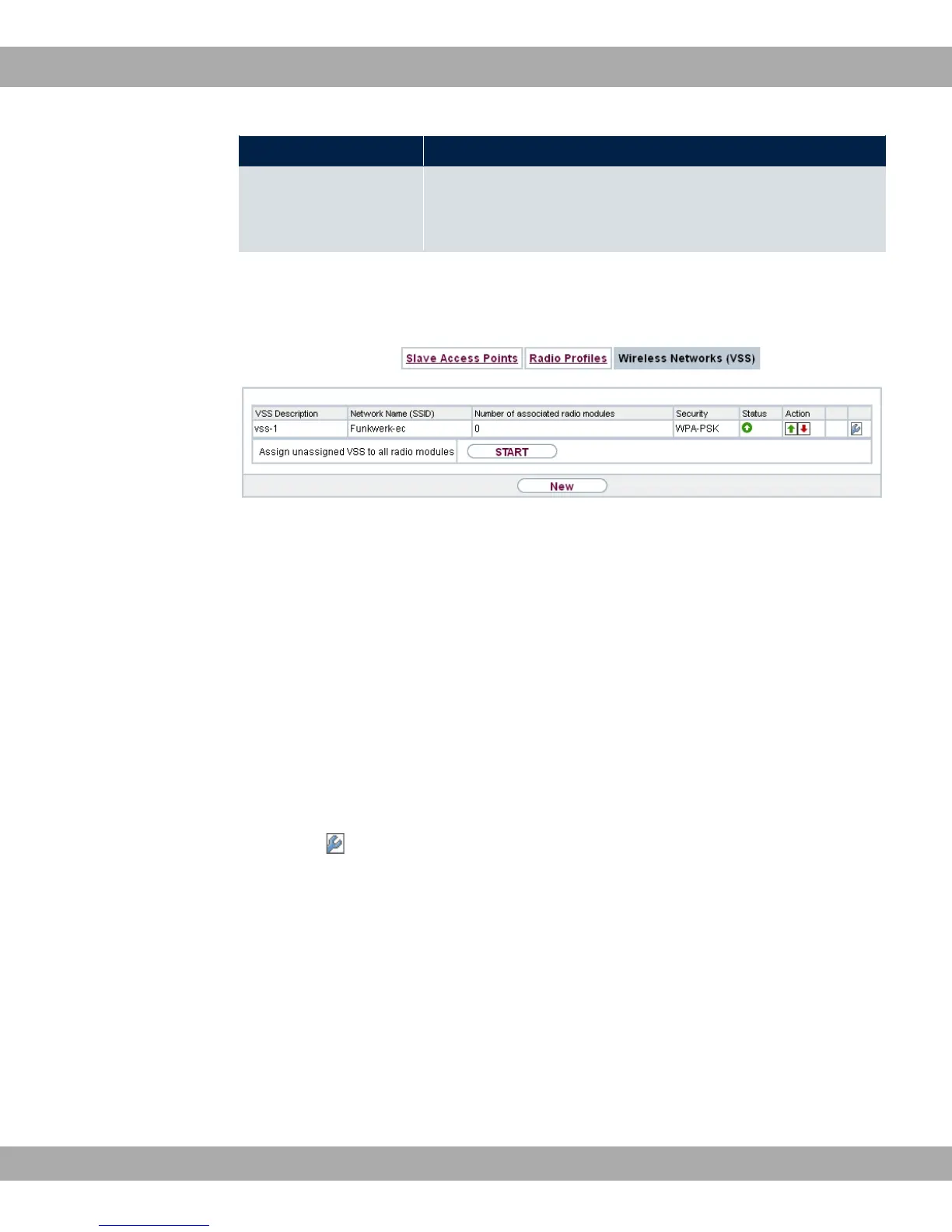
Fig. 71: Wireless LAN Controller->Slave AP configuration->Wireless Networks (VSS)
An overview of all created wireless networks is displayed in the Wireless LAN Controller-
>Slave AP configuration->Wireless Networks (VSS) menu. A wireless network is cre-
ated by default.
For every wireless network (VSS), you see an entry with a parameter set (VSS Descrip-
tion, Network Name (SSID), Number of associated radio modules, Security, Status,
Action).
Under Assign unassigned VSS to all radio modules click on the Start button to assign a
newly-created VSS to all wireless modules.
11.3.3.1 Edit or New
Choose the icon to edit existing entries. Choose the Newbutton to configure additional
wireless networks.
bintec elmeg GmbH
11 Wireless LAN Controller
bintec RS Series 187



 To Next Page