over this interface is then encapsulated using GRE and sent to the specified recipient.
16.4.1 GRE Tunnels
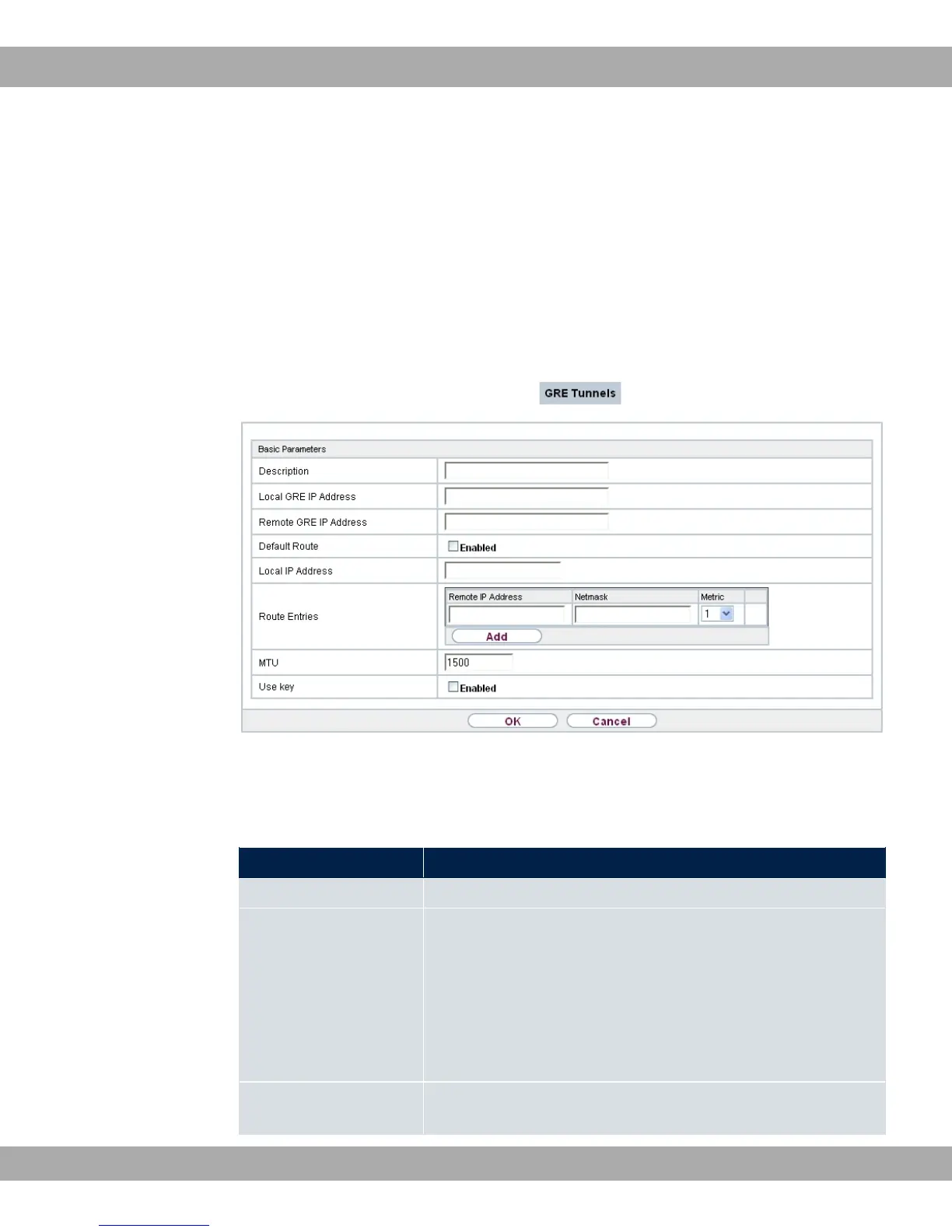
A list of all configured GRE tunnels is displayed in the VPN->GRE->GRE Tunnels menu.
16.4.1.1 New
Choose the New button to set up new GRE tunnels.
Fig. 141: VPN->GRE->GRE Tunnels->New
The VPN->GRE->GRE Tunnels->New menu consists of the following fields:
Fields in the Basic Parameters menu.
Field Description
Description Enter a description for the GRE tunnel.
Local GRE IP Address
Enter the source IP address of the GRE packets to the GRE
partner.
If no IP address is given (this corresponds to IP address
0.0.0.0), the source IP address of the GRE packets is selected
automatically from one of the addresses of the interface via
which the GRE partner is reached.
Remote GRE IP Ad-
dress
Enter the target IP address of the GRE packets to the GRE
partner.
bintec elmeg GmbH
16 VPN
bintec RS Series 381



 To Next Page