Field Description
come alive at the right time and receive the data.
Possible values are to .
The default value is .
10.1.3 Client Link
If you're operating your device in Access Point mode, ( Wireless LAN->WLAN->Radio Set-
tings-> ->Operation Mode = 3%% 61), you can edit the existing client links in
the Wireless LAN->WLAN->Client Link-> menu.
The Client Mode can be operated in infrastructure mode or in ad-hoc mode.
In a network in infrastructure mode, all clients communicate with each other via access
points only. There is no direct communication between the individual clients.
In ad-hoc mode, an access client can be used as central interface between a number of
terminals. In this way, devices such as computers and printers can be wirelessly intercon-
nected.
10.1.3.1 Edit
Choose the icon to edit existing entries.
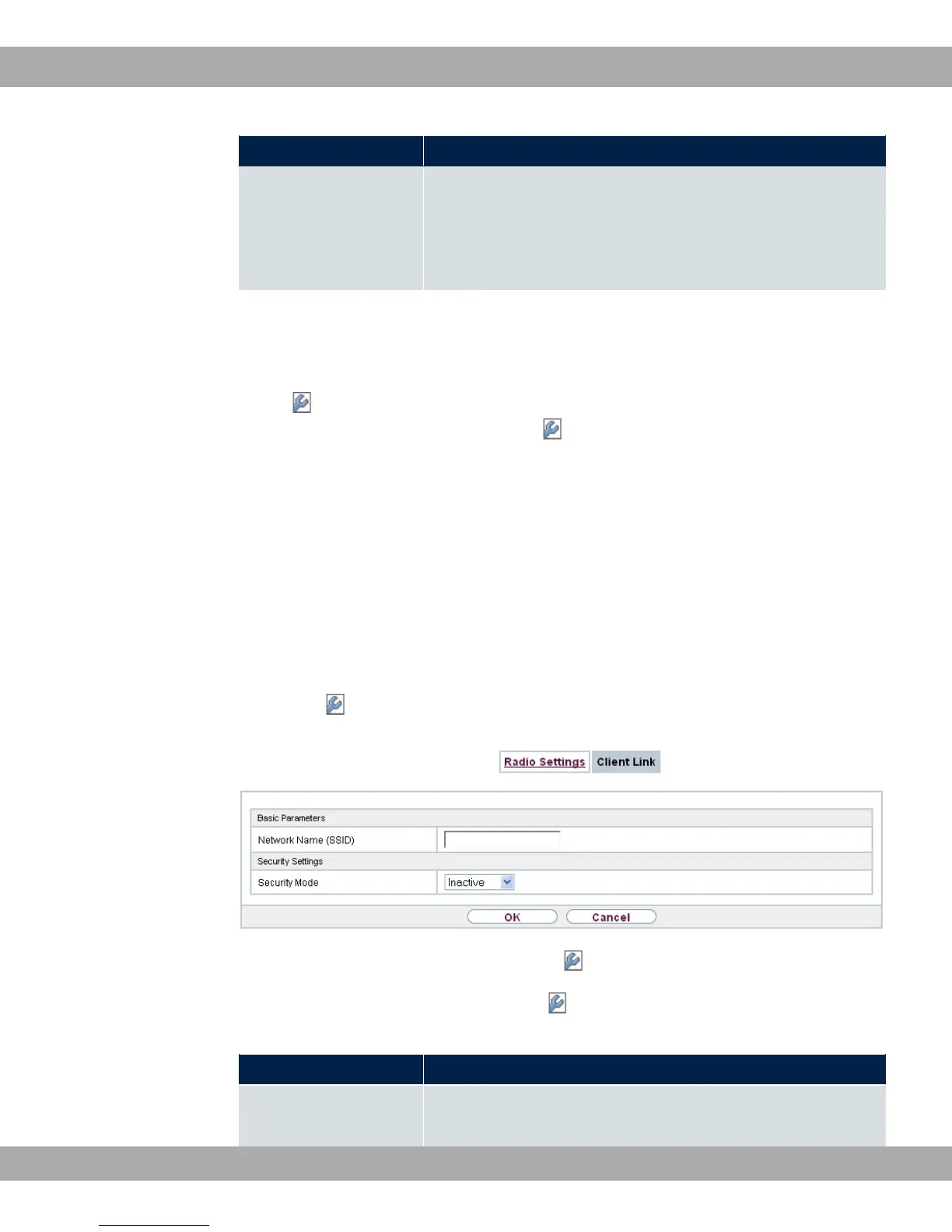
Fig. 62: Wireless LAN->WLAN->Client Link->
The Wireless LAN->WLAN->Client Link-> menu consists of the following fields:
Fields in the Basic Parameters menu.
Field Description
Network Name (SSID) Enter the name of the wireless network (SSID).
bintec elmeg GmbH
10 Wireless LAN
bintec RS Series 161



 To Next Page