21.4 SNMP
SNMP (Simple Network Management Protocol) is a protocol from the IP protocol family for
transporting management information about network components.
Every SNMP management system contains an MIB. SNMP can be used to configure, con-
trol and administrate various network components from one system. Such an SNMP tool is
included on your device: the Configuration Manager. As SNMP is a standard protocol, you
can use any other SNMP managers, e.g. HPOpenView.
For more information on the SNMP versions, see the relevant RFCs and drafts:
• SNMP V. 1: RFC 1157
• SNMP V. 2c: RFC 1901 - 1908
• SNMP V. 3: RFC 3410 - 3418
21.4.1 SNMP Trap Options
In the event of errors, a message - known as a trap packet - is sent unrequested to monitor
the system.
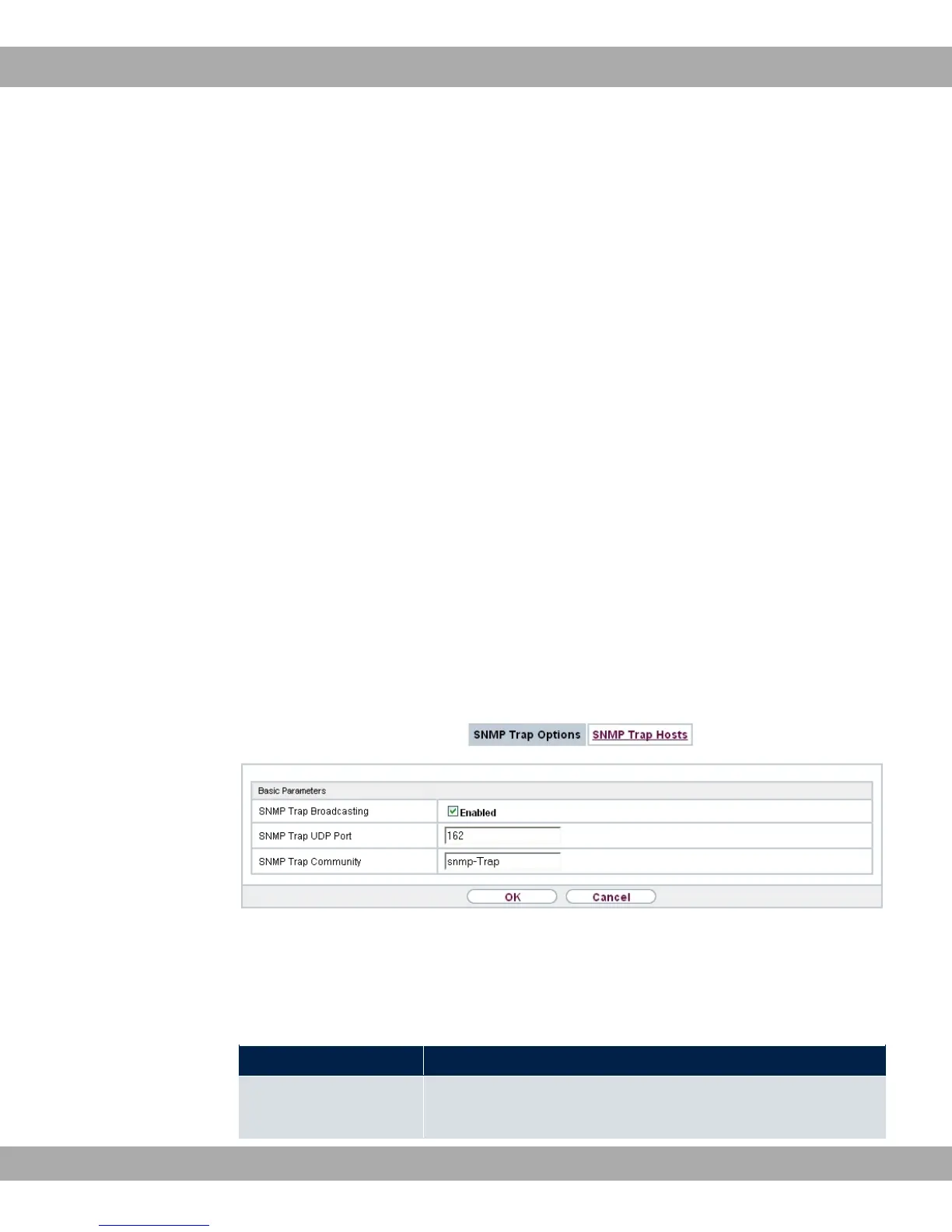
In the External Reporting->SNMP->SNMP Trap Options menu, you can configure the
sending of traps.
Fig. 200: External Reporting->SNMP->SNMP Trap Options
The menu External Reporting->SNMP->SNMP Trap Options consists of the following
fields:
Fields in the Basic Parameters menu.
Field Description
SNMP Trap Broadcast- Select whether the transfer of SNMP traps is to be activated.
21 External Reporting bintec elmeg GmbH
502 bintec RS Series



 To Next Page