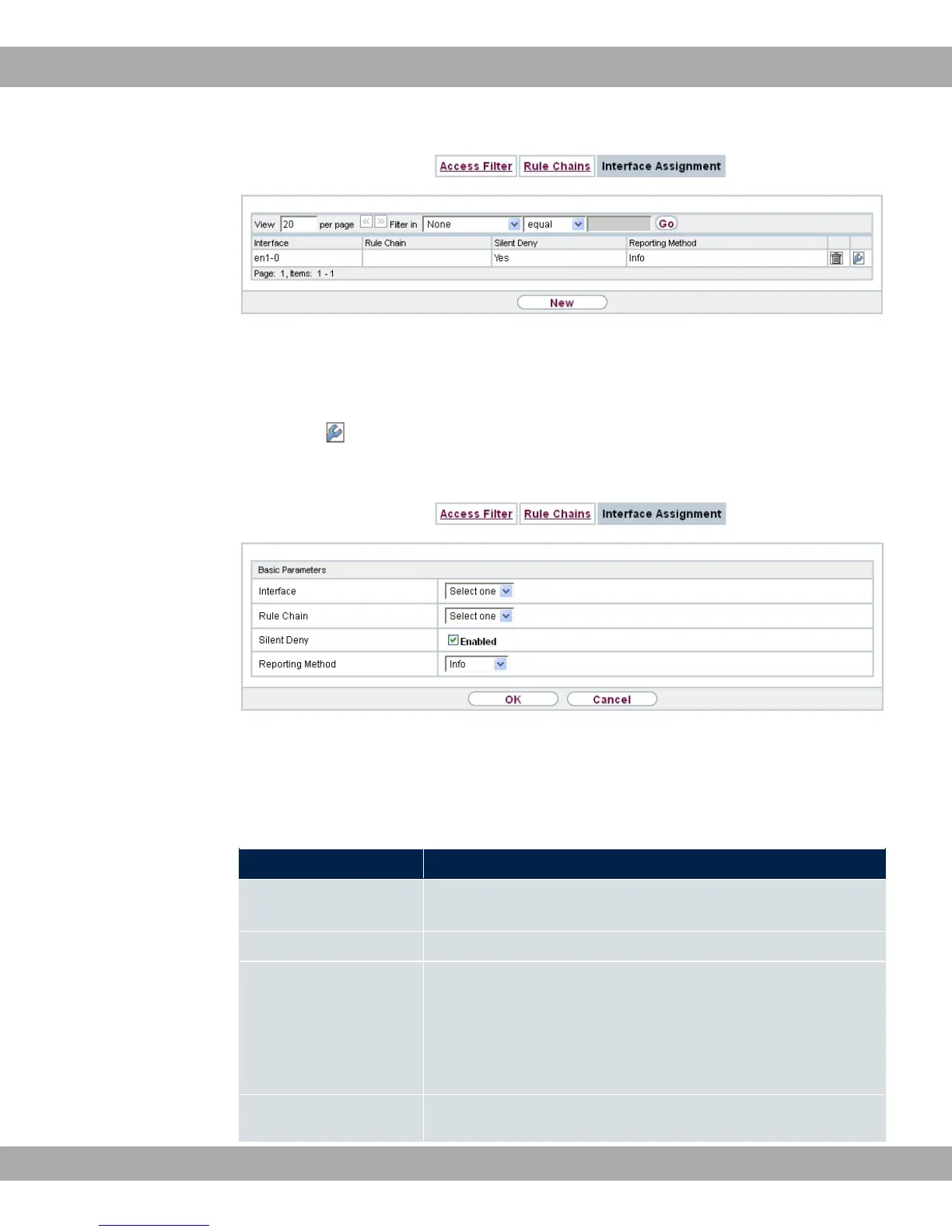
Fig. 102: Networking->Access Rules->Interface Assignment
12.5.3.1 Edit or New
Choose the icon to edit existing entries. Choose the New button to configure additional
assignments.
Fig. 103: Networking->Access Rules->Interface Assignment->New
The Networking->Access Rules->Interface Assignment->New menu consists of the fol-
lowing fields:
Fields in the Basic Parameters menu.
Field Description
Interface Select the interface for which a configured rule chain is to be as-
signed.
Rule Chain Select a rule chain.
Silent Deny
Define whether the sender is to be informed if an IP packet is
denied.
• "1 (default value): The sender is not informed.
• 5"1: The sender receives an ICMP message.
Reporting Method
Define whether a syslog message is to be generated if a packet
bintec elmeg GmbH
12 Networking
bintec RS Series 255



 To Next Page