20
Clinician's Guide
Caution: Extra precautions should be taken with the patient when the Fall Limit is disabled, due to
the possibility of patient injury.
Auto Recovery
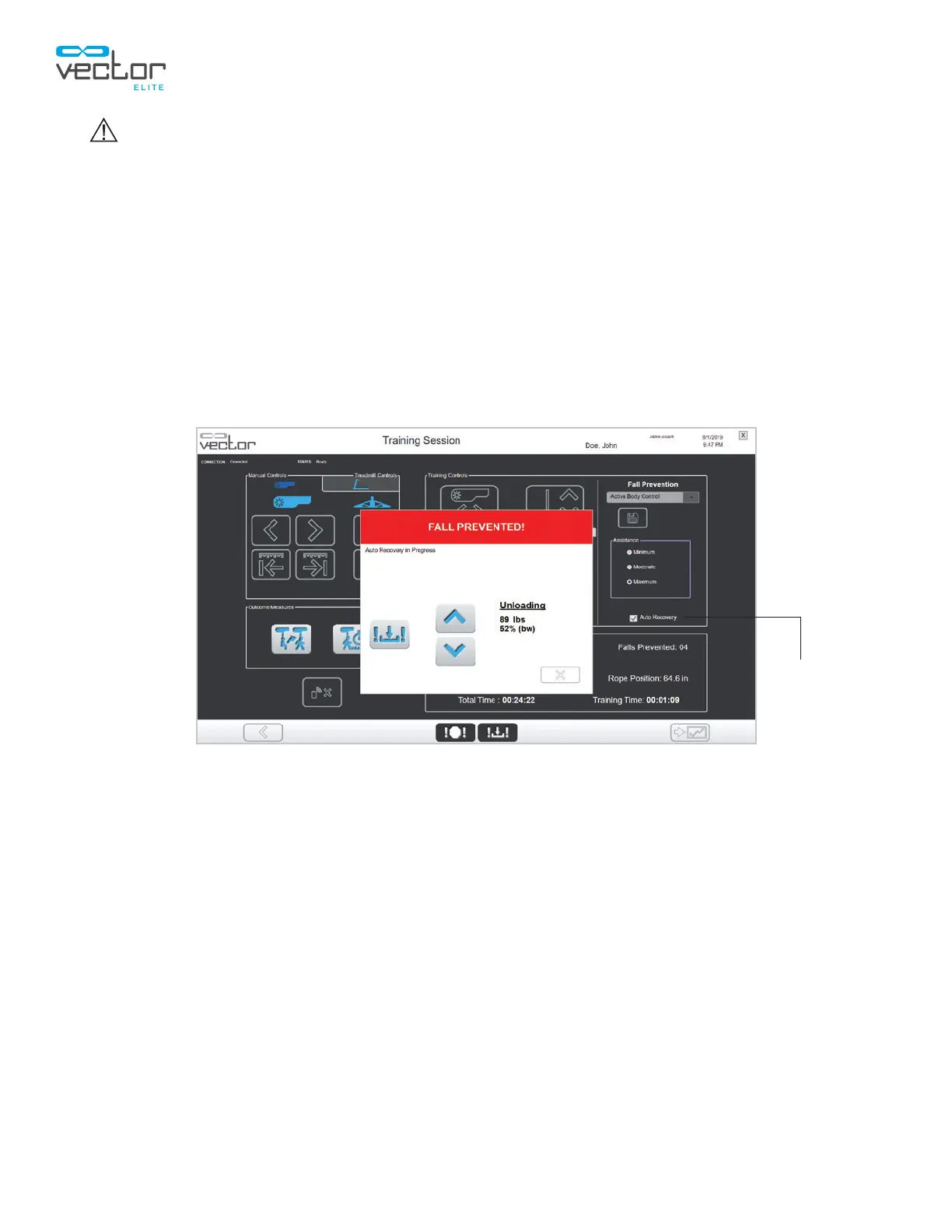
If a fall is detected while Auto Recovery is enabled, the system will maintain rope tension allowing the
patient to self-correct and stand up without assistance while preventing the patient from descending
farther. When the patient reaches the original standing position, Trolley Tracking and DBWS will resume
their normal operation. Auto Recovery is enabled when the check box is selected. See Figure 5-10. The
clinician can cancel the Auto Recovery feature at any time by pressing the manual winch up or down
button on the Auto Recovery pop-up window. See Figure 5-10.
Note: The Auto Recovery setting (i.e. selected or not selected) will persist between training sessions
for a given patient.
Figure 5-10: PC Auto Recovery Dialog Box
Auto Recovery
Check Box



 To Next Page