36
Clinician's Guide
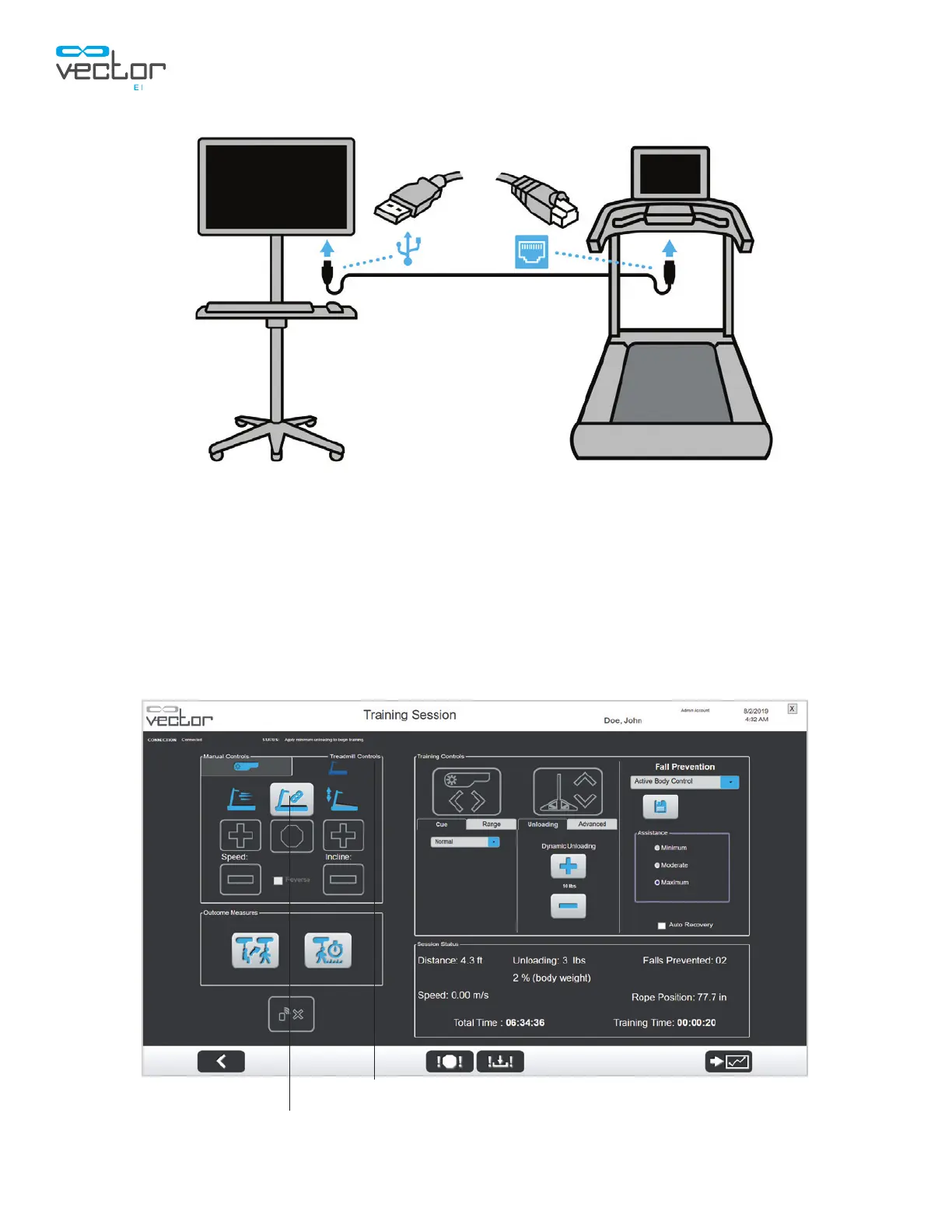
Figure 6-11: PC to Treadmill Connection
3. From the Training Session screen in the Vector PC software, select the treadmill icon to open the
Treadmill Controls Tab and press the Connect Treadmill button. See Figure 6-12.
Note: Manual controls are hidden when accessing the Treadmill Controls tab. To access manual
controls for the trolley and spreader bar, select the Manual Controls tab.
Note: If the treadmill is not properly connected and powered on, an error will be displayed. See Figure
6-13.
Figure 6-12: Training Session Screen with Treadmill Controls Tab Open
Connect Treadmill
Treadmill Controls Tab



 To Next Page