38
Clinician's Guide
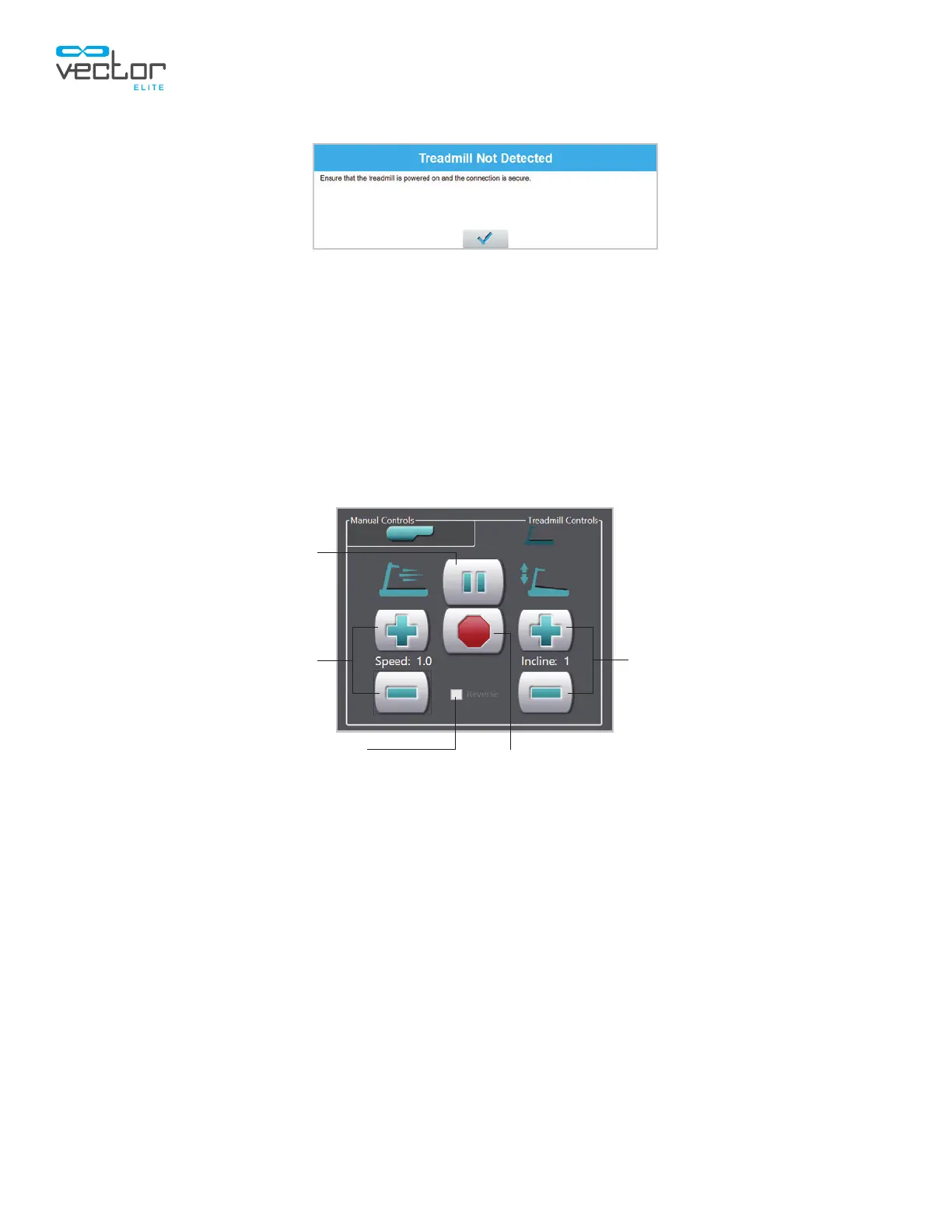
Stop
Increase/Decrease InclineIncrease/Decrease Speed
Pause
Reverse Belt Direction
Figure 6-15: Minimum Unloading Error
2. When the treadmill is active, the Start button will be replaced by the Pause button which can be
used to pause the treadmill session as needed. See Figure 6-16.
3. The (+) and (-) buttons can be used to adjust speed and incline. See Figure 6-16.
4. The treadmill belt direction can be reversed by pausing the treadmill session, then selecting the
Reverse check box. See Figure 6-16.
Note: The belt direction cannot be changed while the treadmill belt is in operation, and the Reverse
checkbox will not be enabled for selection until the treadmill session is paused.
Figure 6-16: Treadmill Controls Tab with Treadmill On
5. When a fall is detected, the treadmill will stop automatically, and the treadmill controls will be
disabled until the Fall Prevented dialog box is closed. See Figure 6-17.



 To Next Page