69
Chapter 9 - Vector Elite Remote Control
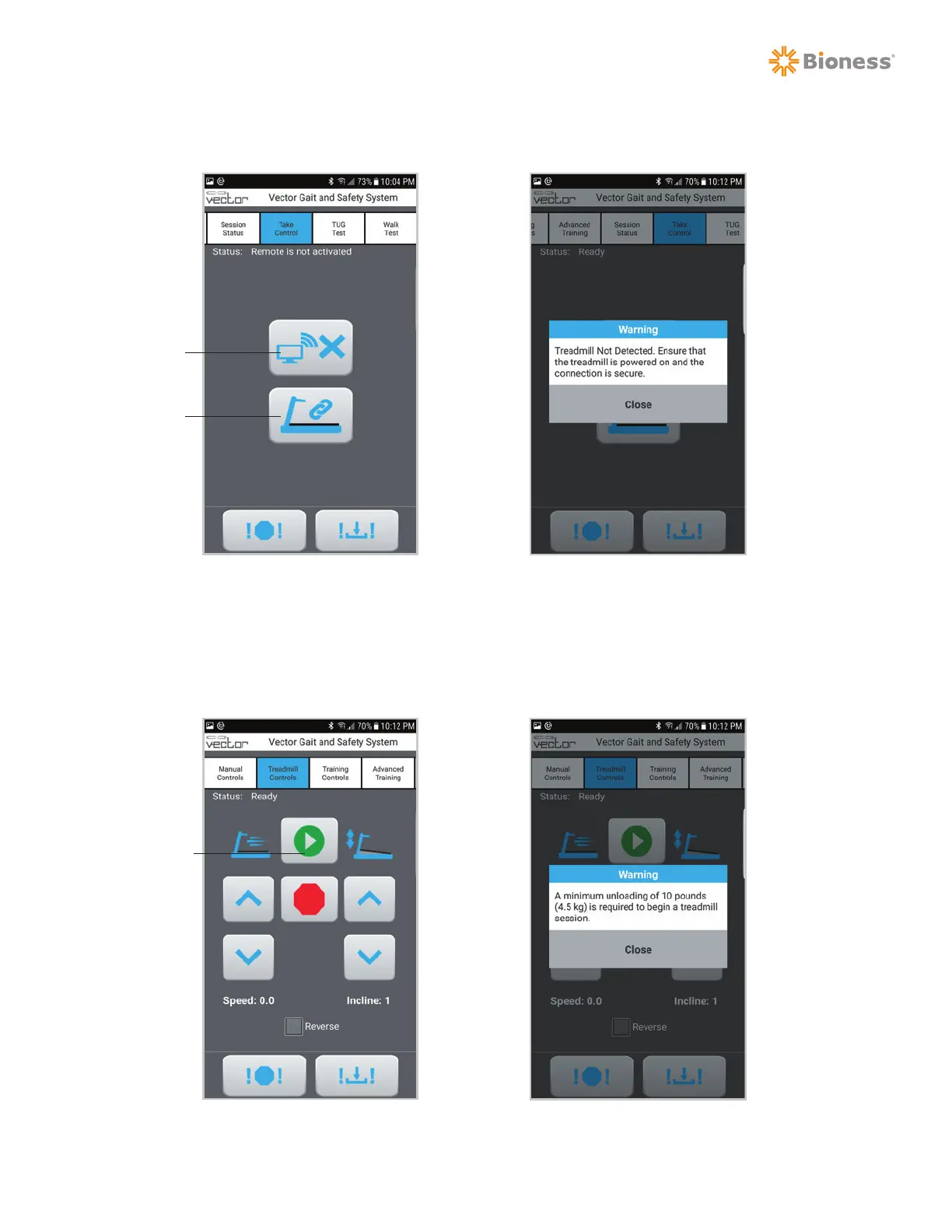
Note: If the treadmill is not correctly connected to the PC and powered on, an error will be displayed.
See Figure 9-14.
4. After connecting the treadmill, the Treadmill Controls screen will be activated, and a training
session can be initiated using the Start button. See Figure 9-15.
Note: If the system does not detect a minimum of 10 pounds on the spreader bar, an error will be displayed
and the treadmill will not start. See Figure 9-16.
Figure 9-15: Treadmill Controls Screen Figure 9-16: Minimum Loading Error
Start
Figure 9-13: Take Control Screen Figure 9-14: Treadmill Connection Error
Take Control
Connect Treadmill



 To Next Page