Rev. 3.1 1.BASIC
BM5 (CS,CX) User’s Manual
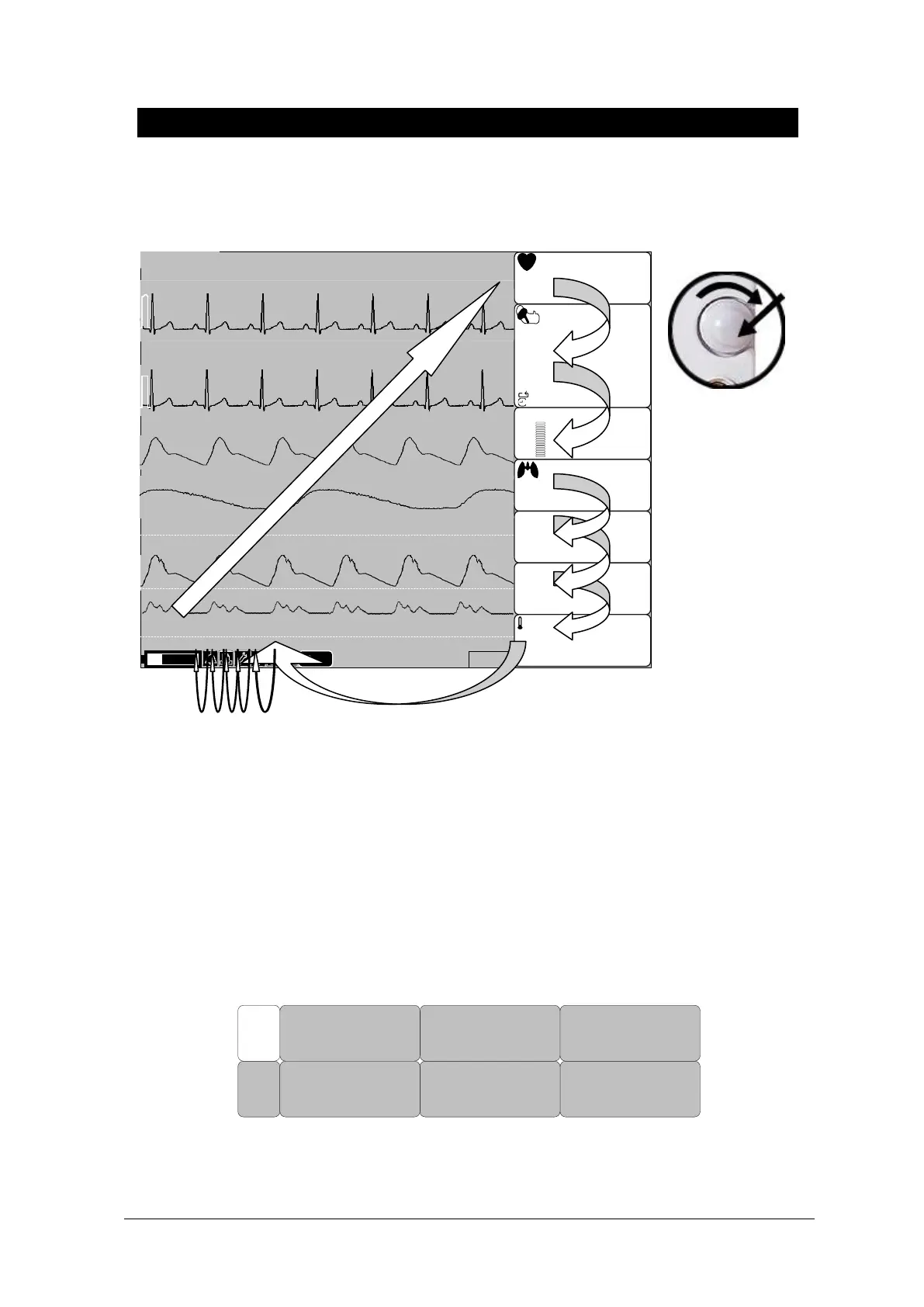
Menu Selection
10-MAY-09 12:23
JOHN
II
SpO2
RR II X1
BED-001
(93)
120
80
120
℃
200
80
11
CVP
80
(94)
/
80
200
09:30
1HR
ADT
02:10
S
%SpO2
90
100
100
50
150
RPM
20S
30
20
mmHg
P
BPM
80
CVP
ART
160
30
ART
3
15
FREEZE
0
10
80
II
0.0
ST(mm)
PVC (/min)--
S
ICU110
T1
T2
36.7
36.7
RR II
x2
M
ST(mm)--.-
III
II X1
PR
80
mmHg
42.0
30.0
30.0
42.0
ART
When the Trim Knob Key is turned, menus are selected in the order indicated above. The above
screen shows that the MORE menus is selected. The menus move to the right in the order of MORE
MENU → ECG → NIBP →SpO2 → RESP(EtCO2) → IBP1 → IBP2 → TEMP. An inactivated window
is jumped off.
Menu Composition
More Menu Window
When the additional menu is selected it will set and cancel the functions.
MAKER
SERVICE
DEMO:
ON
DISPLAY
USER
SERVICE
PREV
MENU
MAIN
MENU
KEY
SOUND:
ON



 To Next Page