27 MT55 Operation & Maintenance Manual
DRIVE / STEERING CONTROL TILT ADJUSTMENT
Operation
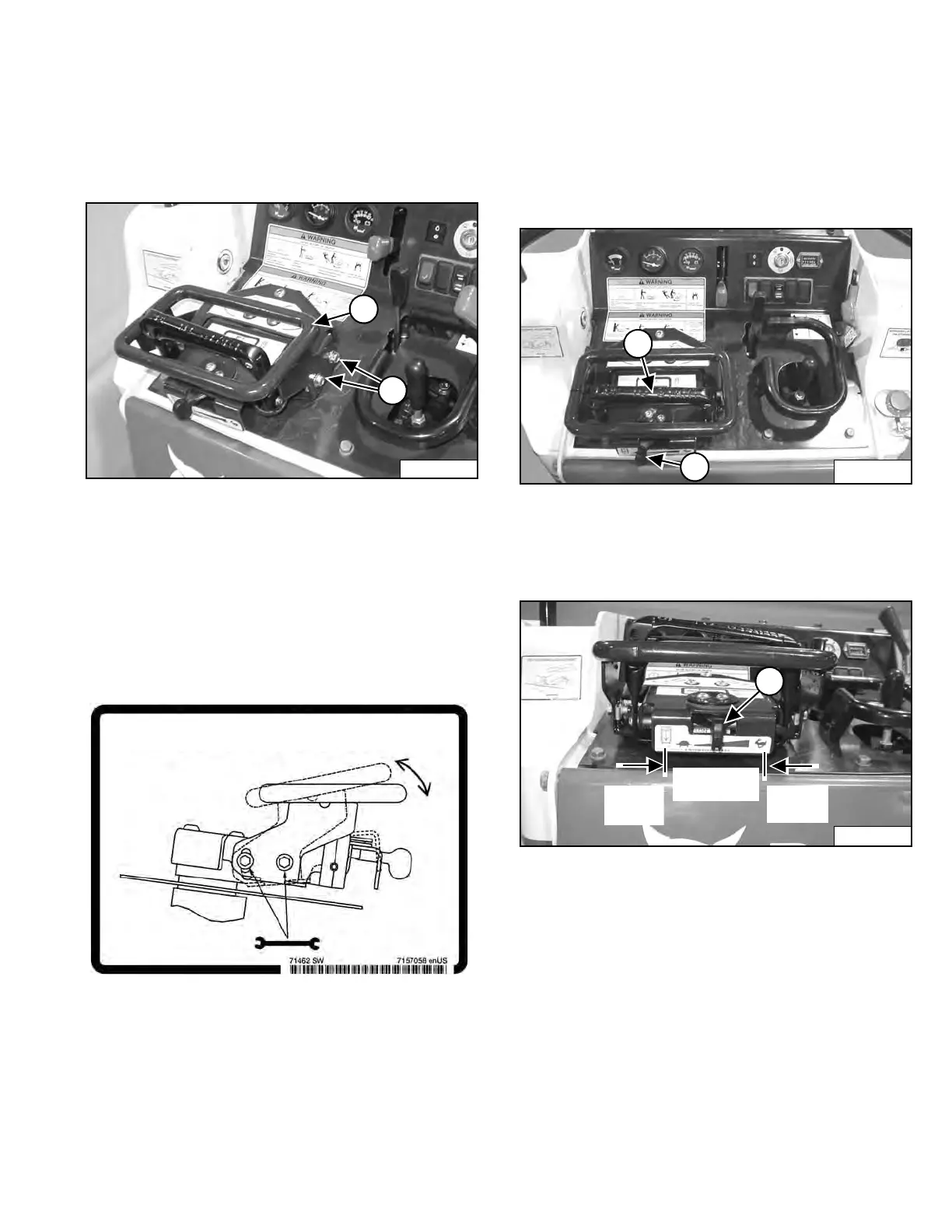
The Drive / Steering Control can be adjusted (tilted up or
down) for operator comfort.
Figure 15
Loosen the four bolts (Item 1) on the side of the Drive /
Steering Control handle (two on each side) and adjust
the angle of the handle (Item 2) [Figure 15] for operator
comfort.
Tighten the four bolts (Item 1) [Figure 15] on the side of
the Drive / Steering Control handle to 9 - 10 N•m (80 - 90
in-lb) after the adjustment is made.
REVERSE TRAVEL SPEED CONTROL LEVER
Operation
The Reverse Travel Speed Control Lever is used with the
Drive / Steering Control to limit the travel speed of the
mini track loader when moving in reverse to optimize
efficiency with certain attachments.
Figure 16
The Reverse Travel Speed Control Lever (Item 1)
[Figure 16] can be used for operations such as trenching
or tilling when a constant slower travel speed is desired.
Figure 17
• Put the Drive / Steering Control (Item 2) [Figure 16]
in NEUTRAL position.
• Slide the lever (Item1) [Figure 17] to the left to reduce
the reverse travel speed. Move the Drive / Steering
Control fully backward and the mini track loader will
travel in reverse at the set speed. To adjust the
reverse travel speed again, return the Drive / Steering
to the NEUTRAL position and slide the lever to the
desired position.
NOTE: Slide the Reverse Travel Speed Control Lever
fully to the right and move the Drive / Steering
Control fully back to move the mini track
loader at maximum reverse travel speed.
P-81901
Continuously
Variable
1
Dealer Copy -- Not for Resale



 To Next Page