787 Flight Crew Operations Manual
DO NOT USE FOR FLIGHT
Flight Instruments, Displays -
Electronic Flight Bag - Controls
and Displays
Copyright © The Boeing Company. See title page for details.
10.70.46 D615Z003-TBC
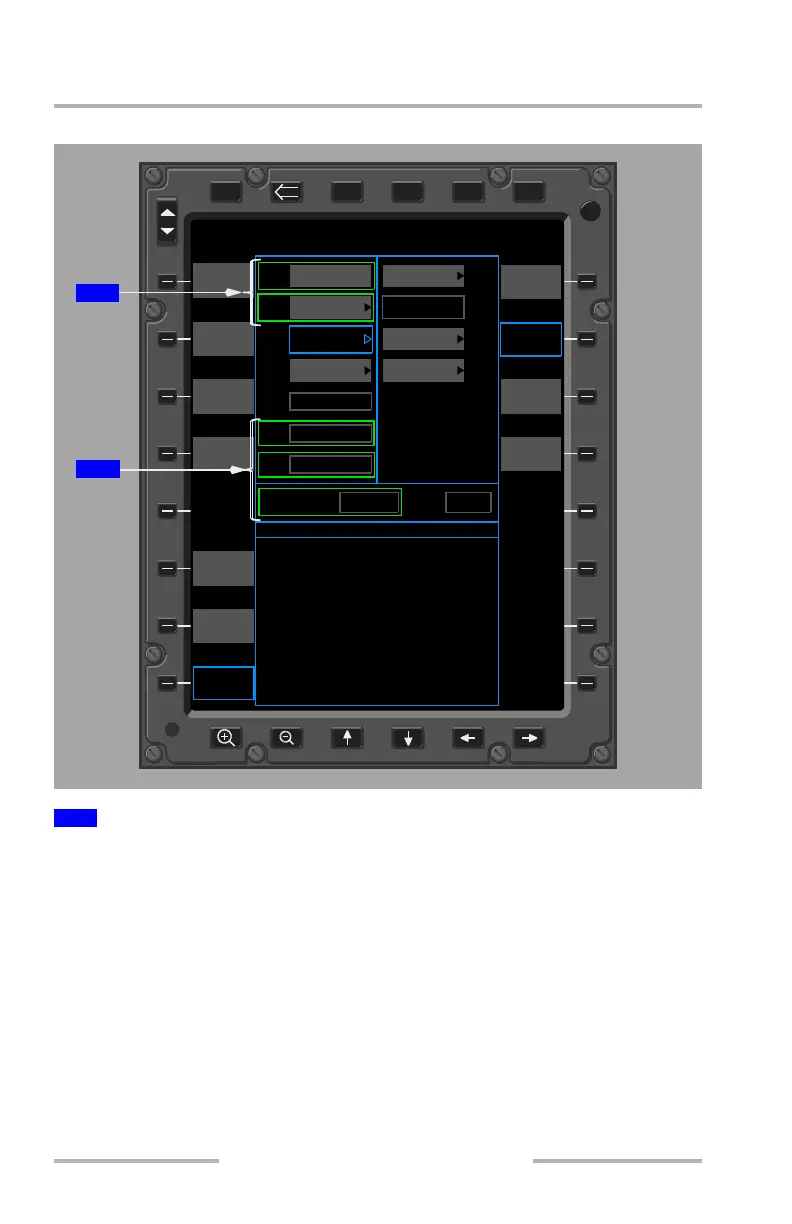
PERFORMANCE - COPY FMC DATA function
After selection of the COPY FMC DATA soft key, the transferred data from the
FMC is displayed in the relevant fields and outlined with a green box. All the
fields receiving data from the FMC are boxed, regardless if the previous value was
changed or not. The fields that receive data from the FMC are:
• ARPT (origin, or destination when on the Landing page)
•RWY
•OAT
• QNH
• Takeoff Weight
A green box is removed from around a field when that field is modified.
All green boxes are removed when a new calculation is performed, or upon return
to the Takeoff or Landing page after selection of any other page.
1
Data transferred from the FMC
DSPL
DSPL
PWR
XFRPGDNPGUPMENU ENTER
BRT
DIM
423500
PERFORMANCE - TAKEOFF
ARPT
RWY
INTX
COND
WIND
OAT
QNH
RTG
ATM
FLAP
A/I
Takeoff Weight: C/G (%):
MAX
TO
NO INTX
DRY
Optimum
OFF
08L
CYVR
1005.0 HPa
35 C
120/5 KT
ARPT
INFO
ADD
ARPT
NOTAMS
SHOW
KYBD
SHOW
LANDING
CALC
SHOW
MEL
CDL
(4 HW/3 XW)
(95 F)
(29.68 IN HG)
COPY
FMC DATA
SEND
OUTPUT
1
1
June 16, 2008



 To Next Page