787 Flight Crew Operations Manual
DO NOT USE FOR FLIGHT
Warning Systems -
System Description
Copyright © The Boeing Company. See title page for details.
15.20.30 D615Z003-TBC
GPWS Windshear Alert and PWS
Windshear alerts are enabled during takeoff, approach, and landing:
• GPWS provides an immediate windshear alert when an excessive
downdraft or tailwind is occurring
• PWS provides windshear alerts when an excessive windshear condition is
detected ahead of the airplane
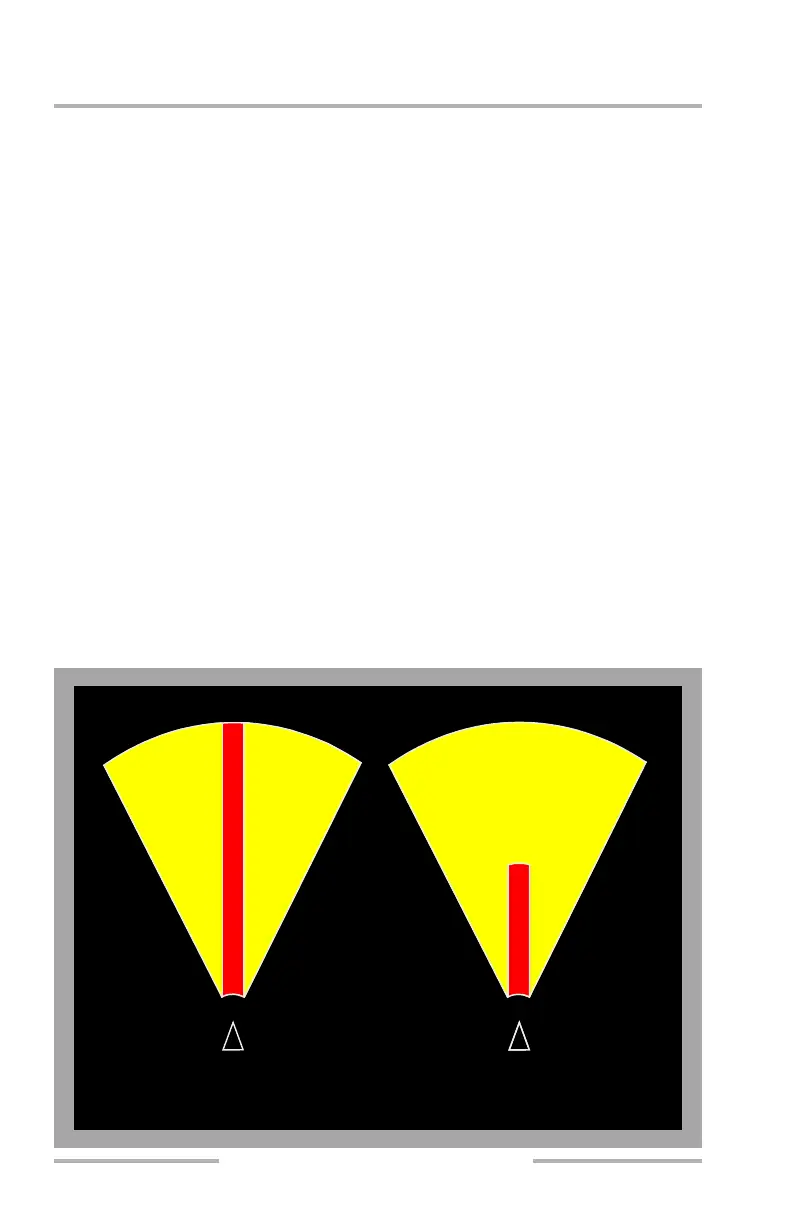
PWS Alert System
Weather radar uses radar imaging to detect disturbed air ahead of the airplane.
PWS alerts are enabled approximately 12 seconds after weather radar begins
scanning for windshear.
When PWS is scanning for windshear, radar antenna scan sweep is reduced.
Prior to takeoff, PWS alerts can be enabled by pushing the WXR switch on the
EFIS control panel. On the ground with the WXR switch pushed or not pushed,
weather radar begins scanning for windshear when the thrust of either engine is in
the takeoff range and thrust reversers are not unlocked or deployed.
In flight with the WXR switch pushed or not pushed, weather radar begins
scanning for windshear below 2,300 feet radio altitude and PWS alerts are enabled
below 1,200 feet radio altitude.
When windshear is not predicted by PWS, weather radar returns are displayed
only when the WXR on the EFIS control panel is pushed.
0.5 NM
1.5 NM
W
A
R
N
I
N
G
PWS ALERT AREA
30°
On Ground
30°
3 NM
W
A
R
N
I
N
G
CautionCaution
30°30°
3 NM
Caution
0.5 NM
In Flight
February 15, 2010



 To Next Page