787 Flight Crew Operations Manual
DO NOT USE FOR FLIGHT
Flight Management, Navigation -
Alternate Navigation System
Description
Copyright © The Boeing Company. See title page for details.
11.50.2 D615Z003-TBC
Alternate Navigation Page
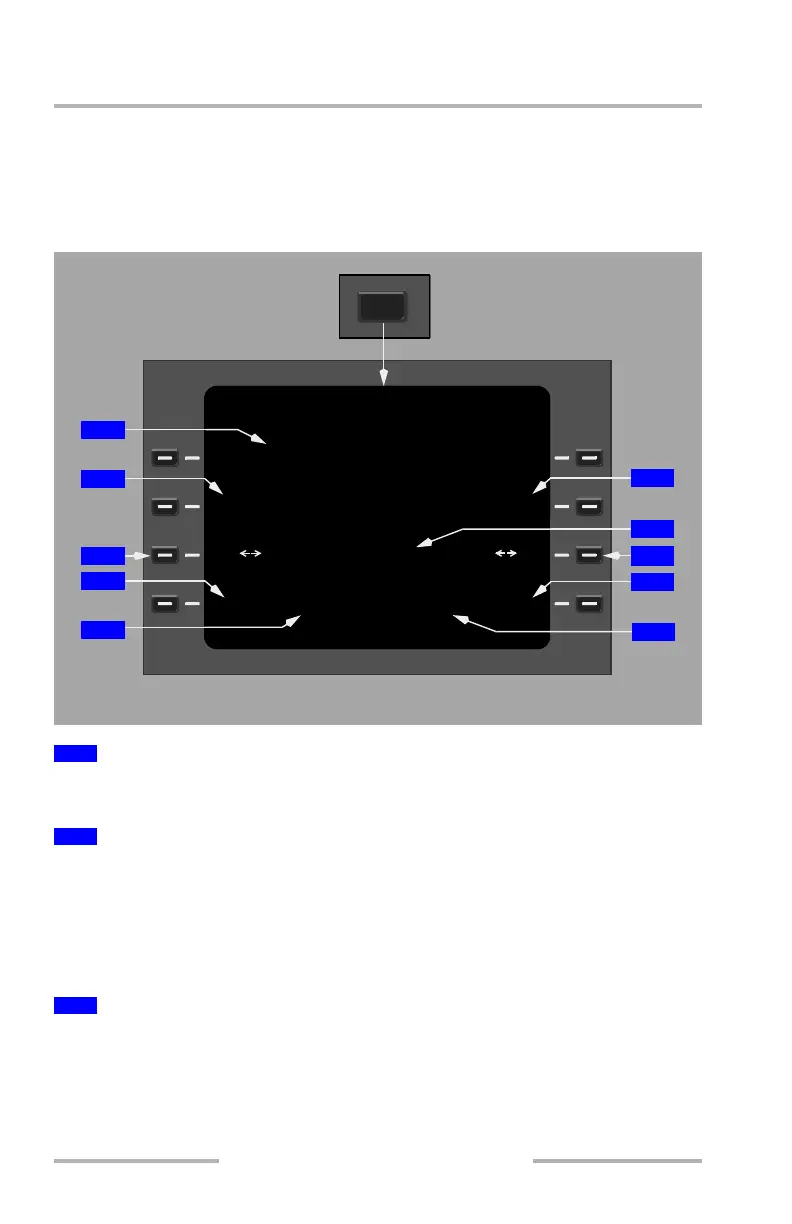
The ALTN NAV page provides a stand alone single waypoint navigation
capability. Once the waypoint’s latitude and longitude have been entered at LSK
2 L/R, flight progress information to the waypoint is then displayed. The waypoint
must be manually updated as required.
Displays current left integrated navigation receiver latitude and longitude to the
nearest tenth of a minute.
Enter a TO waypoint latitude into the TCP scratchpad:
• select N or S on the latitude hemisphere selection key
• enter latitude in degrees (D) and minutes (M) using DDMM.M format
• default is current latitude hemisphere
Line select into the TO LAT field.
Push – toggles between northern and southern hemispheres.
Selection is displayed in large green font.
Default is current latitude hemisphere.
1
Present Position
2
To Latitude (TO LAT)
3
Hemispherical Selection Key (Latitude)
NAV
ALTN NAV
1/2
GS
TRK TO
TO LAT
100
o
T
N47
o
06.1
25O
DTG
123
NMKT
TTGGTK
00:2998
o
T
PRESENT POSITION
N47
o
32.5 W122
o
18.3
TO LONG
W119
o
18.6
E
W >
S
<N
6
7
8
9
10
1
5
2
3
4
TUNING AND CONTROL PANEL
August 14, 2009



 To Next Page