787 Flight Crew Operations Manual
DO NOT USE FOR FLIGHT
Warning Systems -
Controls and Indicators
Copyright © The Boeing Company. See title page for details.
15.10.6 D615Z003-TBC
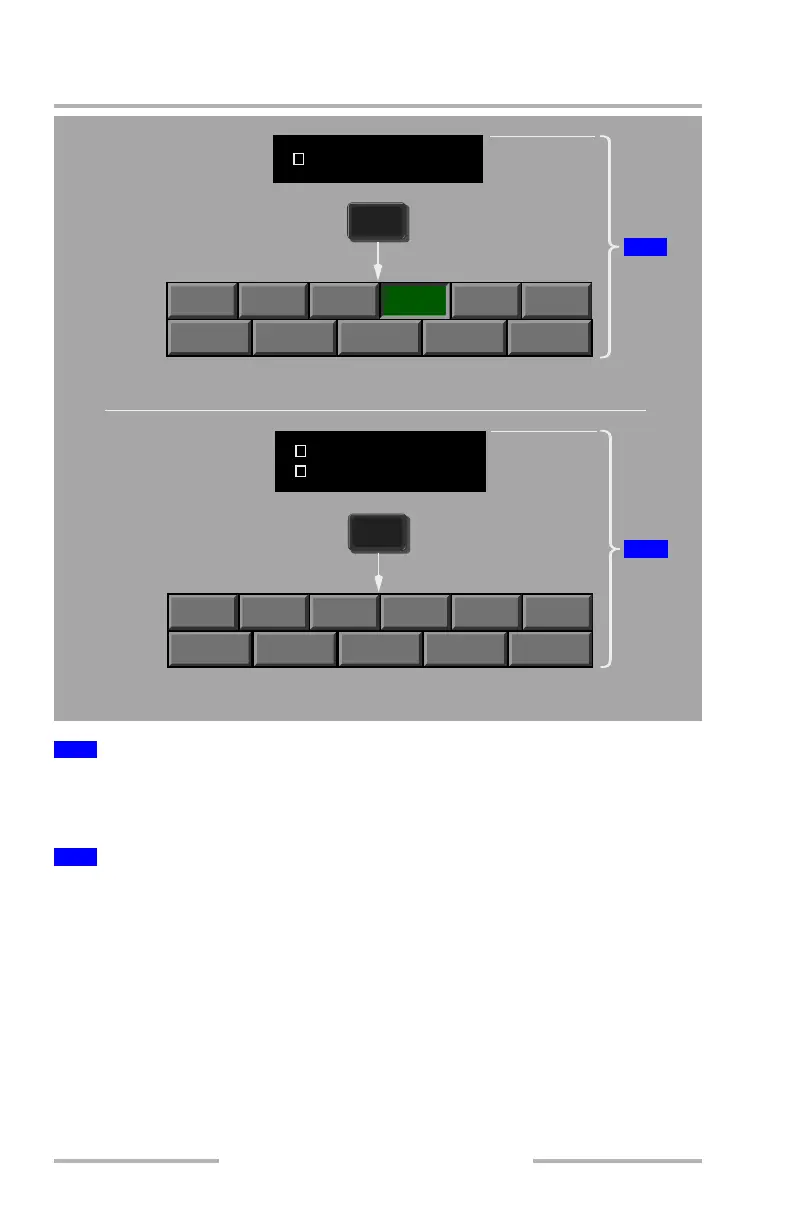
When a single EICAS message associated with a synoptic is triggered, the
synoptic becomes the default display upon selection of the Display Select Panel
SYS key. The menu text for the displayed synoptic is displayed in amber.
When more than one EICAS message exists for multiple system synoptics, only
the system menu is displayed. The menu text associated with the EICAS messages
is displayed in amber. The flight crew then has to select the desired system
synoptic.
Note: If a system page is already displayed and a subsequent SYS synoptic
trigger activates, the displayed page remains as selected with the
appropriate system menu text changing color to amber.
1
Single EICAS Message
2
Multiple EICAS Messages
STAT DOOR
ELEC
HYD FUEL AIR
GEAR
FCTL
EFIS/DSP
CB
MAINT
SYS
1
STAT DOOR
ELEC
HYD FUEL AIR
GEAR
FCTL
EFIS/DSP
CB
MAINT
SYS
2
FUEL IMBALANCE
FUEL IMBALANCE
PACK L+R
Associated Synoptic Automatically Displayed
Flight Crew Must Select Synoptic
August 14, 2009



 To Next Page