787 Flight Crew Operations Manual
DO NOT USE FOR FLIGHT
Flight Controls -
Controls and Indicators
Copyright © The Boeing Company. See title page for details.
D615Z003-TBC 9.10.5
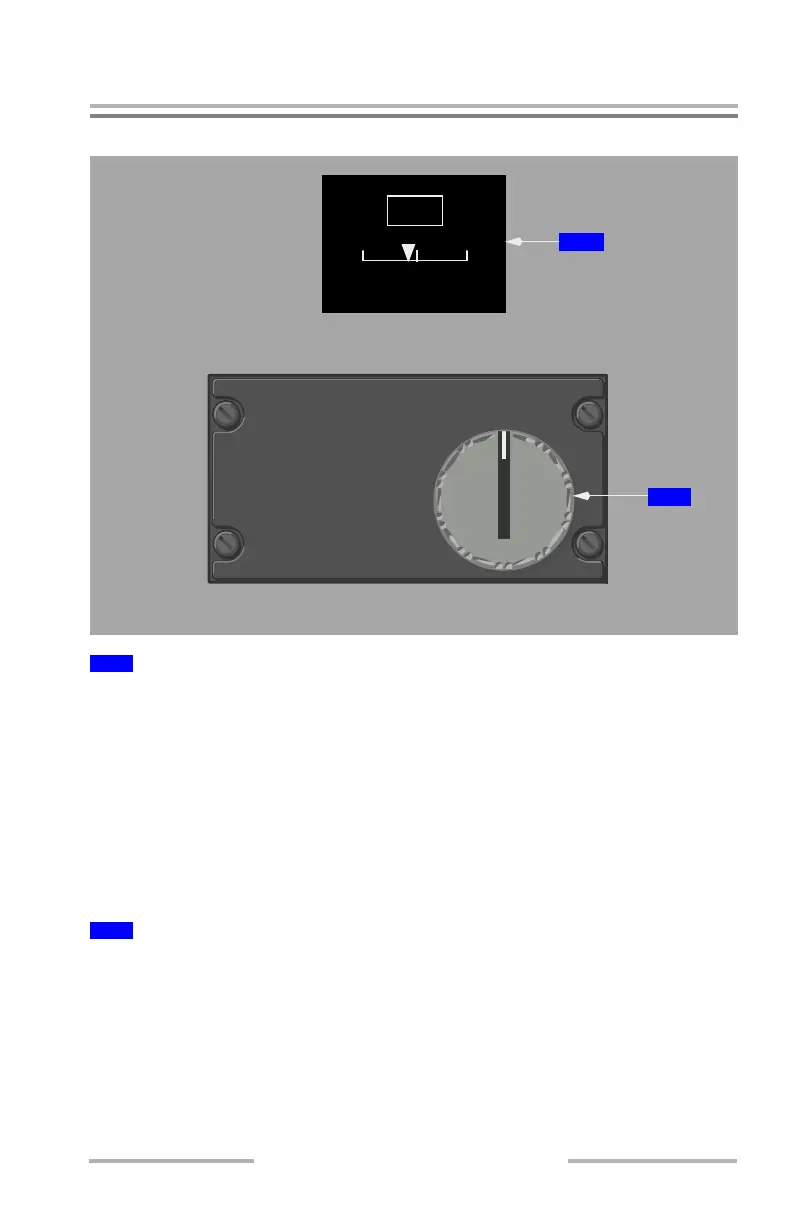
Rudder Trim Control
Digital readout displays rudder position in 0.2 increments from 0.0 to 1.0 unit and
in 0.5 increments between 1.0 and 17.0 units of trim. An L or R is displayed to the
left or right of the box for any non-zero rudder trim. Corresponding pointer
position is displayed on the line scale below.
When the rudder signal is not present or is invalid, the digital readout, left/right
indication and pointer are not displayed on the rudder position indicator.
When the rudder trim is inoperative, the digital readout is replaced with an "X".
The box, the "X" and the pointer display amber. The pointer remains on the scale
at the last known trim position.
Spring-loaded to neutral.
Rotate –
• trims the rudder in the desired direction
• in either direction the trim runs at low speed with the knob rotated to the
detent, and high speed with the knob rotated past the detent
• the rudder pedals move with rudder trim operation
1
RUDDER TRIM Indicator
2
RUDDER Trim Selector
R
U
D
D
E
R
NOSE
R
RUDDER
NOSE
L
RUDDER TRIM
L
52
.
EICAS DISPLAY
AFT AISLE STAND
2
1
June 16, 2008



 To Next Page