787 Flight Crew Operations Manual
DO NOT USE FOR FLIGHT
Flight Controls -
System Description
Copyright © The Boeing Company. See title page for details.
D615Z003-TBC 9.20.3
Flight Control Surfaces Lock
There are two FLIGHT CONTROL SURFACES lock switches located on the
overhead panel for locking out the flight control surfaces on the tail and wings.
The flight control lock switches are for use by maintenance personnel to prevent
surface movement when working on or in the area of the control surfaces.
WARNING: To avoid injury to personnel or damage to the airplane, always
verify the areas near the flight control surfaces are clear prior
to moving a switch from LOCK to NORM.
To alert the flight crew of a locked condition, the EICAS advisory message FLT
CONTROL LOCKED is displayed when a lock switch is in the LOCK position.
In addition, the flight control surfaces will automatically unlock when
groundspeed exceeds 40 knots.
The flight control lock FAIL light is illuminated when a lock switch is in the
LOCK position and any of the associated surfaces do not lock.
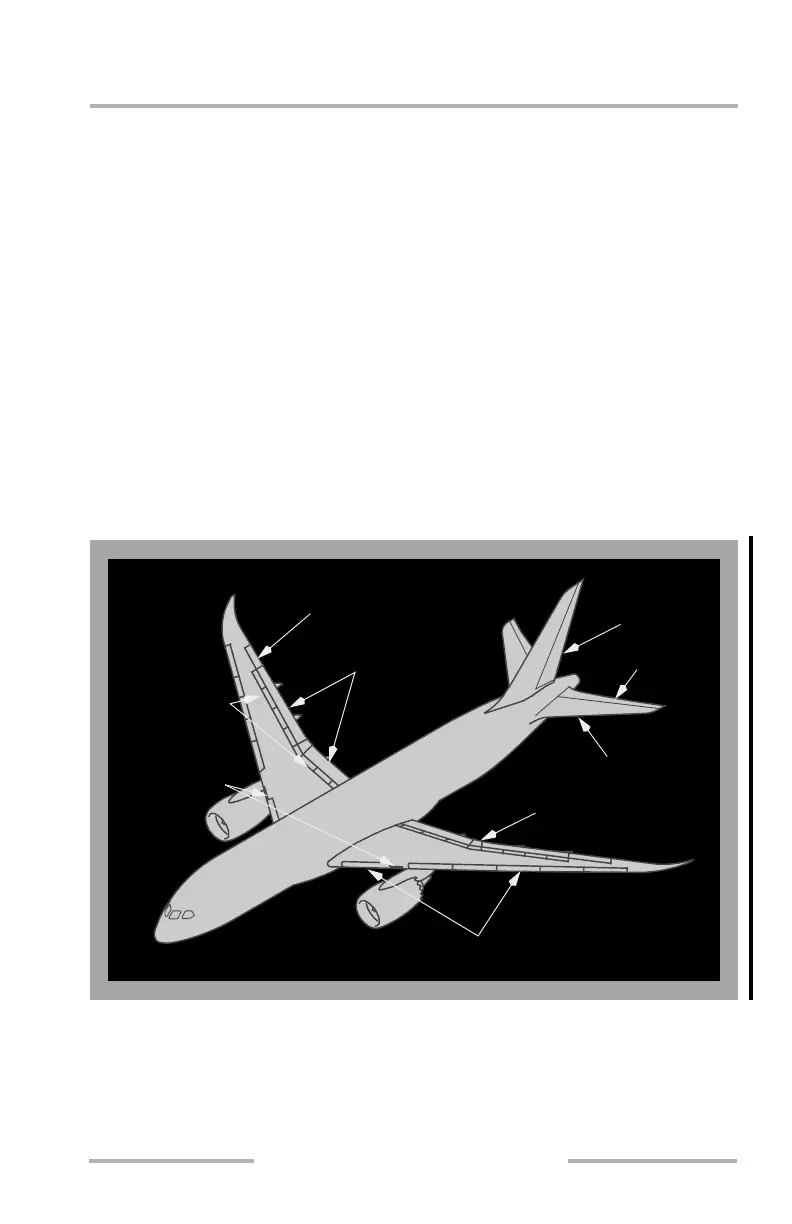
Flight Control Surface Locations
Flaps (2 per side)
Aileron (1 per side)
Elevator
Spoilers
(7 per side)
Krueger Flaps
(1 per side)
Rudder
Stabilizer
Flaperon
Slats (6 per side)
(1 per side)
February 15, 2010



 To Next Page