When automatic track log import is enabled, Sentry Plus will finalize and import Track Logs into
ForeFlight before powering off (provided the criteria above are met). If a Track Log is not
imported before power off due to not meeting one of the conditions, the next time Sentry Plus
is powered on, it will import the Track Log into ForeFlight as long as the conditions are met.
Automatic Track Log Import Setting
Automatic Track Log import can be enabled during initial configuration or later by selecting
More > Devices > Sentry Plus > Automatic Track Log Import.
Setting Automatic Track Log Import on or off on one device does not cause the selection to
sync between devices that connect to the same Sentry Plus. It is recommended that Automatic
Track Log Import is only turned on for one device per account.
Auto Power Setting and Automatic Track Log Imports
If the Sentry Plus Auto Power setting is enabled, Sentry Plus will power on and start recording
a Track Log when a power source is detected. When the power source is disconnected, Sentry
Plus will automatically import the Track Log before shutting down (requires connection to
ForeFlight and groundspeed of less than ten knots).
Deleting Track Logs
Track Logs can be deleted from ForeFlight
and Sentry Plus.
To delete a Track Log from ForeFlight, select
More > Track Logs, swipe from right to left,
and tap Delete.
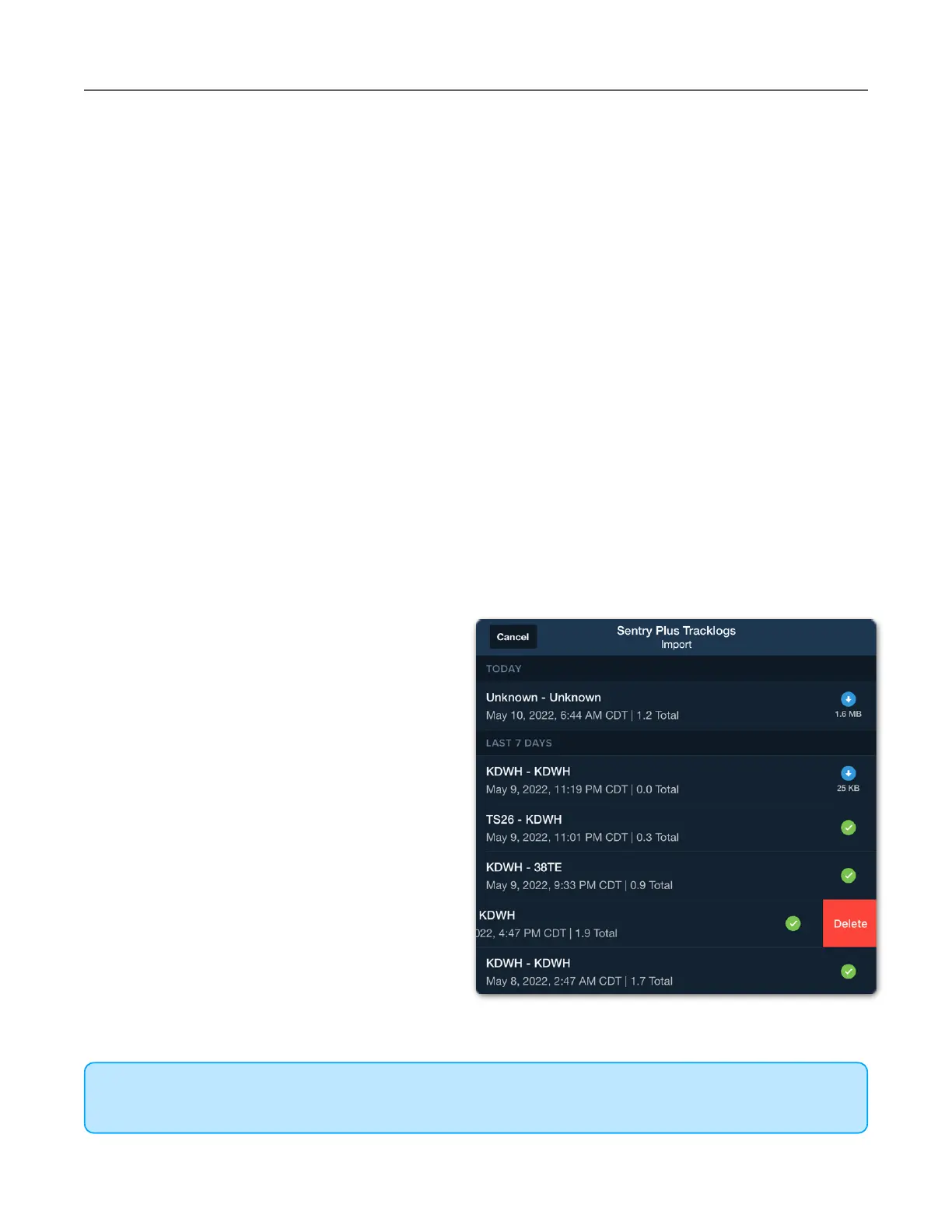
To delete a Track Log from Sentry Plus,
select More > Track Logs > tap the Track
Log import button and select From Sentry
Plus. Swipe from right to left on the Track
Log in the Sentry Plus Import menu and tap
Delete.
Once a Track Log is deleted from Sentry
Plus, it can not be restored. Track Logs
deleted from Sentry Plus are not deleted
from ForeFlight.



 To Next Page