124
Synchronizing with MIDI devices
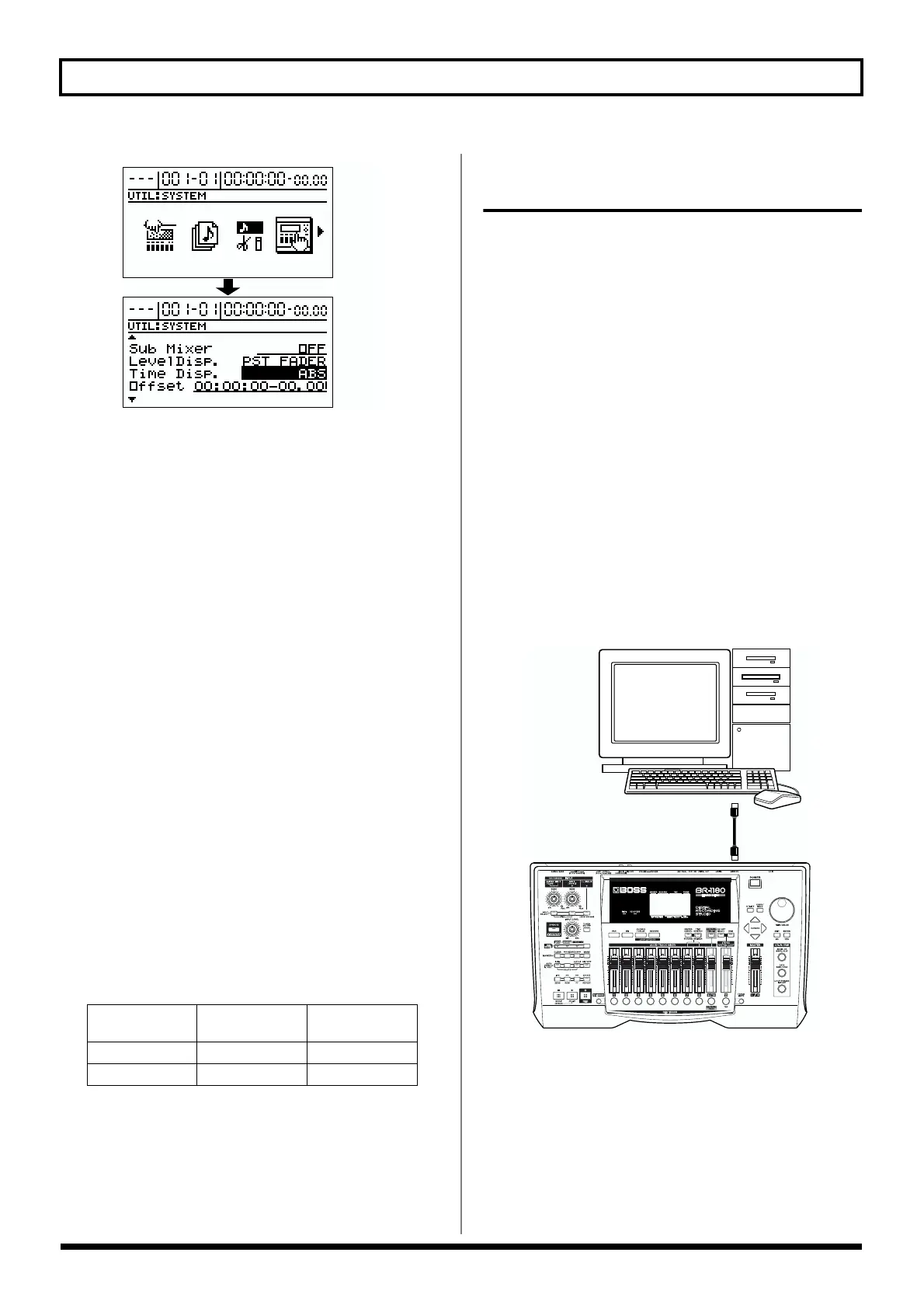
fig.R17-15
3. Use [CURSOR] to move the cursor to “Time Disp.,” and
use the TIME/VALUE dial to select how the time will
be displayed.
Time Disp. (time display format)
Select the base time that will be shown in the TIME field
of the display. Normally you will leave this set to “ABS.”
If you are using MTC from the BR-1180/1180CD to
synchronize an external MIDI device, select “REL”
according to your situation.
ABS:
The specified offset time will be added to the displayed
value.
REL:
Displays “00:00:00:00:00” as the start time of the song.
4. Move the cursor to “Offset,” then rotate the TIME/
VALUE dial to set the time offset.
The offset sets the time required to align the song
playback and MTC timing when synchronizing an
external device using MTC from the BR-1180/1180CD.
The offset is set as the difference between the “time to
which to align the MTC timing” and the “time to which
to align the song timing.” For example, you want to have
the external device play back with the MTC timing
shown below when the song timing reaches
“01h00m00s00,” then set the offset as follows.
5. Press [EXIT] several times to return to the top screen.
Operating MMC-compatible devices
with the BR-1180/1180CD
What is MMC?
MMC stands for “MIDI Machine Control.” This is a protocol
that uses MIDI System Exclusive messages to remotely
control multiple recording devices from one device. Your BR-
1180/1180CD supports the MMC protocol. By using MMC, a
MIDI device connected to the BR-1180/1180CD can be
controlled by the BR-1180/1180CD to perform operations
such as start, stop, and fast-forward.
* Some MIDI devices do not support the BR-1180/1180CD’s
MMC functionality. If so, you will not be able to operate it
from the BR-1180/1180CD as described in this owner’s
manual.
For details on the MMC functionality supported by the BR-
1180/1180CD, read “MIDI Implementation” (p. 179).
This section explains how to make settings for synchronizing
the playback with a computer-based sequencer program that
supports MMC and MTC. Make connections as shown in the
diagram below.
fig.R17-16
The BR-1180/1180CD will be the master for MMC and MTC.
Follow the procedure given below to operate the play, stop,
fast-forward and other functions of a sequencer program
with the BR-1180/1180CD.
1. Press [UTILITY].
2. Use [CURSOR] to select the “MIDI” icon, and press
[ENTER].
Song Timing MTC for
External Device
Offset Setting
01h00m00s00 01h30m00s00 00h30m00s00
01h00m00s00 00h30m00s00 23h30m00s00
MIDI IN
MIDI OUT



 To Next Page