53
Using the insert effects
Advanced Use
Saving insert effects settings
This assigns a name (patch name) to the edited effect settings
and saves the settings.
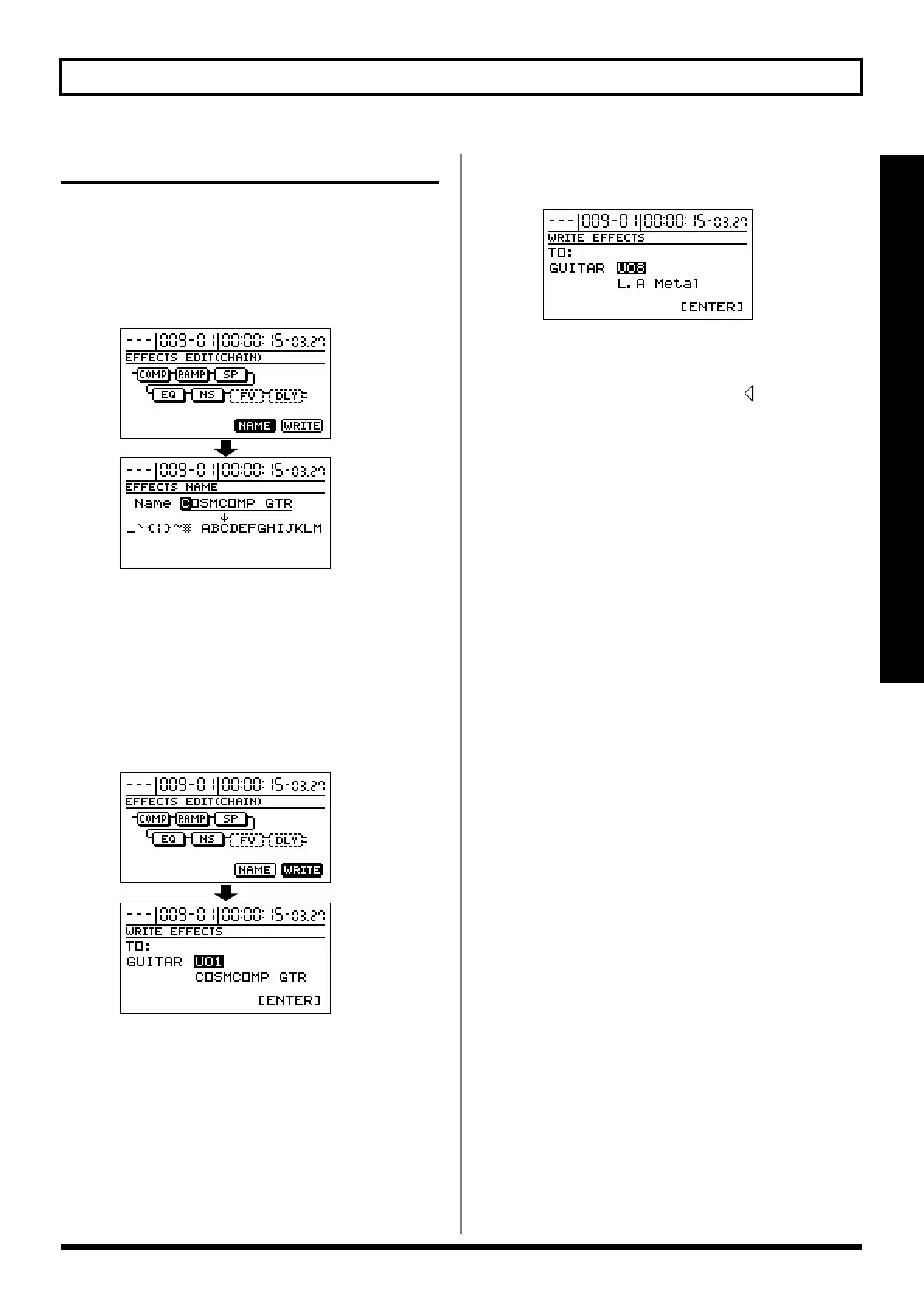
1. Entering the patch name.
In the effect block diagram screen, use [CURSOR] to
select “NAME,” and press [ENTER].
fig.R04-05
Now you can modify the patch name.
2. Use [CURSOR] and the TIME/VALUE dial to enter the
patch name.
3. When you have finished making settings for each
effect and for the patch name, press [EXIT] to return to
the previous screen (the effect block diagram).
4. Use [CURSOR] to select “WRITE,” and press [ENTER].
fig.R04-06
5. Rotate the TIME/VALUE dial to select the writing
destination for the patch.
fig.R04-07
* The bank corresponding to INPUT SELECT will
automatically be selected as the writing destination bank.
At this time you can press CURSOR [ ] and rotate the
TIME/VALUE dial to write the patch to a bank other
than the bank that was specified by INPUT SELECT.
6. After you’ve selected the destination, press [ENTER].
After the data has been written, you will return to the
patch select screen.
* If a bank other than the bank specified by INPUT SELECT is
selected as the writing destination, the BR-1180/1180CD will
switch to the newly specified writing destination bank after the
data has been written.
7. Press [EXIT] several times to return to the top screen.



 To Next Page