71
Editing the performance—Track Editing
Advanced Use
Inserting blank spaces in
recorded data (Track Insert)
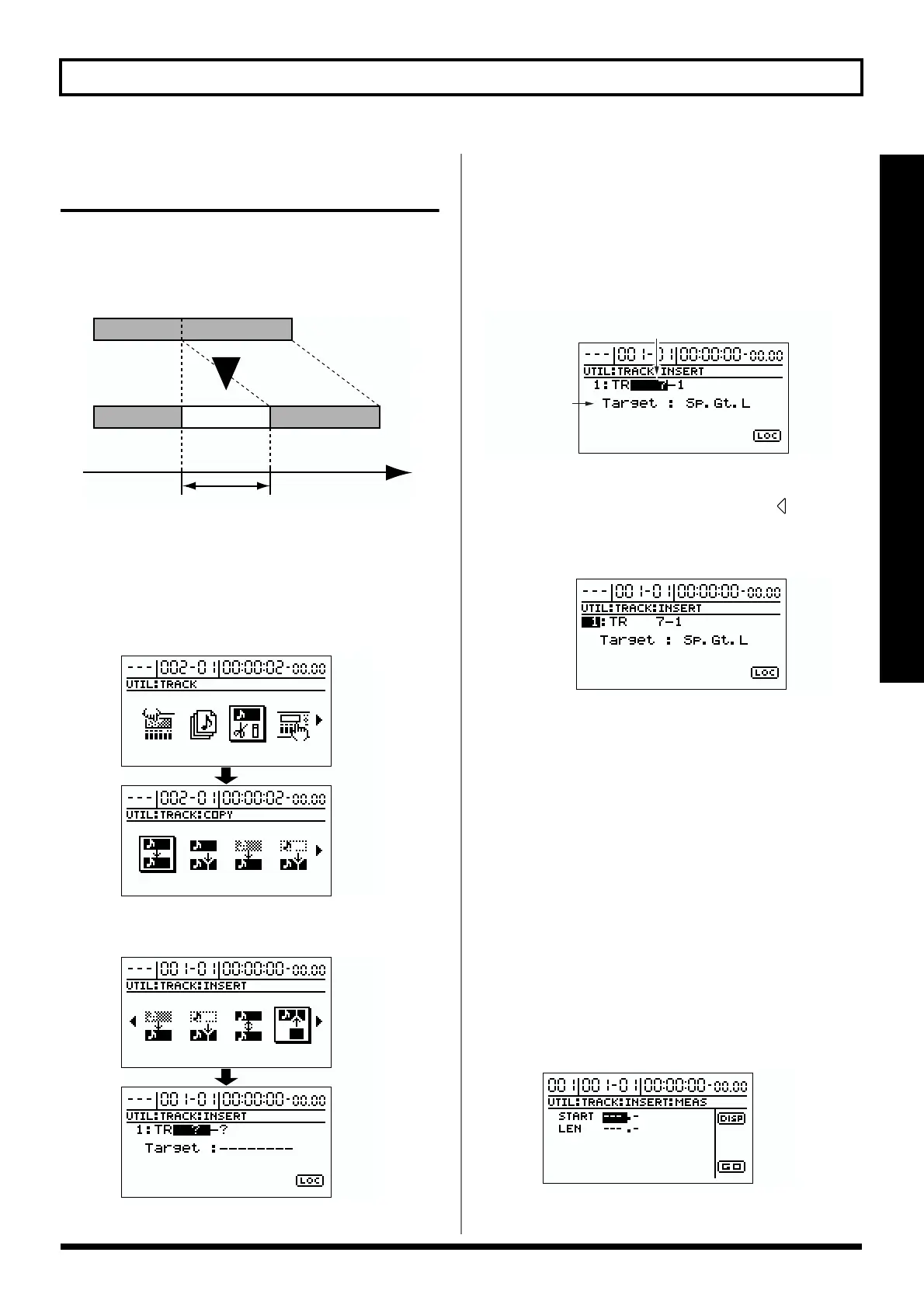
This operation inserts blank space at the specified location.
If you wish to add a phrase in the middle of the previously
recorded data, you should add a blank of the same length as
the phrase, and then record the new phrase in the blank area.
fig.R10-24
* Do not leave any sound that is under 0.5 seconds in duration before
or after the insertion. Sound of a duration that is less than 0.5
seconds will be inaudible, even though it still exists in the data.
1. Press [UTILITY].
2. Use [CURSOR] to select the “TRACK” icon, and press [ENTER].
fig.R10-04
3. Use [CURSOR] to select the “INSERT” icon, and press [ENTER].
fig.R10-25
The Track Insert screen will appear, allowing you to
select the insert destination track/V-track.
4. Use [CURSOR] and the TIME/VALUE dial to select the
track/V-track where the blank will be inserted.
* If a name has been assigned to the selected track, the track
name will be displayed.
fig.R10-26
5. If there are other tracks into which you wish to insert a
blank (location, length), press CURSOR [ ] several
times to move the cursor to the following location, and
rotate the TIME/VALUE dial.
fig.R10-27
Now you can specify the new insertion destination track.
If you wish to cancel the insertion for a track, rotate the
TIME/VALUE dial to left to make it read “?.”
* The Track Insert operation will not be executed for a line that
contains even one “?.”
* By using the TIME/VALUE dial to select “*,” you can specify
that the operation apply to all tracks or all V-tracks.
* If you want the operation to apply to all V-tracks of all tracks,
select “*-*.”
* Tracks 9/10 are stereo tracks; they cannot be selected
individually.
6. Specify the location at which the blank will be
inserted, and the length of the blank.
If you use [CURSOR] to move the cursor to “LOC” and
press [ENTER], the Track Insert (MEAS) screen appears.
fig.R10-28
TimeTO
Blank
LENGTH
insert destination
(tracks/V-tracks)
name
(insert destination)



 To Next Page