37
Recording/playing back a song
Quick Start (Recording/playing back a song)
fig.Q02-15
To spread the sound of your guitar backing spatially to
the left and right, first record the same guitar backing to
two different tracks and then use the panning feature to
spread the sound. This is known as “doubling.”
The BR-1180/1180CD provides a “DOUBL’N
(doubling)” (p. 151) insert effect that lets you produce a
doubling effect without having to record the same
performance twice. After setting for stereo recording
with two tracks, by playing the backing music with the
“DOUBL’N” effect, you can create the doubling effect for
a widely spread sound space.
“DOUBL’N” is also provided as a loop effect. (p. 56) By
using the “DOUBL’N” loop effect, you can achieve the
doubling effect even on monaural recordings on single
tracks for more efficient use of your track space.
* When you use the loop effect “DOUBL’N”, adjust the
“DOUBL’N” parameter with the pan set all the way to the
right or left during playback. For more details regarding loop
effect operations, refer to “Using the loop effects” (p. 56).
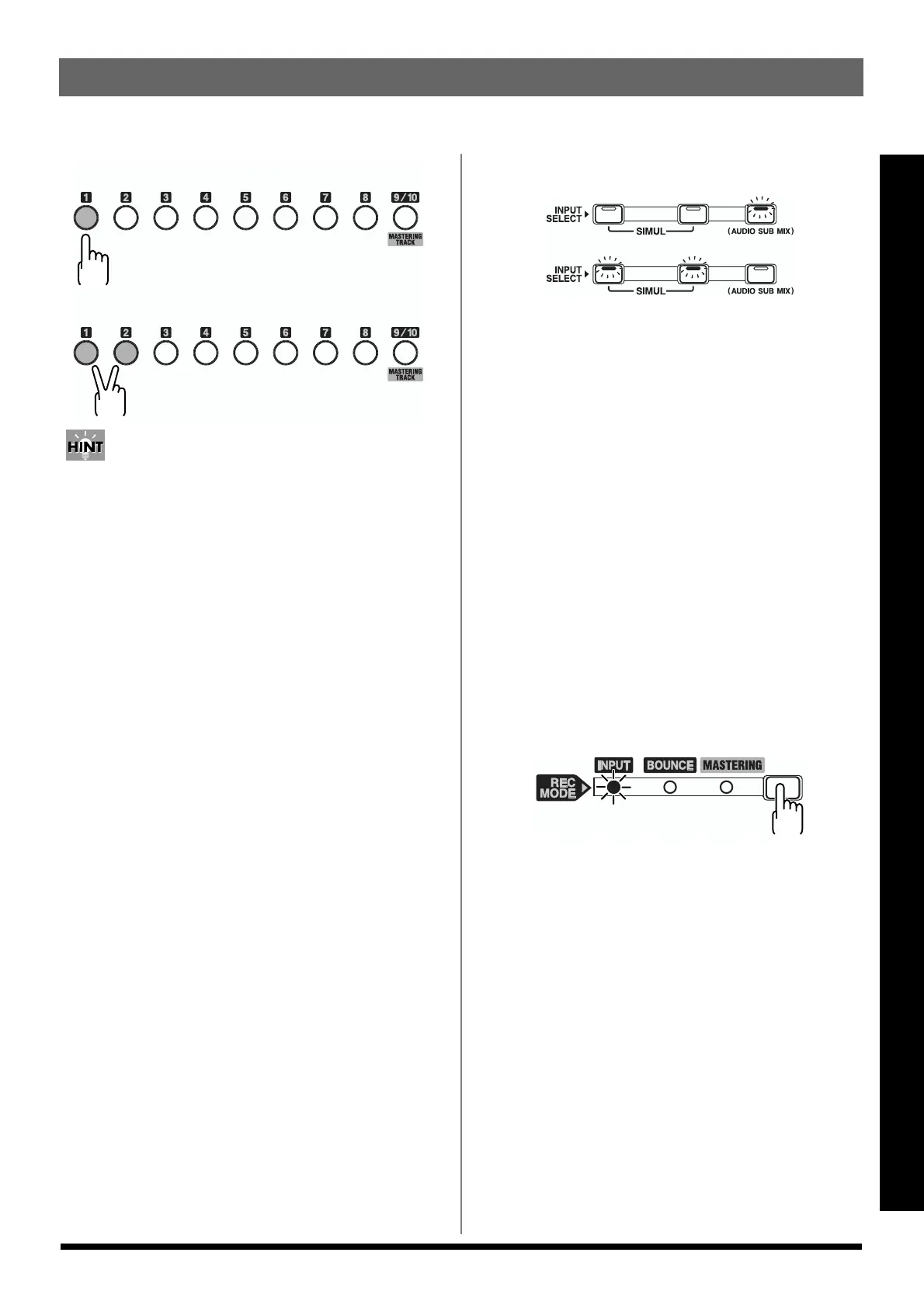
If INPUT SELECT [LINE] or [SIMUL] are lit
fig.Q02-16
Since the input is stereo, the recording is normally performed
on two tracks. You can select any of five pairs. Press [1] and
[2] to specify tracks 1 and 2. In a similar manner, you can
select tracks 3 and 4, 5 and 6, 7 and 8, or 9 and 10.
However, if you want to mix together the left and right
channels being input onto one track, with tracks 1 and 2
selected, press REC TRACK [1] again to select track 1. Using
the same procedure, you can select any track 1 to 8 to be the
track to which to record.
However, tracks 9/10 are linked as a stereo pair, so neither 9
nor 10 can be specified individually.
Recording operations
* Each track can either play back or record.For example, when
recording in stereo to two tracks, the tracks other than those
being recorded to can be used for playback at the same time,
giving you a total of eight tracks you can use for playback
during recording.
1. Press [REC MODE] to make the INPUT indicator light.
fig.Q02-17
On the BR-1180/1180CD, you can press [REC MODE] to
select one of three recording modes.
* Here we will explain how you can listen to the sound of the
other tracks while recording only your own performance, so
select INPUT as the recording mode.
INPUT:
Only the input source (instrument or mic) will be
recorded on the track. The playback sound from the
other tracks will not be recorded.
BOUNCE:
The playback sound of the tracks will be combined and
recorded to another track. When the input source is
selected with INPUT SELECT, you can also have those
sounds included in the recording.
(Record in mono)
(Record in stereo)
or



 To Next Page