56
Using the loop effects
This section explains how to modify the settings (parameters)
of the loop effects (chorus/delay/doubling, reverb).
For an explanation of loop effects, refer to “What are
loop effects?” (p. 40).
Loop effects do not have “patches.” Loop effect settings
are saved along with the song data. Additionally, the
settings for tracks 9/10 are always used by both tracks.
Modifying the loop effect settings
Chorus/Delay/Doubling
Here’s how to make chorus/delay/doubling settings for the
loop effect.
* It is not possible to use chorus, delay and doubling
simultaneously. You must select one of them.
1. Press [CHORUS/DELAY].
A screen will appear in which you can adjust the volume
that is sent from each track to the chorus/delay/
doubling (the send level).
fig.R05-01
2. Use [CURSOR] to select the track, then rotate the
TIME/VALUE dial to adjust the send level.
* At this time, you can continue pressing CURSOR [ ] and
adjust the send level of the input source. Furthermore,
pressing [ ] enables adjustment of the Rhythm Guide and
loop phrase send level.
3. Press [CHORUS/DELAY] once again.
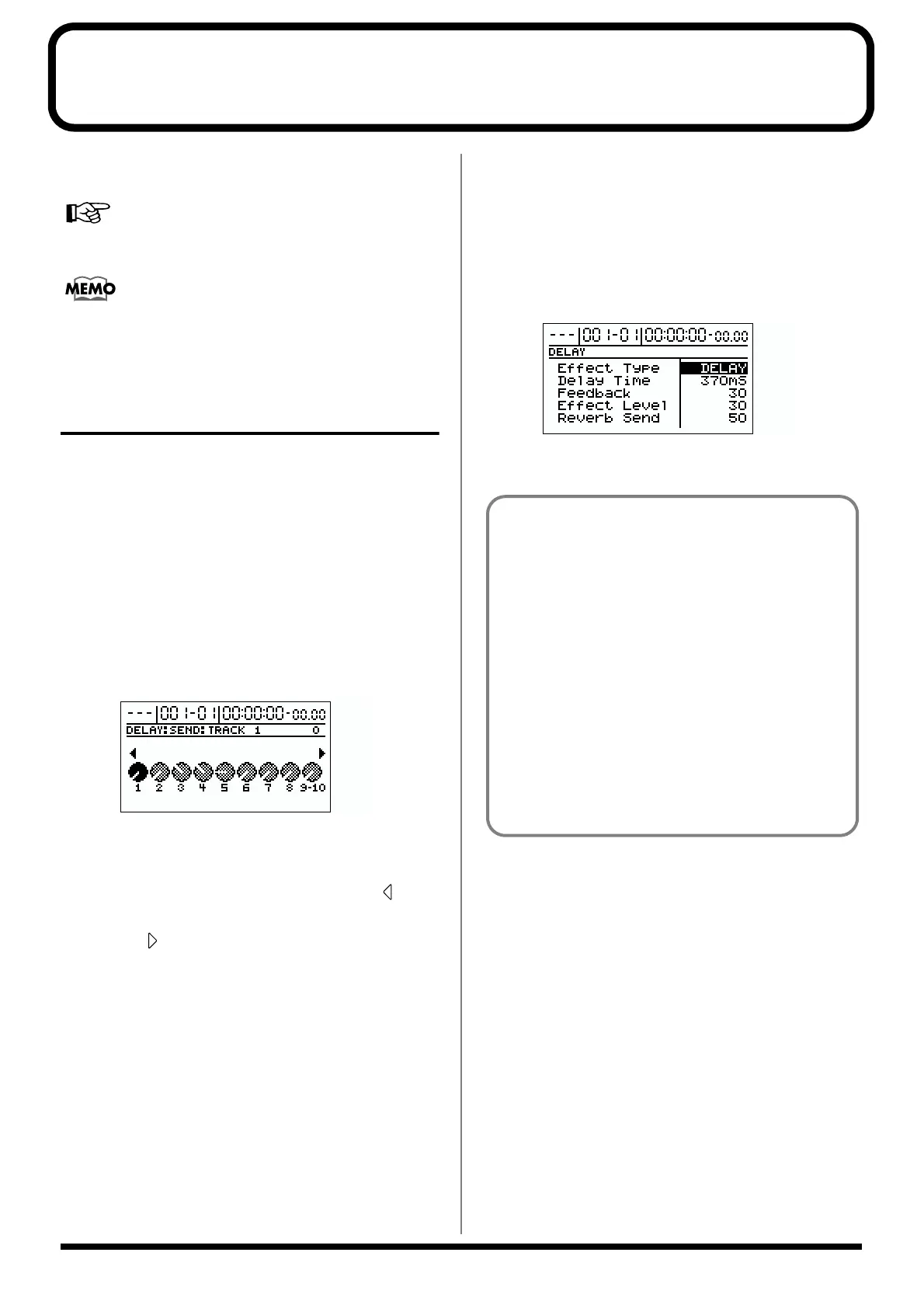
The chorus/delay setting screen will appear.
To change the effect (chorus/delay/doubling), use
[CURSOR] to select “Effect Type,” and rotate the TIME/
VALUE dial.
For details on other parameters, refer to “Mixer effect
parameter functions” (p. 141).
fig.R05-02
4. Press [EXIT] several times to return to the top screen.
Doubling
When you want to spread out the guitar backing sound
to the left and right, record the same guitar backing
separately to two tracks, then pan the sounds to the left
and right. This is known as “doubling.”
The BR-1180/1180CD provides an insert effect called
“DOUBL’N (doubling)” (p. 141) that lets you produce a
“DOUBL’N” effect without having to record twice.
By using the “DOUBL’N” loop effect, you can achieve
the doubling effect even on monaural recordings on
single tracks for more efficient use of your track space.
* When you use the loop effect “DOUBL’N,” adjust the
“DOUBL’N” parameter with the pan set all the way to
the right or left during playback.



 To Next Page