98
Using loop phrases
Set the following items.
START (start point):
Specify the starting location of the copy source data.
END (end point):
Specify the ending location of the copy source data.
* If, after specifying the above parameters in terms of location
you switch to the measure or marker indication, a “+” may
appear if a discrepancy between the indicated position and the
actual position arises. When using measures or markers to
make the specification, you can use the TIME/VALUE dial in
the respective screen to eliminate the discrepancy.
* If you want the copy range to be from the beginning of the loop
phrase to the end, select “ALL” and press [ENTER].
6. When you have finished making the settings, move the
cursor to “GO,” then press [ENTER].
The message “Now Copying...” appears, and copying to
the audio track begins.
When “Complete!” appears, the copying is finished.
* You cannot afterwards change the tempo of data copied to the
audio track.
* If you do not like the results after copying, perform the Undo
procedure to reverse the action (“Undo/Redo” (p. 75)).
7. If you want to save the result of the copy, save the song
(“Saving a song (Song Store)” (p. 80)).
* Note that the copied data will be lost if you turn off the power
or select a different song without first saving the song.
Copying loop phrases
1. Press [LOOP PHRASE IMPORT], causing the button to
light up.
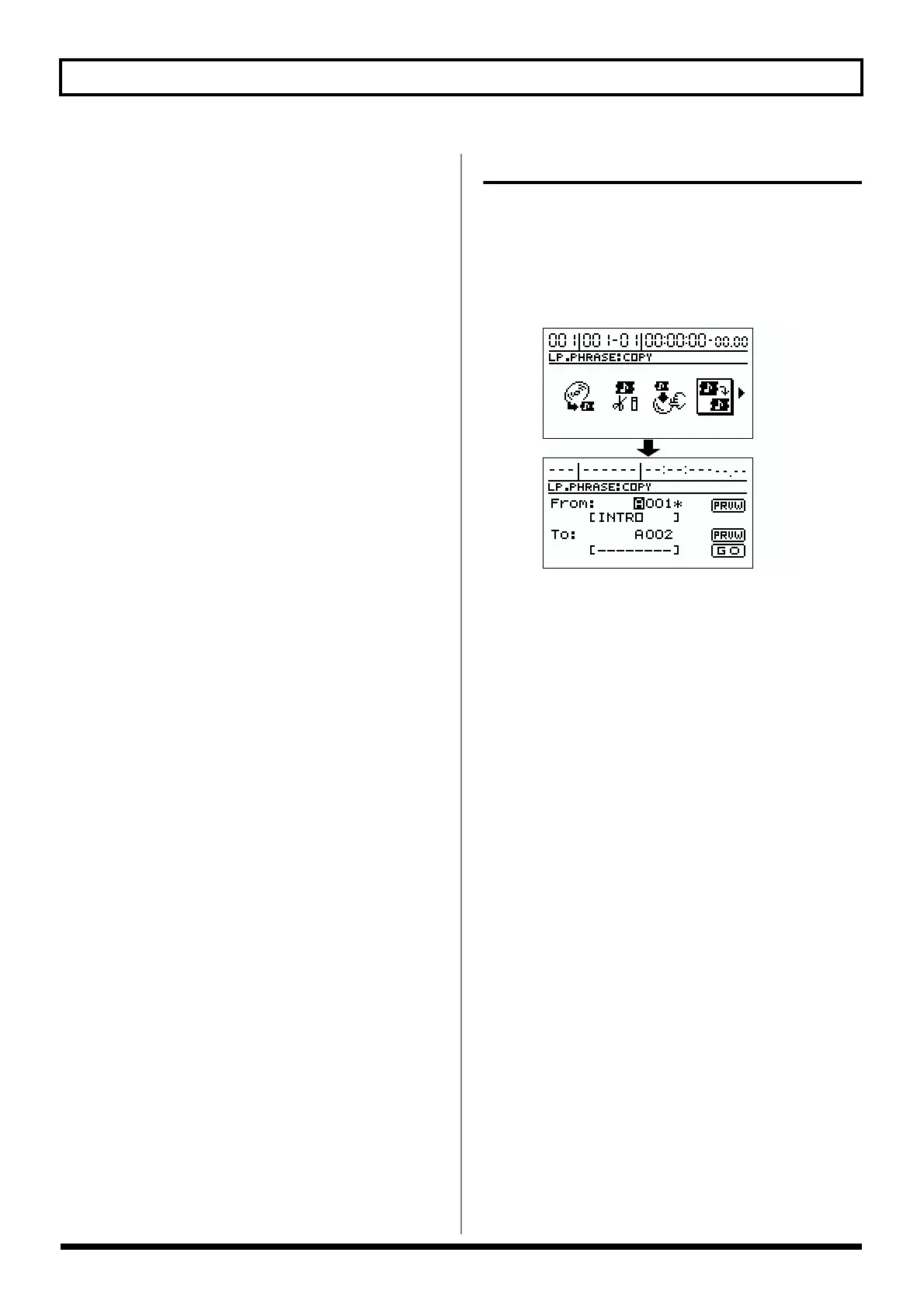
2. Use [CURSOR] to select the “COPY” icon then press
[ENTER].
The loop phrase copy screen appears.
fig.R14-09
3. Rotate the TIME/VALUE dial to select the copy-source
loop phrase and copy-destination loop phrase
numbers.
* If you move the cursor to the copy source or destination
“PRVW” and press [ENTER], the loop phrase is played back
once. This allows you to check the content of the selected loop
phrase. To stop playback, press [ENTER] again.
* You can copy the entire bank by rotating the TIME/VALUE
dial to the left (counterclockwise) and setting the loop phrase
number to “ALL.” The loop phrases in the copy-destination
bank are erased.
4. Move the cursor to “GO,” then press [ENTER].
“Completed!” appears in the display, and the copy is
finished.
* When copying a loop phrase in a song, be sure to save the song
as well. The copy is not effective if the power is turned off
before you save the song.



 To Next Page