35
Recording/playing back a song
Quick Start (Recording/playing back a song)
(5) About the Rhythm Guide
When you record, it is convenient to use the built-in rhythm
guide. The rhythm guide can also be used as a metronome
when you are not recording.
Playing the rhythm guide
Each time you press [AUTO/ON/OFF] of the RHYTHM/
LOOP, the status changes as shown below.
fig.Q02-08
AUTO: Flashing
When you press [PLAY] to start playback or recording, the
rhythm sounds. When [STOP] is pressed, the rhythm stops as
well.
ON: Lit
The rhythm continually sounds.
OFF: Unlit
The rhythm is turned off.
Rhythm Guide features a variety of different “rhythm
arrangements,” including metronome sounds, all
prepared and ready for you to use. Rhythm
arrangements are series of one- and two-measure
rhythm patterns, such as intros, fills, and variations,
which are arranged sequentially to form songs.
For more detailed information about the Rhythm Guide,
refer to “Using the rhythm guide” (p. 81).
For more on rhythm arrangements and rhythm patterns,
refer to the “Rhythm Arrangement/Pattern List” (p.
166).
Changing the Rhythm Arrangement
Since the “rhythm arrangement” is made up of a number of
rhythm patterns lined up sequentially, you can switch the
rhythm pattern being played in accordance with the current
location.
For example, if the current location is the beginning of the
song, then when you play a rhythm arrangement, an intro
rhythm pattern is played.
1. Press RHYTHM/LOOP [EDIT], causing the indicator to
light up.
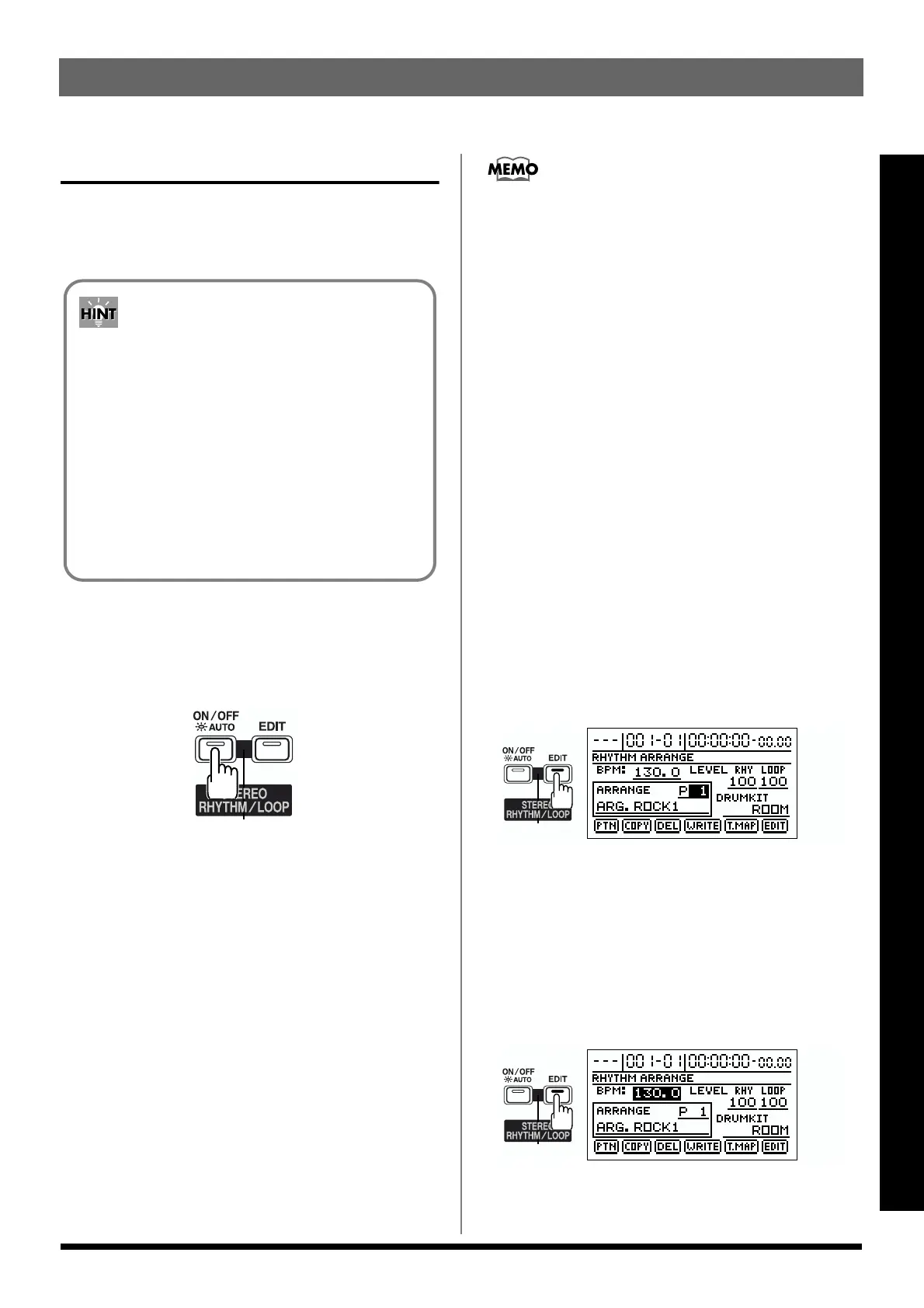
2. Press [CURSOR] to select “ARRANGE.”
fig.Q02-10
3. Turn the TIME/VALUE dial to select the desired
rhythm arrangement.
Changing the Tempo
1. Press RHYTHM/LOOP [EDIT], causing the indicator to
light up.
2. Press [CURSOR] to select “BPM.”
fig.Q02-11
3. Rotate the TIME/VALUE dial to set the tempo.
* Press [EXIT] to return to the top screen.
By using the rhythm guide during recording, you
can use the track editor to edit in units of measures,
synchronize outputs with an external device, and
perform other useful operations. For details refer to
“Track Editing” (p. 66) and “Synchronizing with
MIDI devices” (p. 121).
When this is used in conjunction with the tempo
map, you can switch tempo or rhythm patterns
during the song. For details refer to “Setting rhythm
tempos for each measure individually (Tempo
Map)” (p. 84).



 To Next Page