95
Using loop phrases
Advanced Use
Assigning loop phrases to
the track buttons
When the cursor is positioned at the loop phrase number,
you can input loop phrases in rhythm arrangements easily
by assigning the loop phrases to track buttons 1–9.
Track loop phrase assignments can be stored on an
individual song basis.
1. Press [LOOP PHRASE IMPORT], causing the button to
light up.
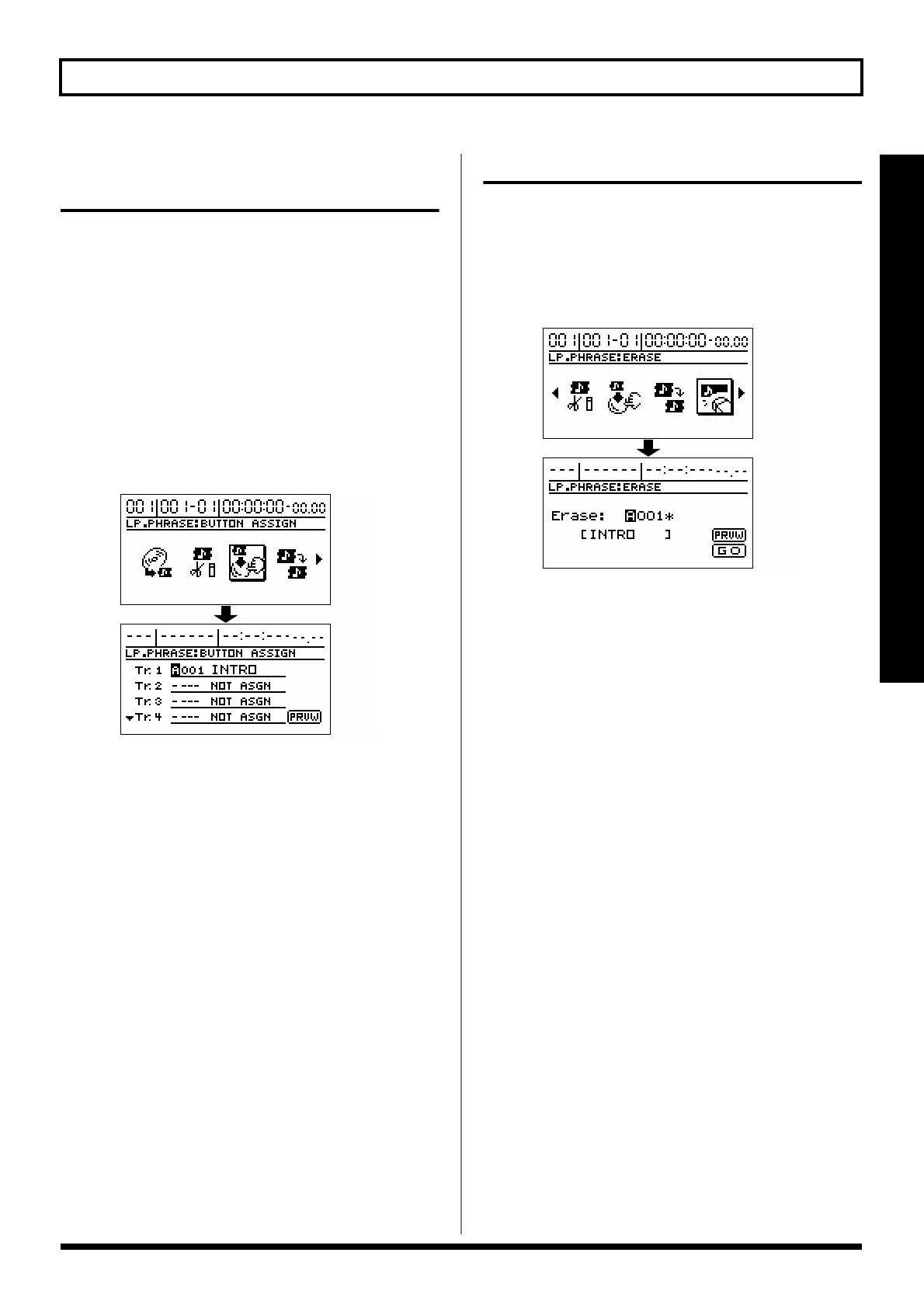
2. Use [CURSOR] to select the “BUTTON ASSIGN” icon,
then press [ENTER].
The screen for assigning the loop phrases to the track
buttons appears in the display.
fig.R14-07
3. Move the cursor to the track to which you want to
assign the loop phrase, then rotate the TIME/VALUE
dial to select the loop phrase group and number.
* If you move the cursor to “PRVW” and press [ENTER], the
loop phrase is played back. This allows you to check the content
of the selected loop phrase. To stop playback, press [ENTER]
again.
Erasing loop phrases
1. Press [LOOP PHRASE IMPORT], causing the button to
light up.
2. Use [CURSOR] to select the “ERASE” icon, then press
[ENTER].
The loop phrase erase screen appears.
fig.R14-08
3. Rotate the TIME/VALUE dial to select the loop phrase
you want to erase.
* If you move the cursor to “PRVW” and press [ENTER], the
loop phrase is played back. This allows you to check the content
of the selected loop phrase. To stop playback, press [ENTER]
again.
* To erase all of the loop phrases in the selected bank, move the
cursor to the loop phrase number, then rotate the TIME/
VALUE dial completely to the left to select “ALL.”
4. Move the cursor to “GO,” then press [ENTER].
“Complete!” appears in the display, and the loop phrase
is erased.



 To Next Page