32
Recording/playing back a song
fig.Q02-03
4. Turn the TIME/VALUE dial to select the desired data
type.
* The BR-1180/1180CD uses a sample rate of 44.1 kHz. It is not
possible to change the sample rate.
5. Press CURSOR [ ] to select “GO,” and press
[ENTER].
You’re returned to the top screen, and the unit goes into
standby, ready to record a new song.
To select a different song, perform the procedure given
under “Selecting a song” (p. 28).
(3) Connecting instruments
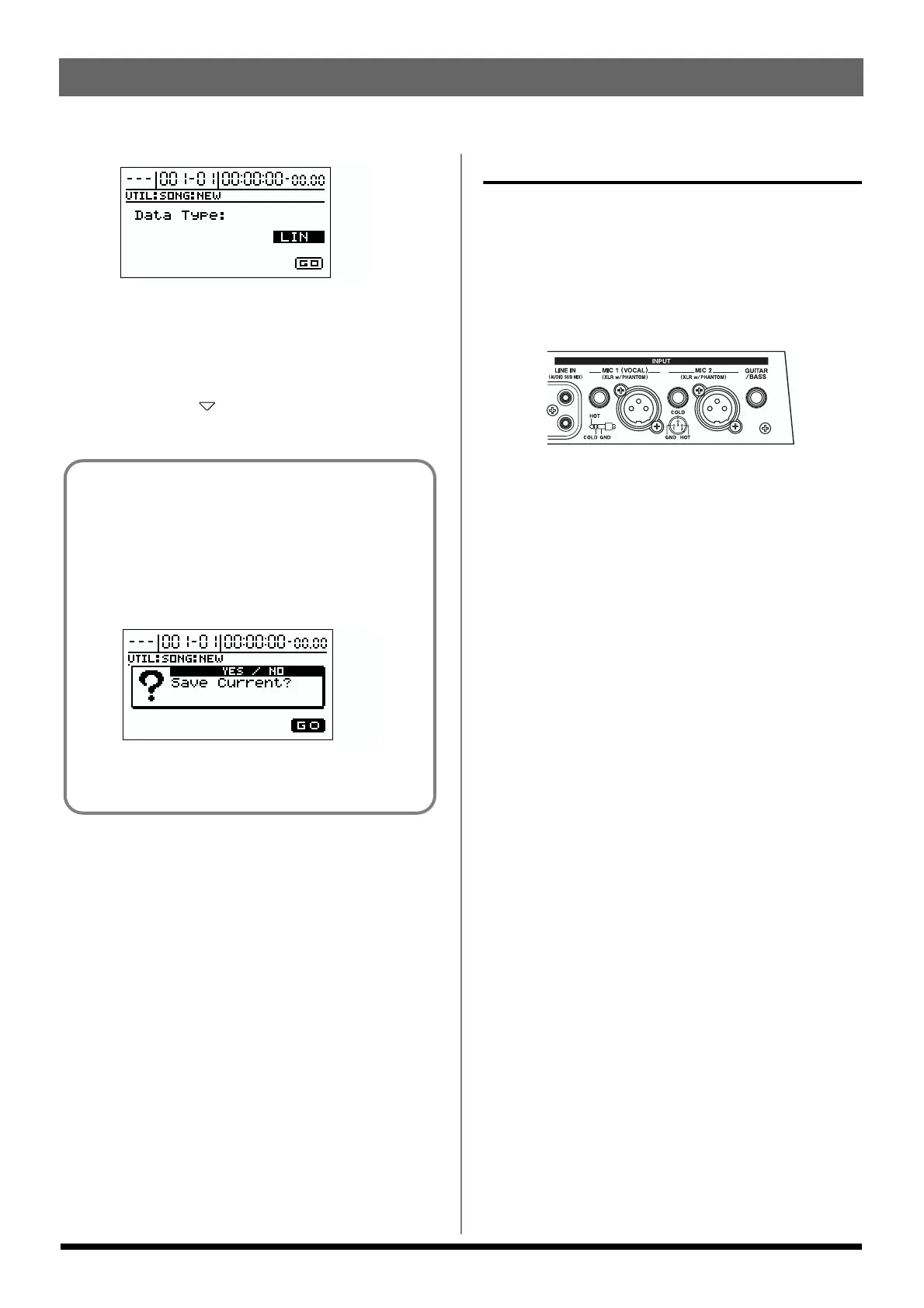
Choose which jack you will use
to connect your instrument.
Your BR-1180/1180CD is equipped with a number of input
jacks to match the type of instrument that you will connect.
Select an instrument appropriate for your purposes.
fig.Q02-04
GUITAR/BASS
This is the jack for connecting an electric guitar or bass. Since
this is a high-impedance input, a guitar or bass can be
connected directly.
* Noise may be generated as guitar pickups are brought closer to
the unit. If the noise is a problem, move the guitar away from
the BR-1180/1180CD.
MIC 2
This jack/connector is used for connecting mics.
The TRS jack accepts either balanced or unbalanced input.
The XLR connector accepts balanced input (pin 2 hot). This
connector also features optional phantom power + 48V (refer
to “Using condenser mics” (p. 137).
Use it when using a microphone to record an acoustic guitar,
or when recording a chorus in conjunction with MIC 1.
* When mics are connected both to the TRS jack and the XLR
connector, the input from the TRS jack overrides the other
input.
* The input from the GUITAR/BASS jack overrides the other
inputs when an instrument is plugged into the GUITAR/
BASS jack.
* If you are recording an electric acoustic guitar using a guitar
cable connection, use the GUITAR/BASS jack.
If you recorded/edited, or modified the settings of
the mixer section, etc.
A screen appears, asking whether or not you want to
save all recordings and edits that have been carried
out since the last time the current song was saved, as
well as the current mixer section settings and any
changes in the song patches (p. 51).
fig.Q02-60
Press [YES] if you want to save the changes. Press [NO]
if you do not want to save the changes.



 To Next Page