BRAILLO
l
B 650 SF
37
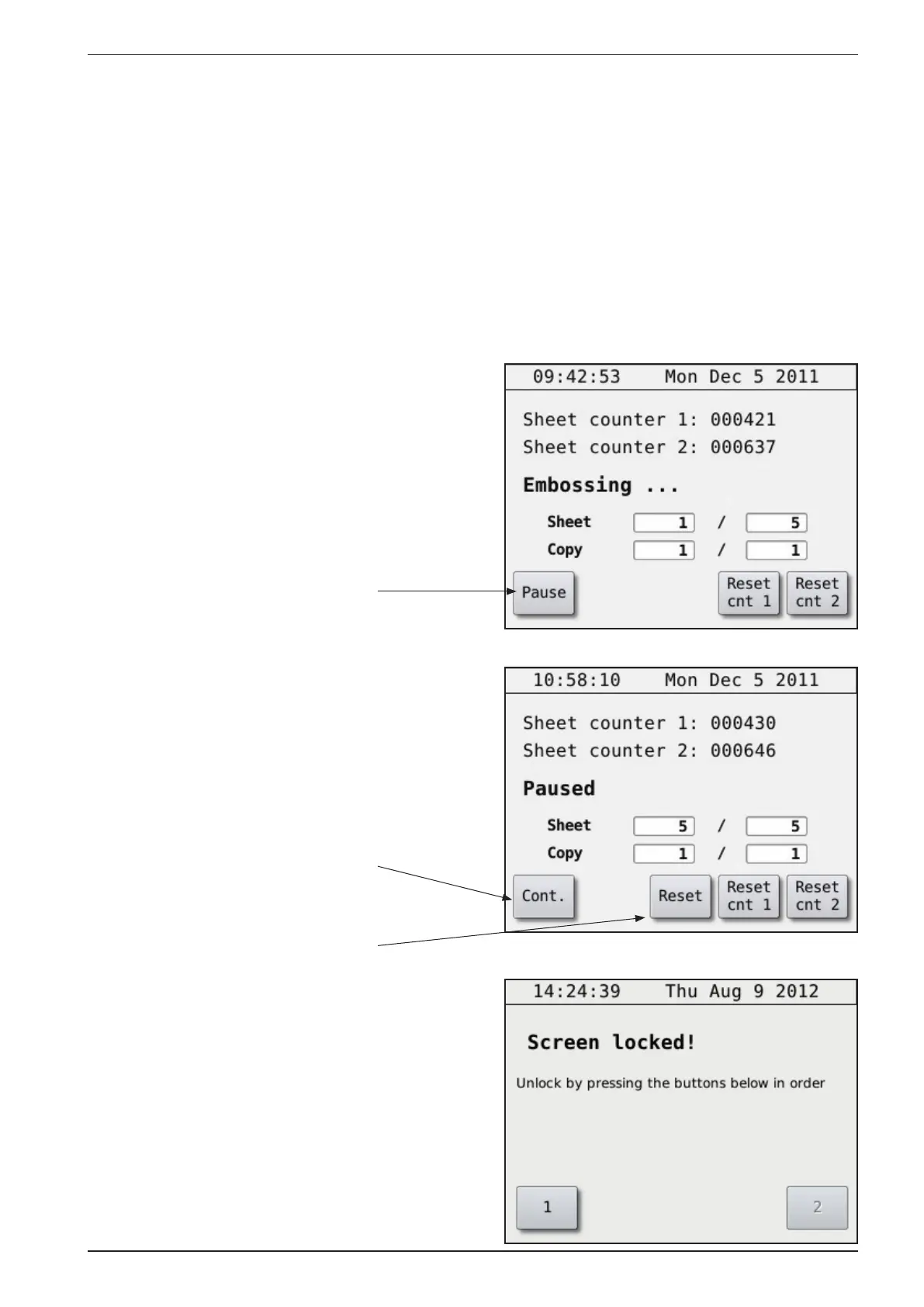
Operator panel during printing.
Please see the gure below:
Embossing Sheet 1 / 5 means that the Printer are now printing Sheet 1 of a book with 5 sheets in total.
Copy 1 / 1 means there will be just one copy.
If you would like to pause a print job, press the “Pause” button. When the Printer is paused, the button
will change to “Continue”. Press “Continue” to continue with the printing. If you would like to cancel
the rest of the print job, press “Reset”.
The display screen will automativ-
cally lock after a certain amount of
time. To unlock press button 1 and
then 2.
Press this button if you want to pause
the print job.
Press this button if you want to con-
tinue the print job.
Press this button if you want to
cancel the rest of the print job.



 To Next Page