BRAILLO
l
B 650 SF
44
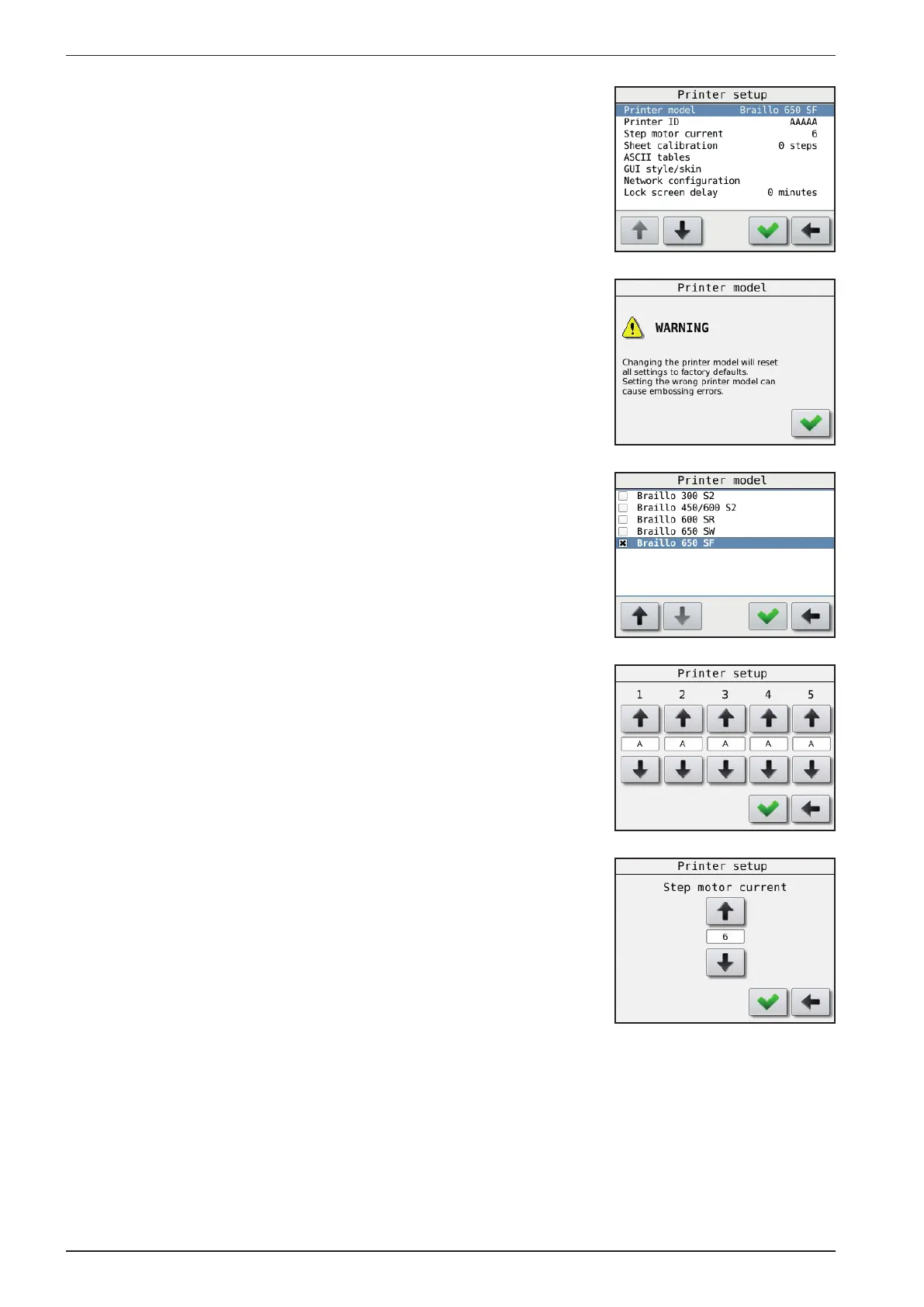
The Printer Setup menu
Main Menu - Printer Setup
In this menu the basic settings regarding the Printer is set.
Printer model:
Main Menu - Printer Setup - Warning - Printer model
When entering this menu choice, a warning window will appear.
Braillo Norway has a number of different Printer models that can use
the same electronics. But the different Printer models have different
settings and different functions. This menu choice is where you
select the specic Printer model. The software will then be adapted to
the Printer in use.
This setting is xed at the factory, and should under normal conditions
should never be changed.
However, if for some reason the main board on the Printer has been
replaced, this menu will appear on the rst power up.
Printer ID:
Main Menu - Printer Setup - Printer ID
The Printer has a function to make it possible to identify which Printer
has printed a particular Braille book. It is done by sending a command
along with the Braille book that tells the Printer to print it’s
identication. On this setting you can set a 5 character code or name
that identies this particular Printer.
Step motor current:
Main Menu - Printer Setup - Step motor current
It is possible to adjust the current on the step motor (paper feed motor)
from 0 to 11. The motors torque will be proportional to this value.
The default setting is 6. Should not need to be changed.
Sheet calibration:
Main Menu - Printer Setup - Sheet calibration
This is a function that makes it possible to make small adjustments on
the width of the sheet. There is a value that can be set from -10 to +10.
If the value is 0, there is no correction. Negative numbers will give you
a narrower sheet. Positive numbers will give you a wider sheet.



 To Next Page