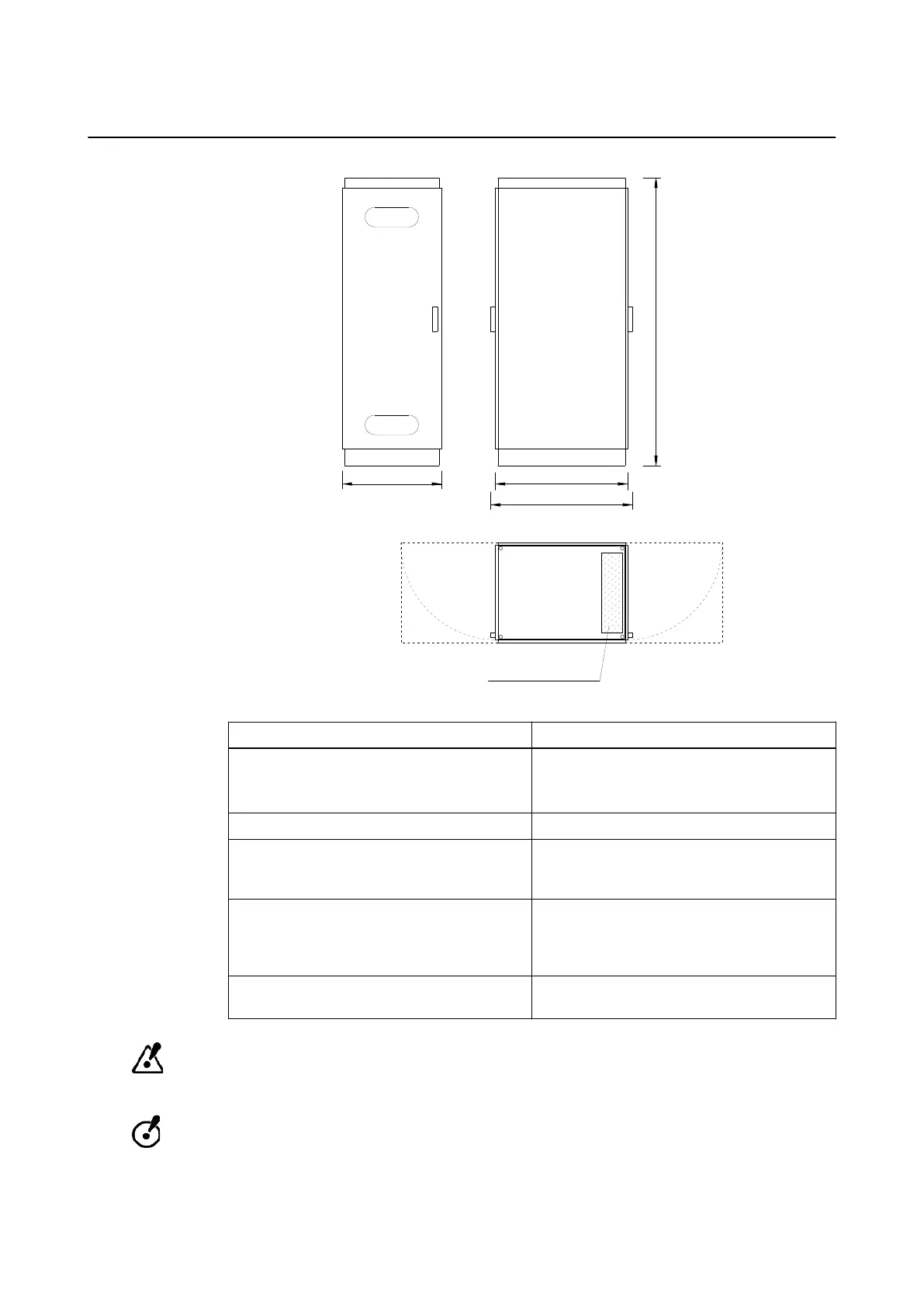
ExacTrac Computer Cabinet Specifications
cable access from
bottom side of cabinet
610mm
810mm
1780mm
880mm
service
access
service
access
Figure 8
Component Description
Dimensions
Cabinet only: 810 mm x 610 mm x 1780 mm
Cabinet plus door handles: 880 mm x 650 mm
x 1780 mm
Weight 250 kg
Location
The cabinet can be placed with any long side
facing the wall. The door can be opened from
either side, depending on how it is mounted.
Wall fixation
In earthquake endangered regions, the com-
puter cabinet must be fixed to the wall. An an-
gle bracket is supplied with the computer cabi-
net.
Network connection
Cat 5E (or higher) patch cable, 4 m; cable no.
27 (see ).
Avoid placing the cabinet in the treatment room. If this is unavoidable, ensure a maximum
distance between the cabinet and the linac and ensure the cabinet is outside the primary
beam of the linac.
Exposure to high neutron radiation can lead to recurring malfunction and permanent
damage to computer hardware and electronic components. For sites where patients will be
treated with energies 10 MV and above, do not place the computer cabinet in the treatment
room as it is not designed for exposure to high neutron radiation.
NOTE: Ensure sufficient spatial clearance before rigging the computer cabinet.
SITE SPECIFICATIONS
Site Planning Manual Rev. 1.0 ExacTrac Ver. 6.x 31



 To Next Page