28 System User Guide Rev. 2.5 Kolibri Ver. 2.0
Panels, Cabling & System Ventilation
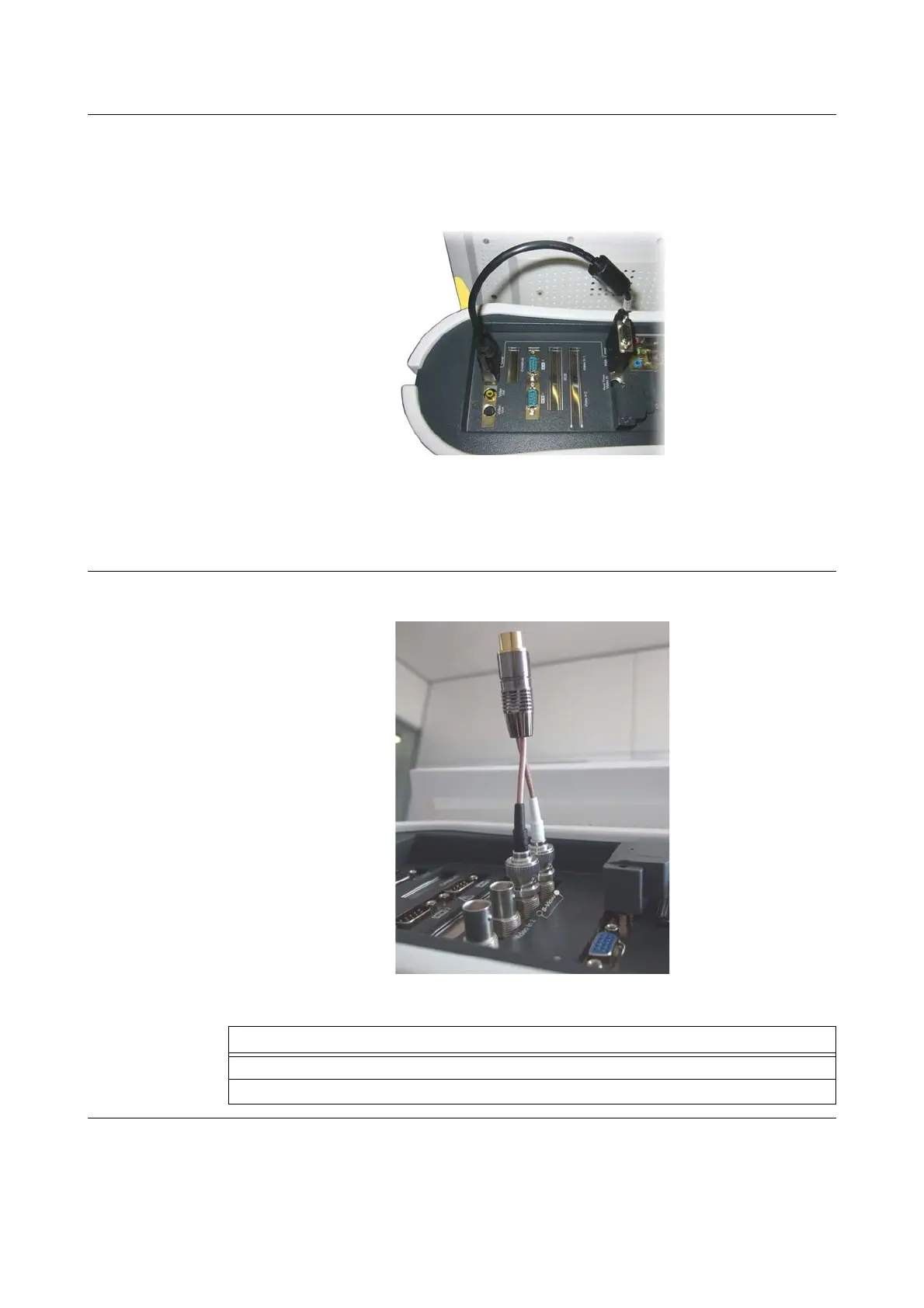
VGA Output / Loop A TV can be connected using one of the video out ports h or j.
The two video out ports h and j are only activated if loop port k and VGA output/loop port s are
connected with the loop cable.
The loop cable connects loop port k to VGA output/loop s.
Figure 8
You can connect the following to VGA output/loop s port:
• An external VGA monitor
• A loop cable and an external VGA monitor
S-Video Ensure that the adapter cable 2BNC to S-VHS is plugged correctly.
Figure 9
Steps
1. Plug the white plug of the adapter cable to the port marked with a white circle.
2. Plug the black plug of the adapter cable to the port marked with a black circle.



 To Next Page