16
Installing the Backeye
®
360 Calibration Software
Install the Calibration Software from the BN360-200-USB (2.0 Software folder) by double clicking the
set-up file and following the instructions. Ensure the latest version of the software is used, visit
Brigades website to download the current version.
Using the Backeye
®
360 Calibration Software
Calibration Software Overview
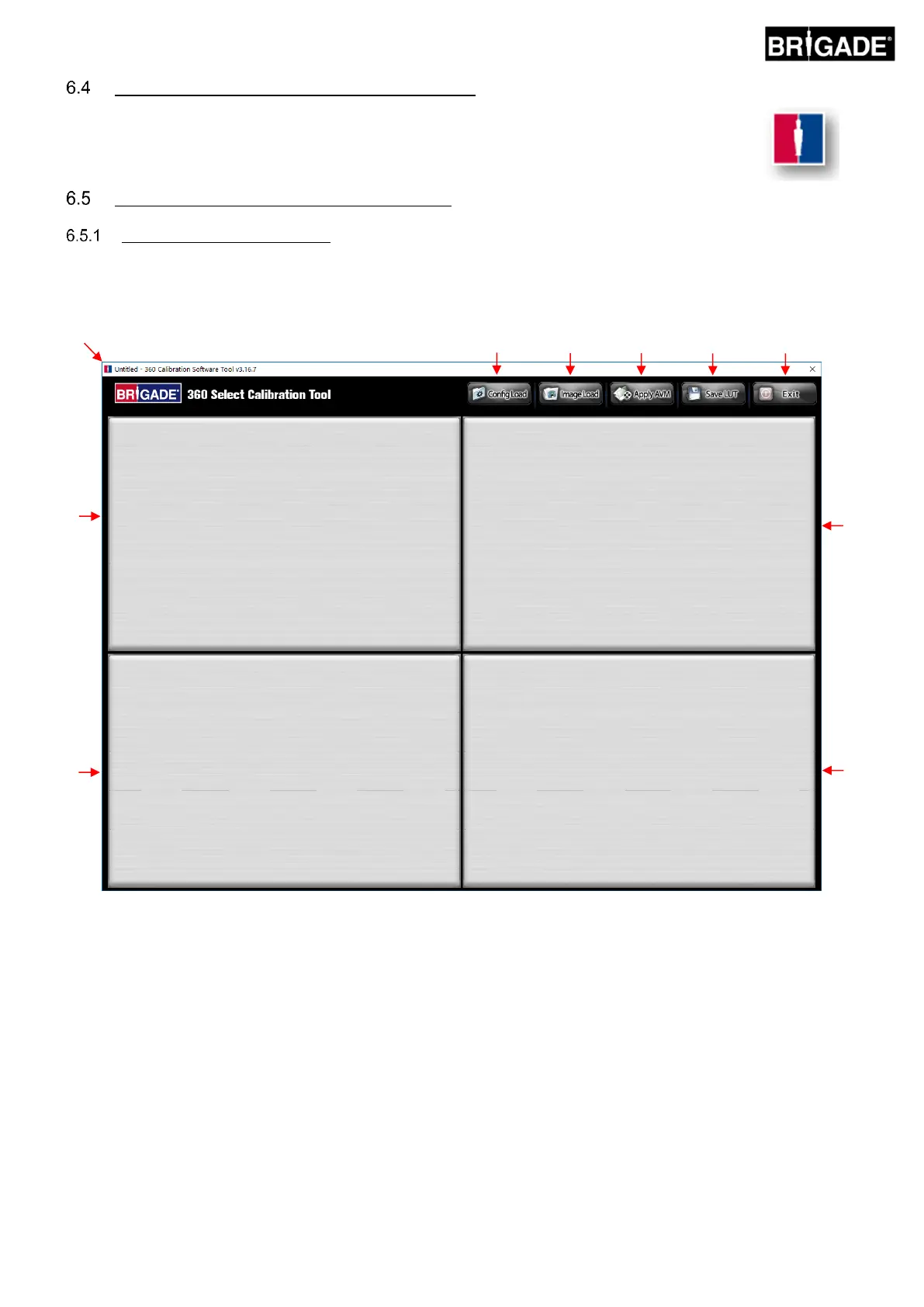
Once the installation is complete, double click the Backeye®360 Calibration Software desktop icon, the start screen
will be displayed:
System version status bar
1. System version status bar (displays the software version and the currently loaded Config file version)
Camera image display and control point selection window
2. Front camera image and control point
3. Rear camera image and control point
4. Left camera image and control point
5. Right camera image and control point
Tool bar
6. Input configuration file (loads configuration file from SD card)
7. Input image (loads the images from the SD card section)
8. Around View preview (opens the surround view preview screen)
9. Save LUT (saves the calibrated data files to the SD card)
10. Exit (exits the program)



 To Next Page