46
Additional Features & Functionality
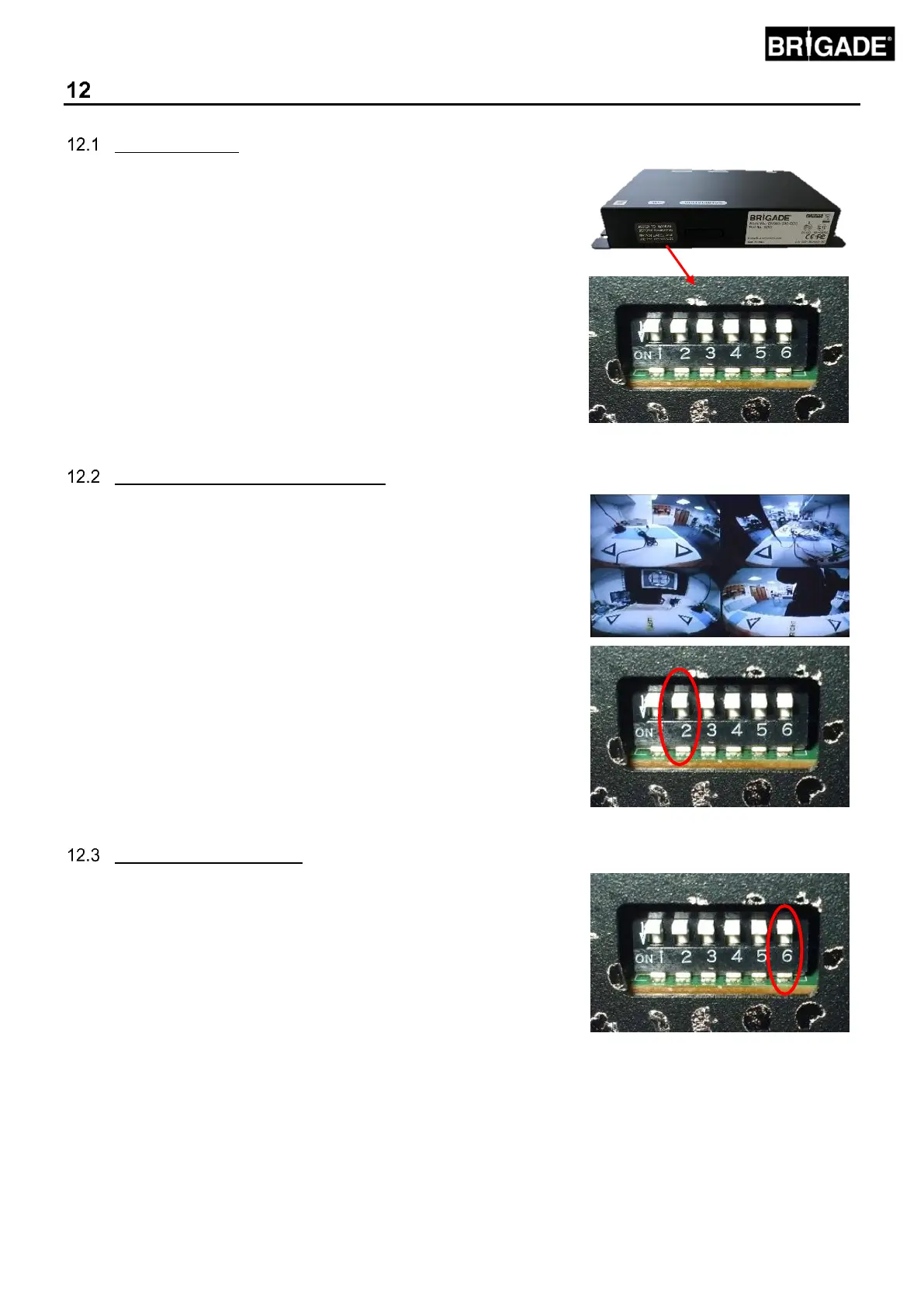
ECU DIP Switch
Some additional functionality is only enabled by using the DIP Switch
located on the back of the ECU housing.
To reveal the DIP Switch, remove the warning label covering the
access port - do not throw the label away, refit the label after use.
The switches are labelled 1-6 from left to right (facing the switches). By
default, all the switches are in the top position (OFF), to enable the
switch place it in the down (ON) position.
Changes to be made when system is off.
Do not remove this label unless the features listed in these
sections are absolutely required. Take care to use only the
switches that are required, incorrect use could cause damage to
the system. Incorrect use of these switches will void the warranty.
Quad Screen Native Camera Image
This feature provides a quad screen view of the native camera images on
a single screen which can be useful for recording the native images on a
single channel (e.g Brigades EDR-101 series event recorder).
To enable this feature Switch 2 on the DIP Switch should be set to on. This
enables the “CVBS_BB” output on the BN360-200-INT harness. To
connect this to a monitor an additional BN360-VBV-L4015 cable is
required.
This video output is NTSC only, changing the video output format
does not affect this channel.
Using this feature can potentially reduce the video frame rate of the
primary video output which might cause video “lag”. For detailed, full
resolution recording purposes Brigade recommends using AC-305
splitter cables to connect each video channel to Brigades MDR
products.
The primary video output can be changed from NTSC to PAL. To do this
Switch 6 on the DIP Switch must be put in the OFF position.
Note – this does not change the video output format from the cameras,
these remain in NTSC format.



 To Next Page