25
Surround View Image Blends
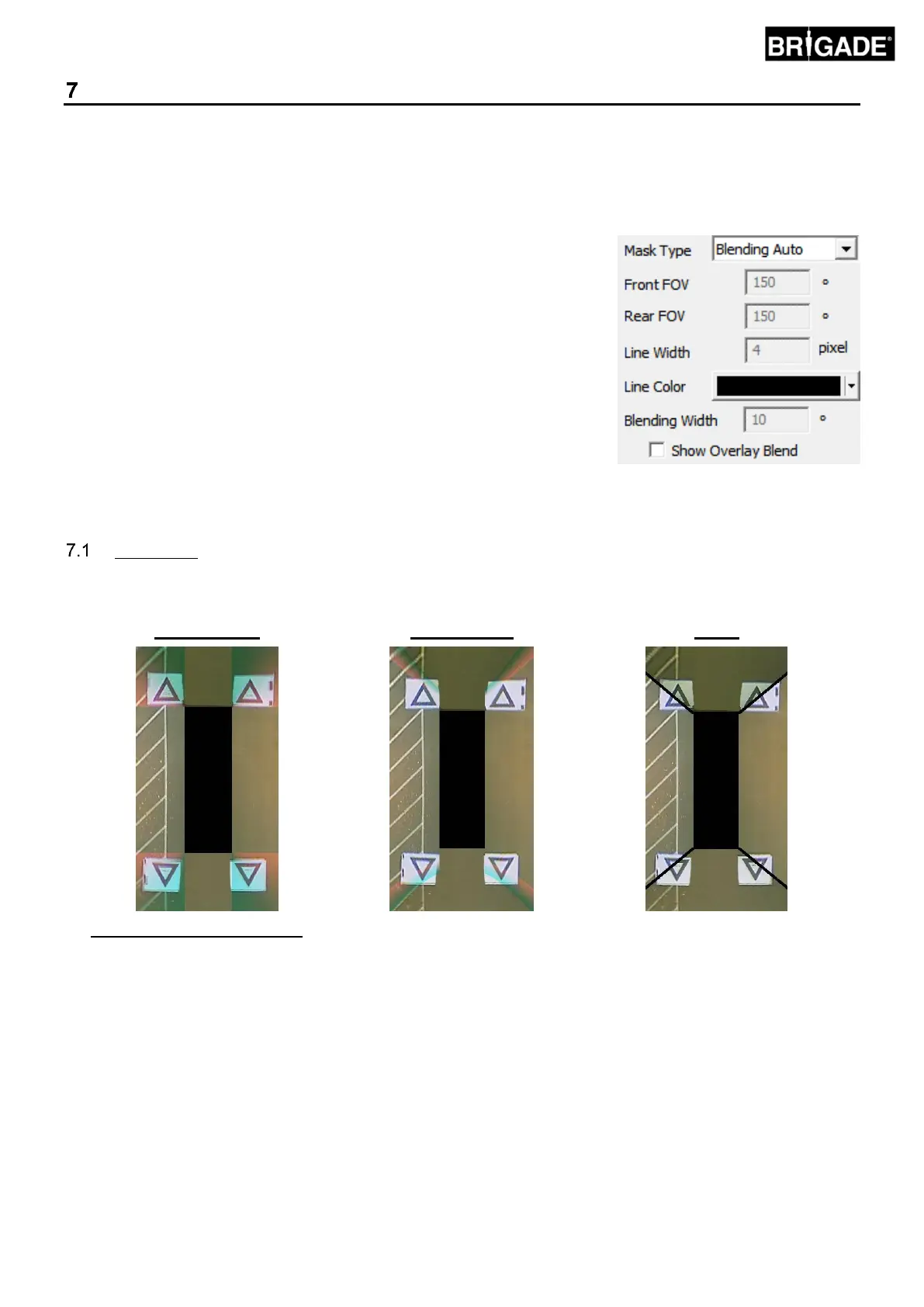
The BN360-200 Calibration Software allows for custom “blends” to create the most suitable 360° surround view
image. During the calibration procedure, the “Mask Type” option gives the following options for blending the front,
rear and side cameras:
▪ Mask Type – changes the camera image blend type (see below for more
information on the different Mask Types)
▪ Front FOV – the amount of the front view that is the front camera, the
center point being the middle front of the vehicle mask. A larger FOV
angle, the more of the front view is the front camera (FOV = field of view).
▪ Rear FOV – same as above but for the rear of the vehicle
▪ Line Width – the width of line divide between adjacent camera images
▪ Line Colour – the colour of line divider between adjacent camera images
▪ Blending Width –width of the image blend, a larger width will give a more
gradual blend whereas a smaller width will give a much harder blend.
▪ Show Overlay Blend – selecting this will overlay colours on the blend
areas to aid with setting the blends. This is useful when determining how
much of the blend is the front or rear image (green) and how much is the
side images (red).
Mask Type
The “Mask Type” dropdown menu gives access to the various blend types (the method used to “blend” the images
together). These are:
Brigades recommended option as
it gives the most ideal blend for
most typical installations, applying
an equal blend where each image
meets the next.
Allows the blend “angle” between
the front /rear and the side
cameras to be adjusted, this may
be required in some cases e.g. if
parts of the vehicle body obscure
camera views.
Creates a “hard” join between the
side and front/rear camera images
with a customisable line dividing
the camera images instead of a
gradual blend. As with Blending
FOV user can adjust the Front and
Rear FOV angle.
Note: The remaining options in the Mask Type dropdown list are for legacy versions and will not work with
the BN360-200 product.



 To Next Page