33
Accessing the OSD Configuration Menu
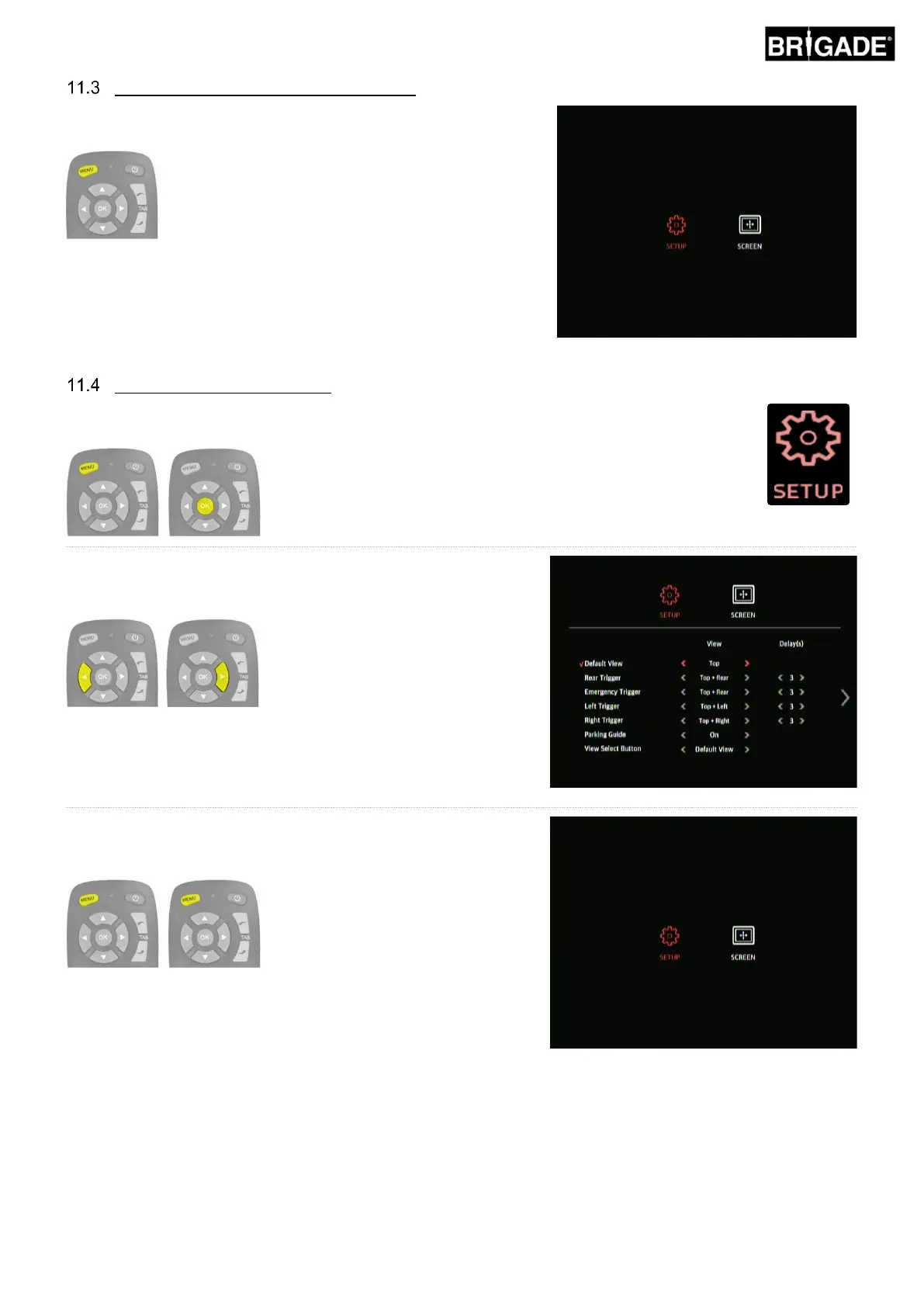
Pressing “Menu” on the remote control (BN360-200-RC) will bring up
the top level menu as shown to the right.
Configuring the Default View
To change the default view, enter the OSD SETUP menu by pressing the MENU button and
pressing OK on the SETUP icon.
With the “Default View” option selected, use the arrow buttons on
the remote to select the desired view. A “✓” to the left of the option
indicates the current selection.
Note: the views listed here will depend on the configuration loaded
to the ECU, for more information on view configurations refer to
section 2.4).
To exit the menu and save the changes, press the MENU button
on the remote control once to return to the menu home screen and
then again to exit.
Note: there is a short delay when exiting the menu as the system
saves the changes that have been made. Wait approx. 10 seconds
for the system to exit the menu.



 To Next Page