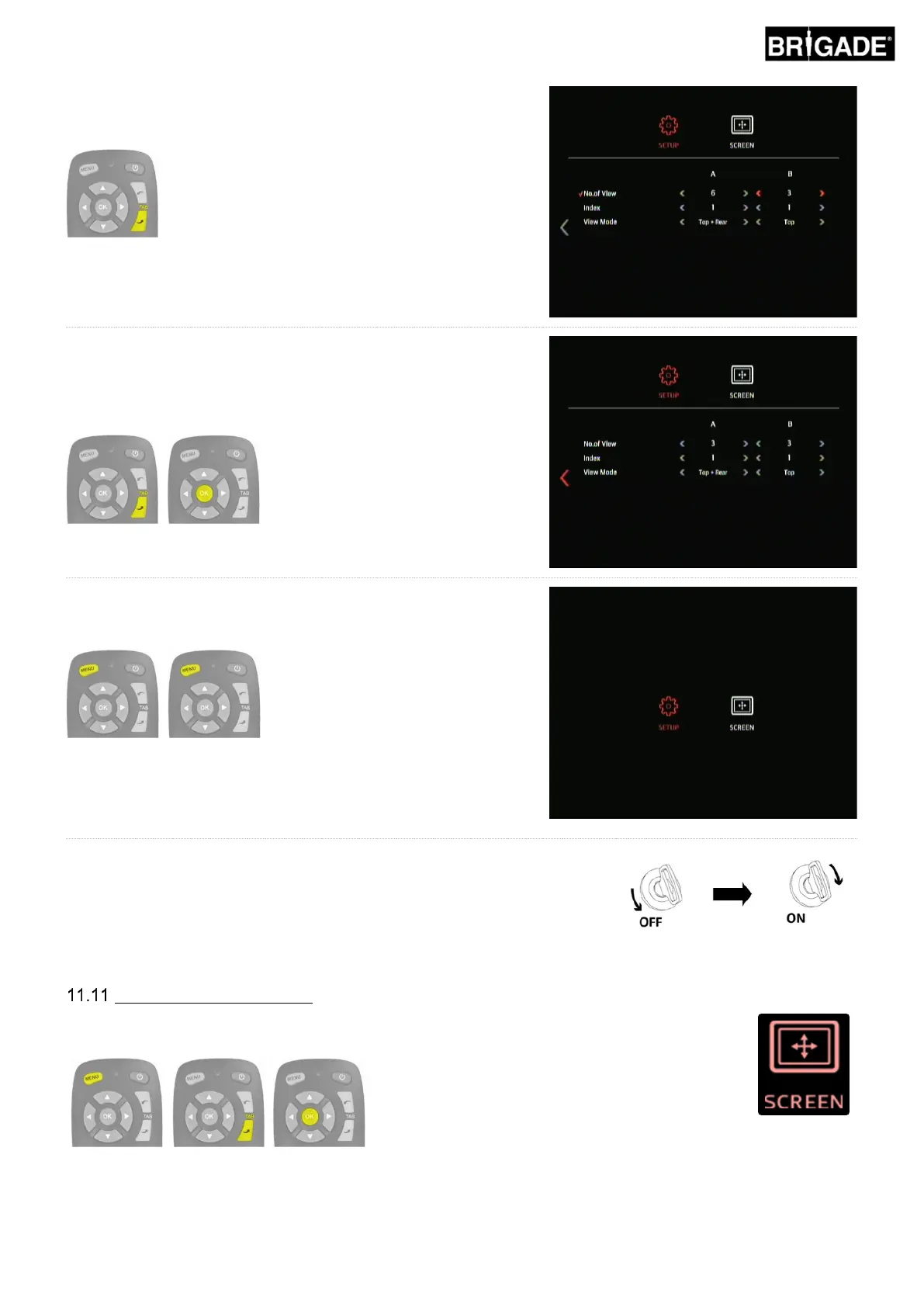
To change the settings for Group B, press the TAB down button to
move to the top of the Group B list of options. Repeat the steps
above to change the settings for Group B.
To exit the menu and save the changes, return to the first page of
the OSD SETUP menu by pressing the TAB down (or up) button
until the previous page button is selected and press the OK button.
Press the MENU button on the remote control once to return to the
menu home screen and then again to exit.
To exit the menu and save the changes, press the MENU button
on the remote control once to return to the menu home screen and
then again to exit.
Note: there is a short delay when exiting the menu as the system
saves the changes that have been made. Wait approx. 10 seconds
for the system to exit the menu.
Restart the system to “activate” the changes (turn vehicle ignition on/off).
Configure Picture Settings
To change the display settings enter the SCREEN menu by pressing MENU button, and pressing
TAB down and then OK on the SETUP icon.



 To Next Page