28
Checking System Functionality
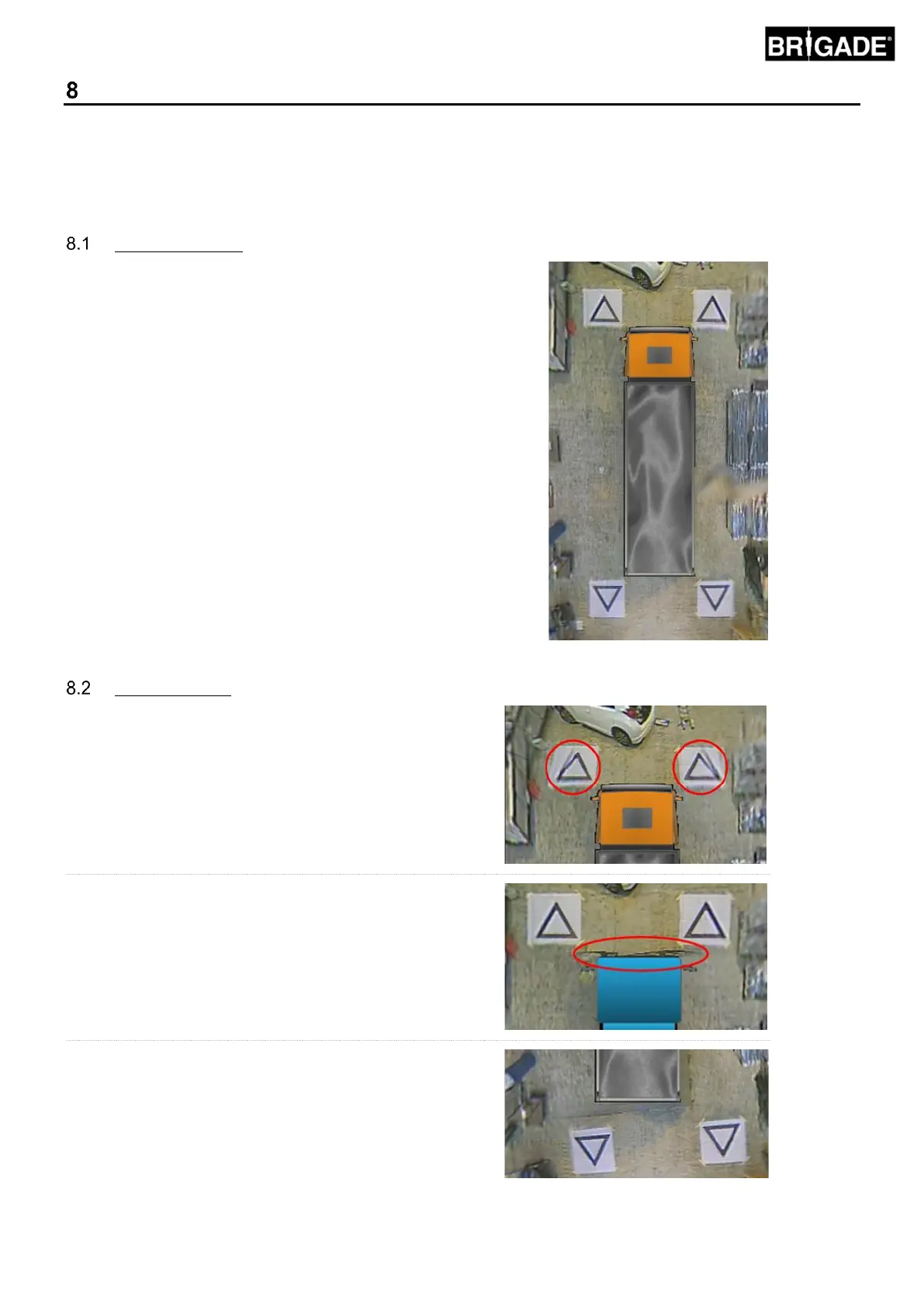
It is important to check to see if the output is normal after the ECU resets. Ensure all blended areas are fully tested
to make sure there are no blind spots around the vehicle. It is recommended to get an assistant to walk around the
vehicle in the surround view to evaluate the calibration. If the outcome of the calibration is not ideal then it may be
necessary to repeat the calibration steps (see section 6).
Good Calibration
All ground level objects i.e. road markings will be displayed
as they are in the real world (it is recommended that the
Calibration Mats are left on the ground to aid calibration
evaluation).
There are no blind spots in the surround view including in
blend areas.
An object not at ground level (i.e. human body) should be
visible all the way around the vehicle, objects not at ground
level may be displayed from two perspectives in the blend
area and will fade from one camera to the next. There is no
unwanted view of the vehicle in the surround view.



 To Next Page