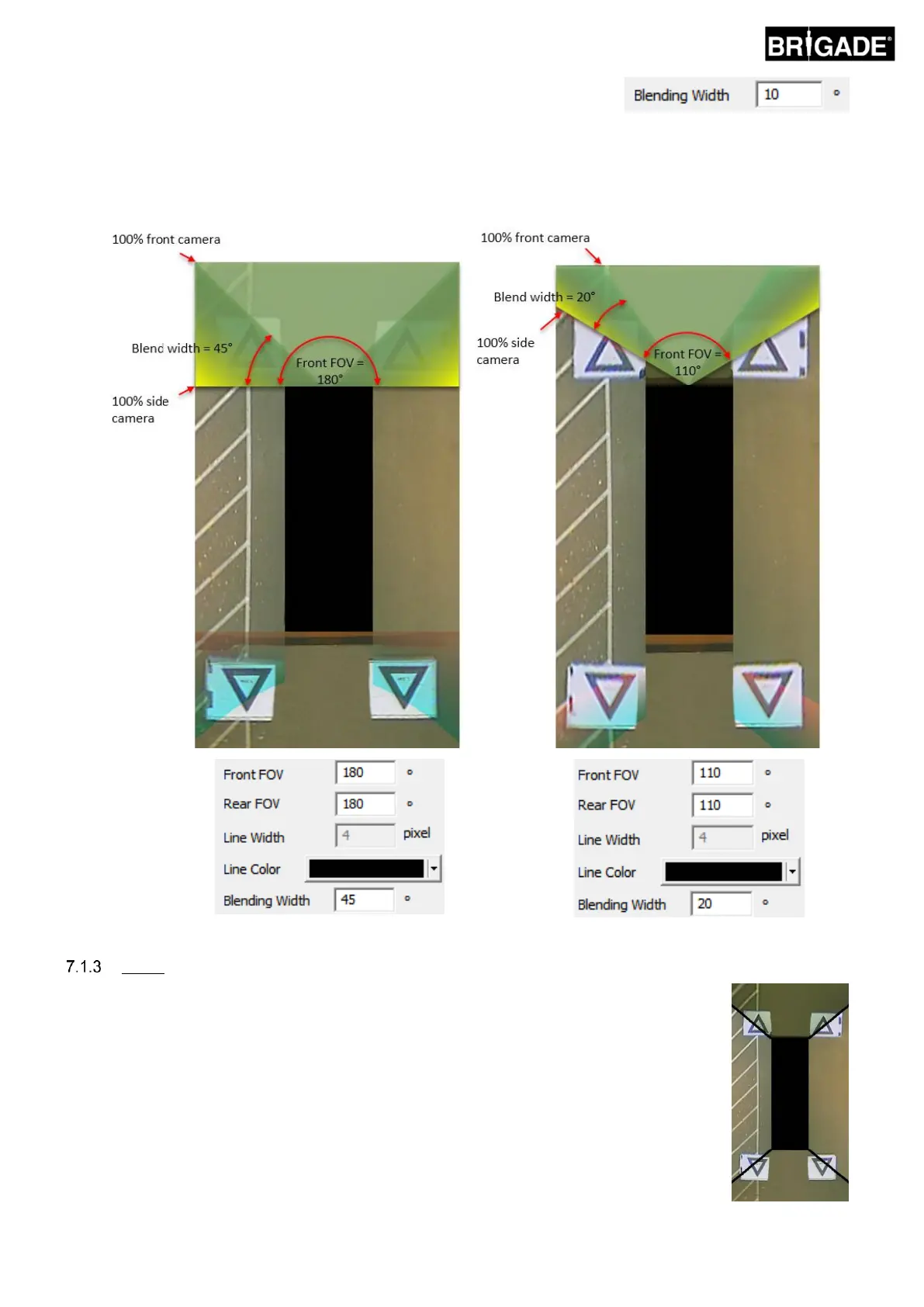
The “Blending Width” is the size of the blended area, i.e. the area that where
two camera images overlap to create the surround view image.
Reducing the value here will give a “harder” blend, this may look better in the Preview window but in real world
operation objects in this area may be hidden or appear distorted. A larger Blending Width will use both camera
images over a larger area reducing any blind zones that might be seen with a narrow blend width but may cause
the blended areas to appear heavily distorted. See image below for more information.
The Line 1 option creates a “hard” join between the side and front/rear camera images,
there is no gradual or configurable blend for this Mask Type, the adjacent images are
stitched together i.e. there is no blending, overlapping or gradual fade.
This Mask Type also comes with a customisable line (line thickness and colour can be
changed) that indicates where the camera images join.
As with Blending FOV, the user can adjust the Front and Rear FOV angle to show more or
less of the front and rear cameras.



 To Next Page