Brocade MLX Series and NetIron XMR Hardware Installation Guide 275
53-1003821-01
Replacing a power supply
7
Pull the power supply out of the device.
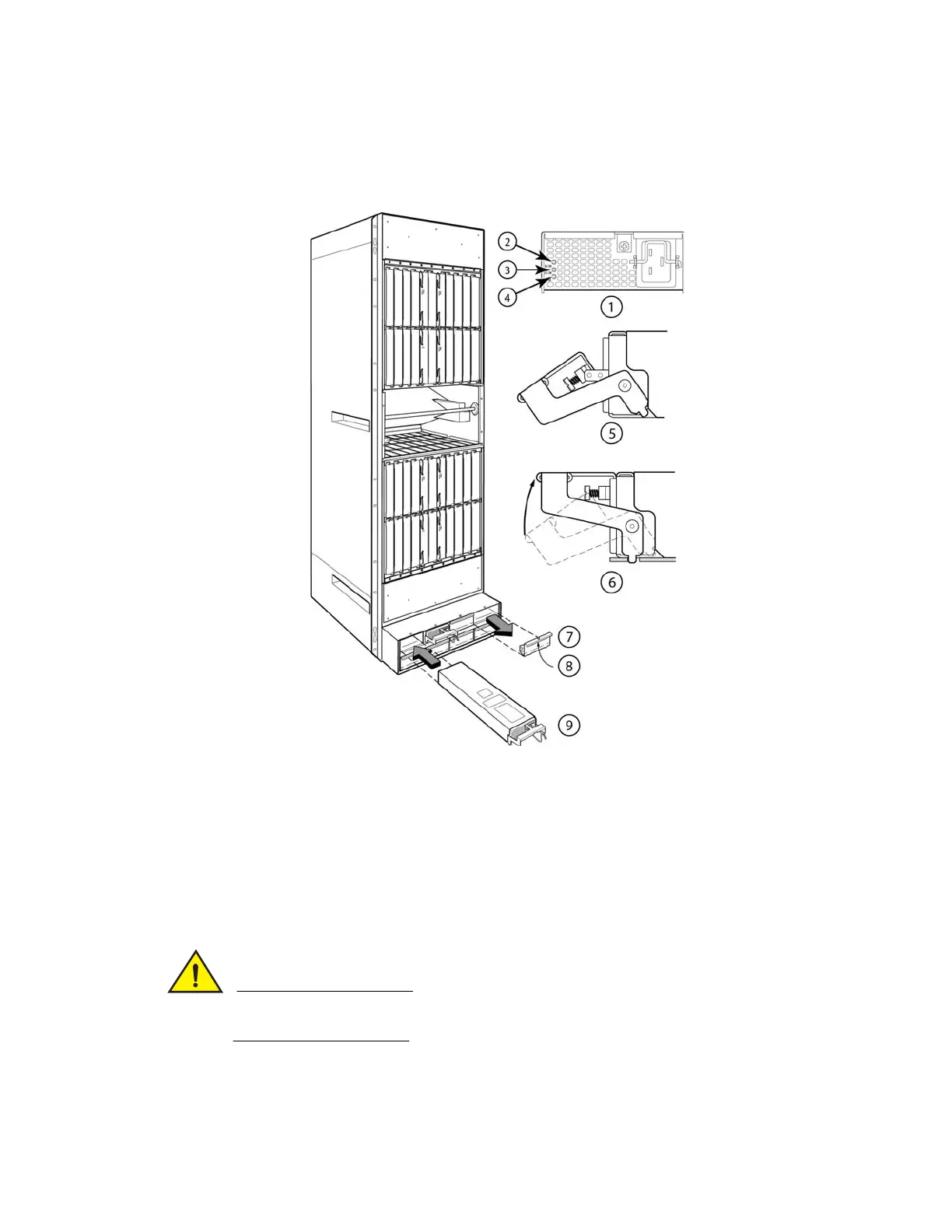
FIGURE 155 Removing and replacing a power supply in a 32-slot device.
4. Insert the new power supply into the empty power supply slot, using the guides provided on
either side of the slot.
Carefully follow the mechanical guides on each side of the power supply slot and make sure the
power supply is properly inserted in the guides. Never insert the power supply upside down.
5. After you insert the power supply, push gently on the power supply faceplate until the power
supply is fully seated.
1 Power supply indicators 6 Latch handle locked
2AC OK 7Power supply blank cover
3 DC OK 8 Pull down on plunger to remove
4ALM 9Power supply
5Latch handle open


 To Next Page
 Loading...

