Operation Manual
FT1020G3 Rev 2.4
32
6 User Data & Access Levels
6.1 User Data
FT1020G3 supports different levels for different users. To log on to an FT1020G3 (version
> 2.0) a User name and Password are required. Ten different User names with individual
Passwords can be used.
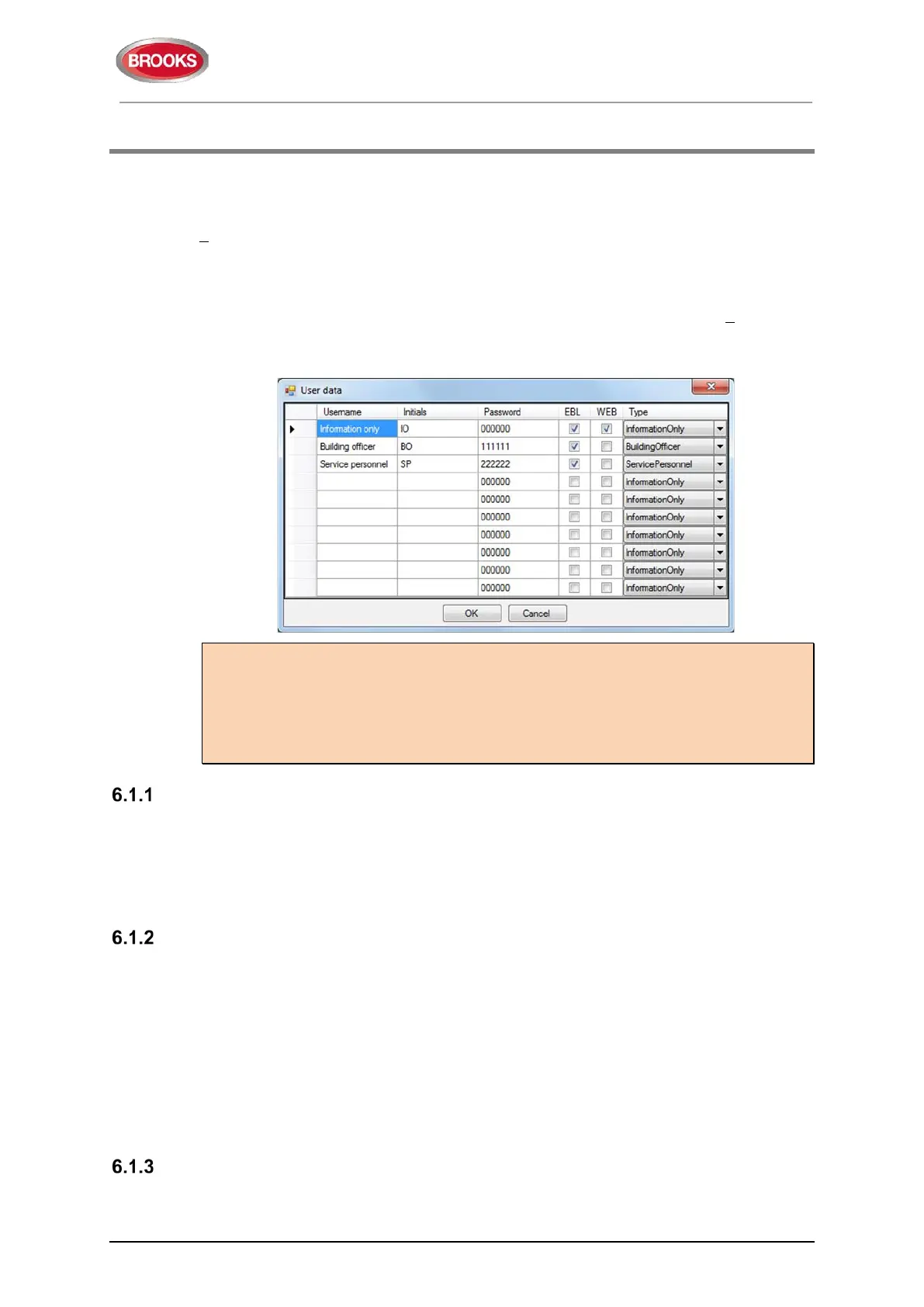
Via EBLWin (menu “System”), ten different User names with individual Passwords can be
defined in the "User data" dialog box. One of three different levels /Types can be selected
for each user name. They have to be used to log on to an FT1020G3 (version > 2.0) and/or
for Web-server access.
Three User names and Passwords are default:
Note 1: It is highly recommended to change the default user names and passwords and
to add a number of new user names and passwords. Also, the EBL and WEB columns
have to be filled in, depending on how the user names and passwords should be used.
Note 2: In a new FDCIE. (i.e. before downloading any Site Specific Data), only user "0"
is available. No password is required and you have access to all menus. After download
of SSD the downloaded user names and passwords will be valid.
User Name
Up to ten users, 0 to 9, may be programmed. By default, three users are available:
• 0 = Information only
• 1 = Building officer
• 2 = Service personnel
Password
Each user has a password for an access level e.g. "Information only", "Building officer" or
"Service personnel".
Change of Password
Normally the user names and passwords are downloaded / changed via EBLWin and SSD
download. A logged-on person (user name) can also change his/her password via menu
H10.
If the valid password(s) are unknown, EBLWin must be used to change the password(s).
CHANGE VIA MENU H10, See chapter 30, page 146 change password (H10).
Password for Web-server Access only
Normally a password consists of 6 digits. This allows the same user to get access to the
control unit as well as to the web-server if both are selected.



 To Next Page