Operation Manual
FT1020G3 Rev 2.4
81
Update Drivers and choose “Browse my computer for driver software” and locate
the folder for 2.10.00 WHQL (Win7_Win8_Win8.1) then click “Next”. The drivers
will be installed, when the installation is completed, you should see the message
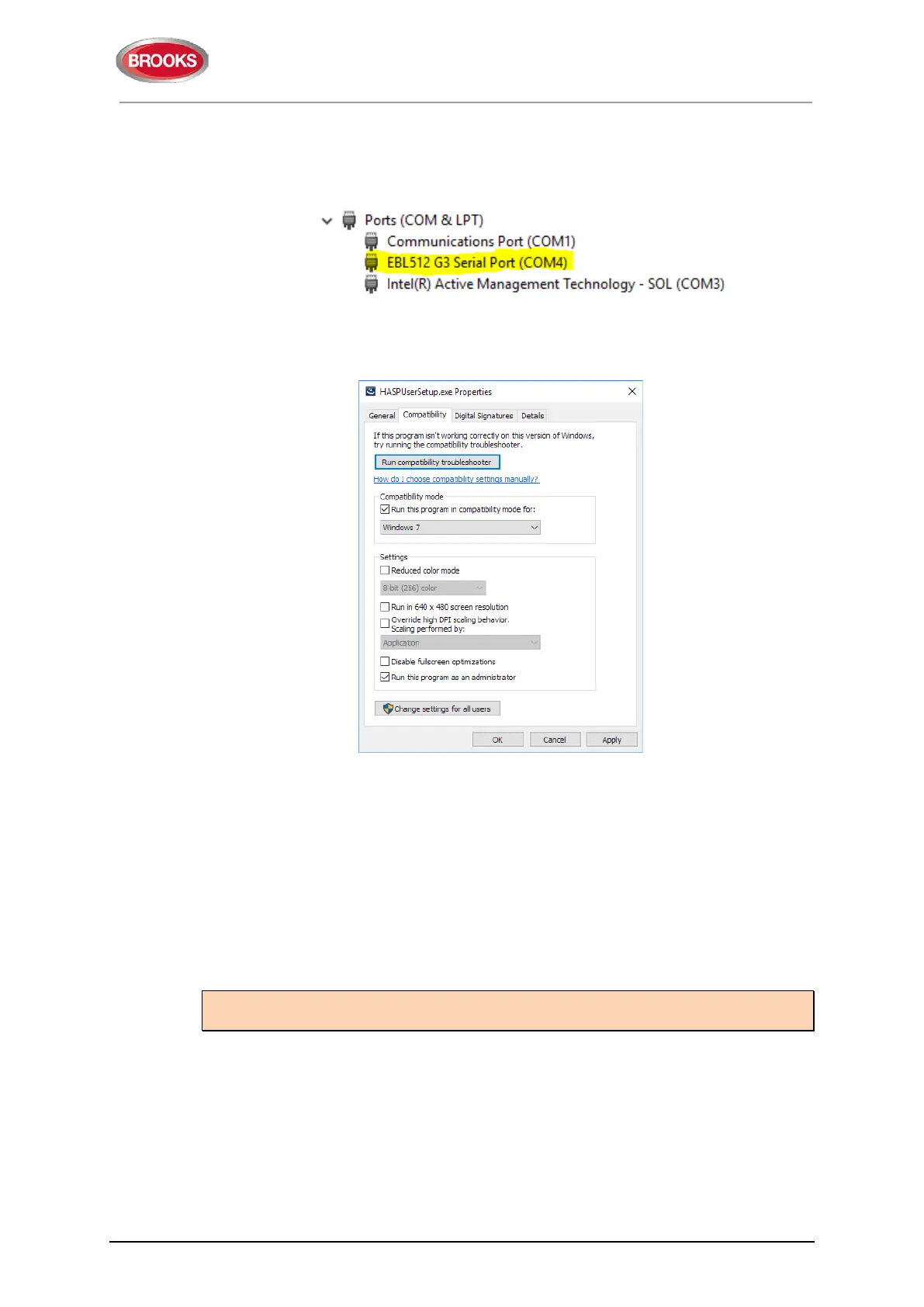
“Windows has successfully updated your drivers” and you can see now EBL G3
512 as shown below.
3. Install Sentinel_LDK_Run-time_setup:
Win7: Right click on HASPUserSetup.exe and choose “Run as Administrator”
Win10: Right click on “HASPUserSetup.exe” and choose properties then go into
the Compatibility tab. Set as shown in Figure 24 and click “OK” :
4. Install from folder EBLWin V2.4.4 file named EBLWin.msi,
Win7: Right click on setup.exe and choose “Run as Administrator”
Win10: Right click on EBLWin.msi and choose properties then go into the
Compatibility tab. Set as shown in Figure 24.
5. Plug in EBLWin key 5094 into another available USB port
6. Launch EBLWin, go to Tools > Log on control unit, the COM port number in step
2 should be displayed.
19.2 Download SSD
Note: An EBLWin USB key (5094) must be used to communicate with the control panel
and download the SSD using EBLWin ≥ V2.x.x.
The PC program EBLWin is used for creating the Site Specific Data (SSD) and to
download it into the FT1020G3 Control Unit(s), the Web-server and/or display units 1728,
1736 units.
The SSD will be saved in a file named xxxxx.EBLWin (xxxxx is the project name).
The EBLWin key 5094 is a USB device required to log on to the Control Unit, it has a
unique number. The EBLWin key identification number will be registered in the control
panel event log with the date and time stamp for every SSD download performed in the
control panel.
Figure 24 Installing HASPUserSetup in compatibility mode



 To Next Page