Operation Manual
FT1020G3 Rev 2.4
78
If it is known from the beginning that two systems are to be one in the future, it is possible
to give the Control Units in the system respectively, the "final" Control Unit numbers right
from the beginning in order to get the correct technical numbers in the system documents.
Note: Two or more presentation numbers (Zone or Zone-Address) in the systems must
not be the same.
Delete a Control Unit in a TLON Network
To delete a Control Unit from a TLON network:
a) Physically disconnect the Control Unit. This action will generate faults in the
other Control Units.
b) Acknowledge the faults.
c) Open the current project in TLON Manager, delete the Control Unit according to
the TLON technical manual.
d) Open the SSD for the current system via EBLWin. Delete the Control Unit (and
the units connected to it) and download the new SSD according to chapter
"Software Download", page 80.
18.4 Upgrade Number of Alarm Points
All FT1020G3 settings are normally factory downloaded before delivery, default setting is
512 addresses. It is however, possible to upgrade the maximum number of alarm points
(512 1020) on site. Note that the maximum number of COM loop addresses is always
1020, i.e. address 1 – 255 on each COM loop.
Note: Standard FT1020G3 FDCIE is supplied with 510 addresses except when a
request to upgrade the number of addresses is received before manufacturing.
If you require upgrading the number of addresses, a PC and EBLWin are used. Before
download, the PC has to be connected to the USB connector in the Control Unit and the
hardware key is also plugged in. Open EBLWin and the FDCIE where the upgrade is to be
performed and follow the procedures below:
1. Logon (Tools | Log on Control unit...)
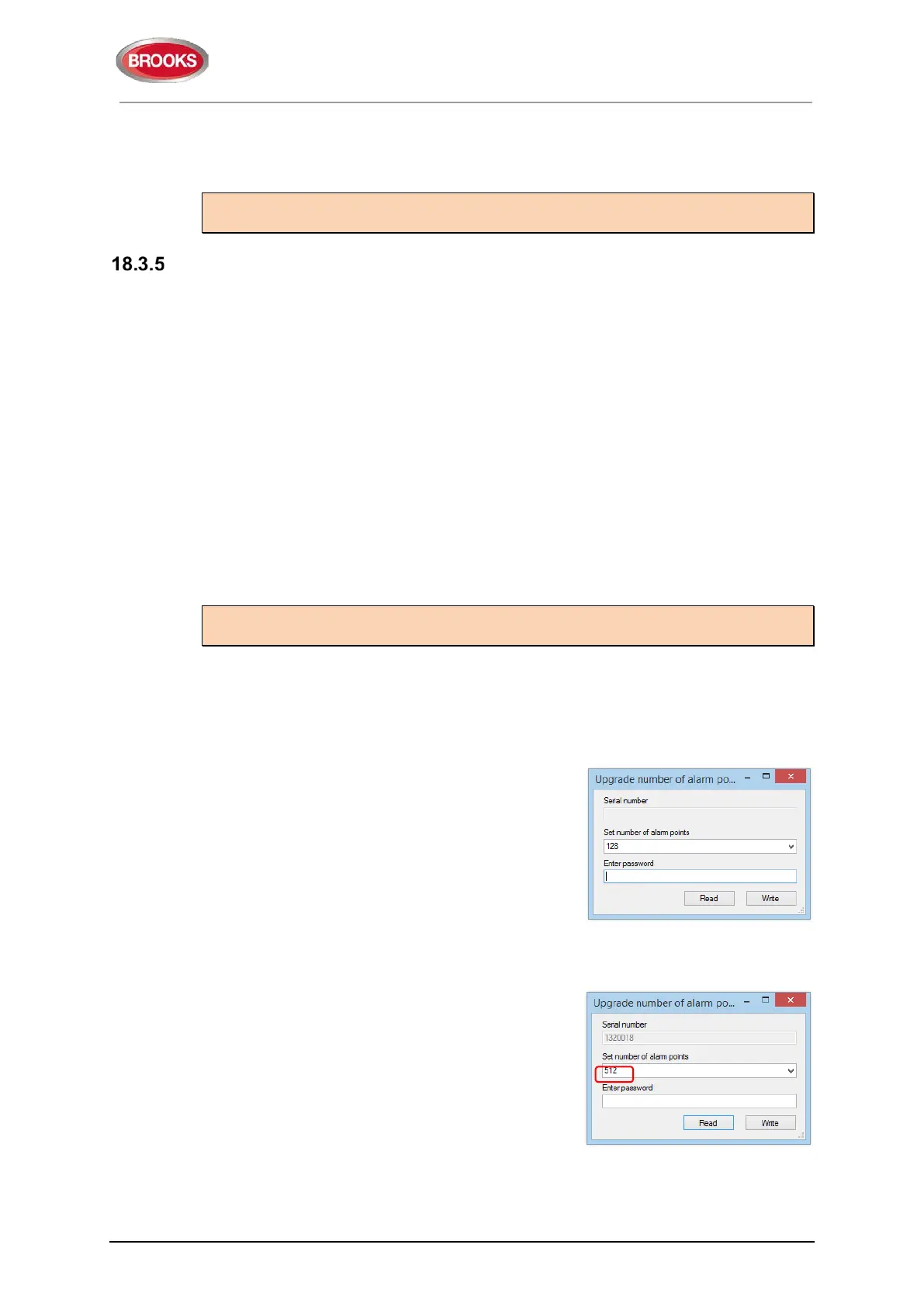
2. Select the Control Unit icon, right click and in
the pop-up menu select “Upgrade number of
alarm points”. A dialog box opens as shown.
3. Click "Read" to get the serial number from the
Control Unit you are connected to, normally
the no. of alarm points is 512 as shown below.



 To Next Page