Operation Manual
FT1020G3 Rev 2.4
47
14 Open Door
A standard 003 key is used to open FT1020G3 door to get access to the front membrane
and other optional modules e.g. OWS, zone disable, AS1668 fan control, etc.
If a door in the system (any Control Unit) is open, the following symbol is shown in the
display's symbol area:
Door open may be programmed via EBLWin to disable any external strobe or
sounder/strobe combination located at the designated building entry point. See also
chapter Open doors (H4/U3), page 109.
14.1 Disable Routing Equipment with Door Switch
Note: Do not use the door open function to disable (isolate) the routing equipment. This
option cannot be selected in Both Australia and New Zealand, it is a violation to
AS4428.3.
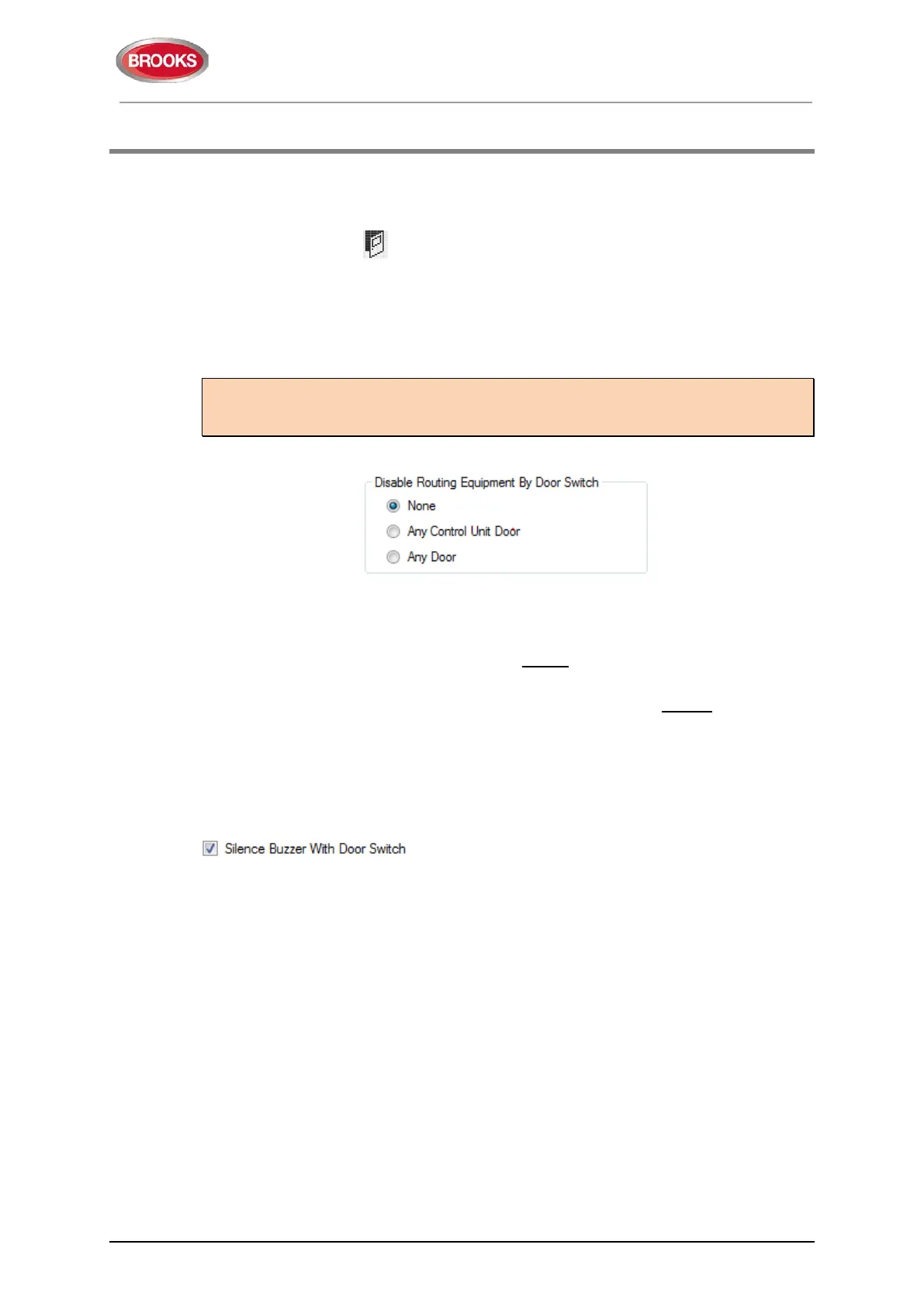
In EBLWin the following options are available to program:
None: The output(s) for routing equipment (Fire Brigade and Fault TX) will not be disabled
by an open door.
Any Control Unit door: Open door in any FDCIE will disable the output(s) for routing
equipment (Fire brigade TX and fault TX) in all FDCIE’s.
Any door: Open door in any FDCIE and/or external fire brigade panel will disable the
output(s) for routing equipment (Fire brigade TX and fault TX) in all FDCIE’s.
Disabled outputs for routing equipment are indicated by the LEDs Fault / Disablements
"General disablements" (L10) and "Fire brigade TX" (L12) and listed in menu H4/U1.
14.2 Silence Buzzer by Door Switch
In EBLWin the following can be programmed:
The control unit buzzer will be turned off as long as any FT1020G3 door is open.



 To Next Page