Style Programming
MATRIX CUBE - 60 -
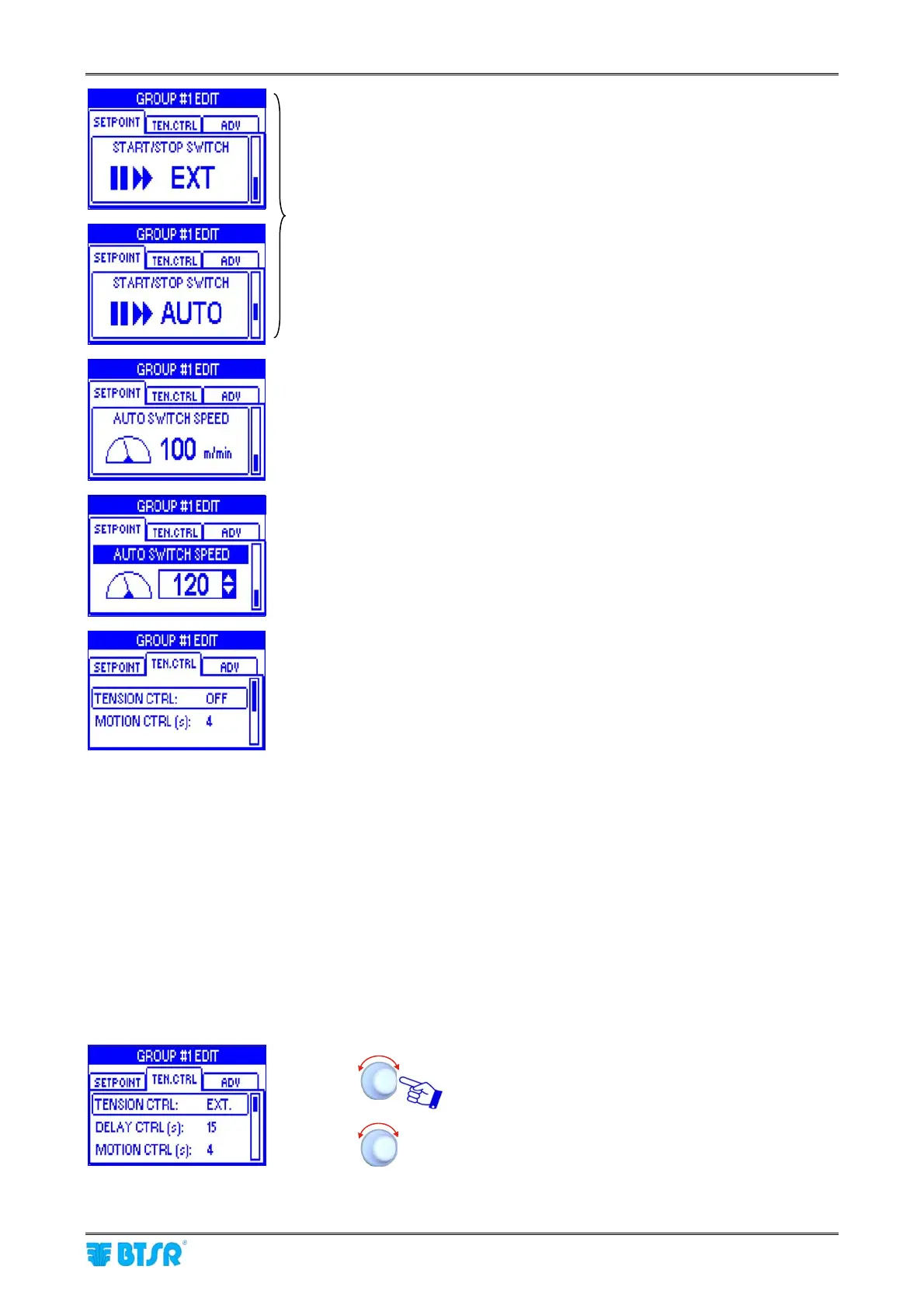
- Source of the signal which defines the switching between machine
stopped and machine running and vice versa (START/STOP
SWITCH)
Possible values: EXT or AUTO – default EXT).
EXT = External signal provided by the machine
AUTO = signal directly connected to the motor rotation speed.
The machine is considered running when the motor speed is
higher than the threshold value set on the following parameter
(AUTO SWITCH SPEED).
The AUTO SWITCH SPEED screen appears only when the
START/STOP SWITCH parameter is set to AUTO.
AUTO SWITCH SPEED = the machine is considered running
when the motor speed is higher than the value set to this
parameter (possible value 1 to 200 m/min – default 100)
- Example: AUTO SWITCH SPEED parameter set to 120 m/min.
On the TEN.CTRL window you may program the following options:
TENSION CTRL
- OFF (tension control disabled)
- EXT (tension control enabled/disabled depending on the
Start/Stop signal status)
- AUTO (tension control automatically enabled when at least one
DIAPER FEEDER motor is turning, and disabled when all
the motors are stationary).
MOTION CTRL
Through the MOTION CTRL option it is possible to detect possible
yarn breakages, downstream the TS55 sensors, if these are not
detected by the sensor itself because the yarn still actuates the
sensor within the programmed tension range. The following options
are available:
- OFF (motion control disabled)
- 1..60 sec (after the time set on this parameter, if at least one
DIAPER FEEDER motor is not turning, thus indicating
that at least one yarn is broken, an error message
(YARN STITCH – POSITION NN) is displayed.
When you select EXT or AUTO, further parameters
will appear (DELAY CTRL, TLOW %, THIGH %,
TLOW TIME (s), THIGH TIME (s)).
DELAY CTRL: Control activation delay by TS55
sensors after the machine startup (1 to 60 s).
The sensors will start controlling the tension only
after the set time (time required to allow the machine
reaching the rated speed).











 To Next Page