SMART KTF 2000 – KTF/100HP Operation
3A-34 SMART KTF 2000
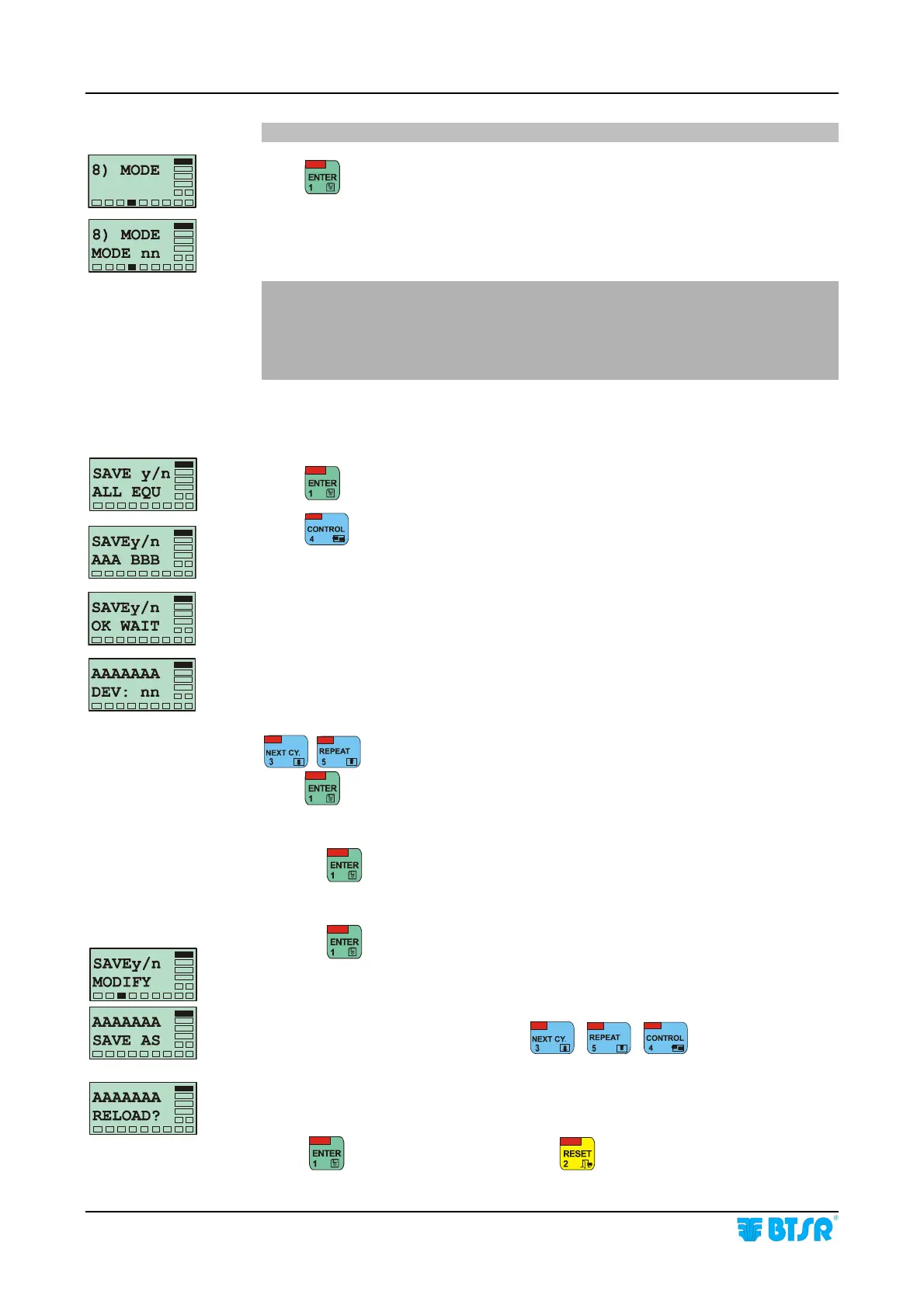
8) MODE = MODE
Press to enable the parameter programming.
nn = Value of MODE parameter which defines the possible operating modes of
KTF/100HP devices for what concerns the programmable INC/DEC commands,
the “Tension Error” Alarm Reset and the possibility to recovery the yarn (MODE
04). Available values are 00, 01, 02, 03 or 04.
For a detailed description of KTF/100HP device operating modes, please refer
to the following paragraphs of KTF/100HP Operating Manual:
Characteristics of the various working modes (Mode 00 - 04) page 3.13,
INC/DEC Programmable Commands, page 3.17 and Specific Operation
Characteristics for Mode 04, page 3.21.
MODE is the last programmable parameter of the list for what concerns the article
modified. When you press ENTER after setting this parameter, you enable the
saving procedure of the article (with the modified values).
Press
to save the article (with the same values for all devices).
Press
to save the article and associate it to a selectable range of devices
(from AAA to BBB)
This screen, shown for a few seconds, indicates that the article is being saved with
the same values for all devices
This screen gives you the possibility to redefine new parameters associated to the
article being programmed (AAAAAAA), starting from device nn.
Choose the device starting from witch you wish to redefine the parameters using
, .
Press
to confirm.
At this point, the system will show again, in sequence, the 8 parameters described
above (from 1) MAIN TENSION to 8) MODE).
Pressing
on the last parameter, the SAVE y/n ALL EQU screen will
re-appear. The described sequence will be repeated until you define all the
connected devices.
Pressing
with this screen completes the article modification phase and the
> MODIFY menu item will re-appear.
This screen allows you to save with a new name (AAAAAAA), the modified
parameters; to enter the new name use
, ,
If the article that has just been midified is currently loaded into the KTF/100HP
devices, this screen gives you the possibility to load the changes into the devices
themselves.
Press
to reload the changes or press to leave the function without
reloading.










 To Next Page