SMART KTF 2000 – KTF/100HP Operation
3A-36 SMART KTF 2000
LOAD – Loading Parameters into KTF/100HP Devices
SETUP
LOAD
This function allows you to load the variables of an article stored in the SMART
KTF 2000 Database, into the involved KTF/100HP devices.
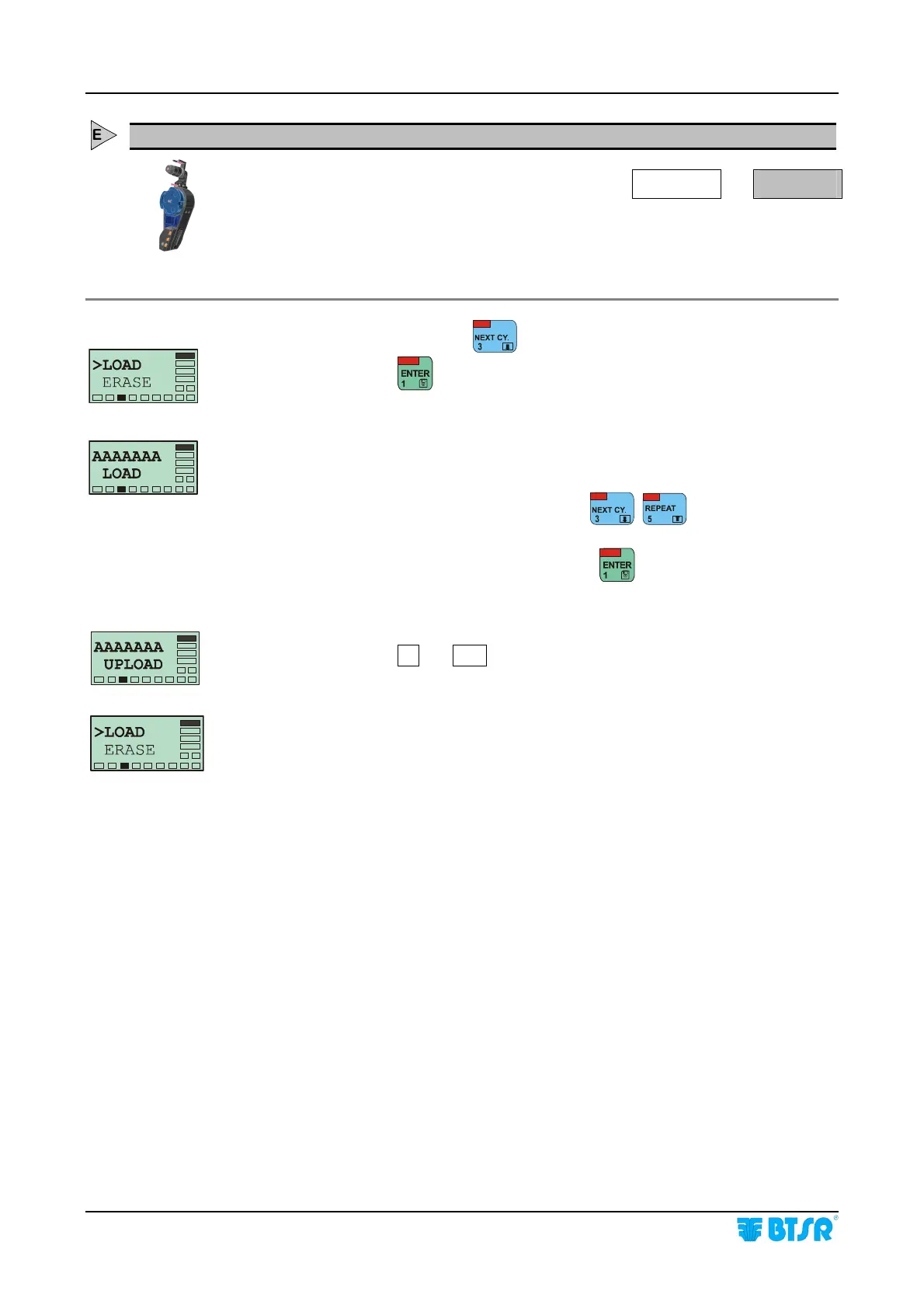
From the SETUP menu, press
until the >LOAD menu option is selected.
At this point, press
to access the function.
This screen allows you to select from Database the article (AAAAAAA) of which
you want to load the variables into the involved KTF devices.
Select the desired article (AAAAAAA), pressing
, .
(When you select the last Database article the display shows AAAAAAA END).
Once you have selected the desired article, press
to start the load process.
The AAAAAAA UPLOAD message will briefly appear on SMART display, and
simultaneously the
OK and COM labels will flash on involved KTFs.
At the end of the loading phase the >LOAD screen automatically
re-appears.










 To Next Page