SMART KTF 2000 – KTF/100HP Operation
3A-14 SMART KTF 2000
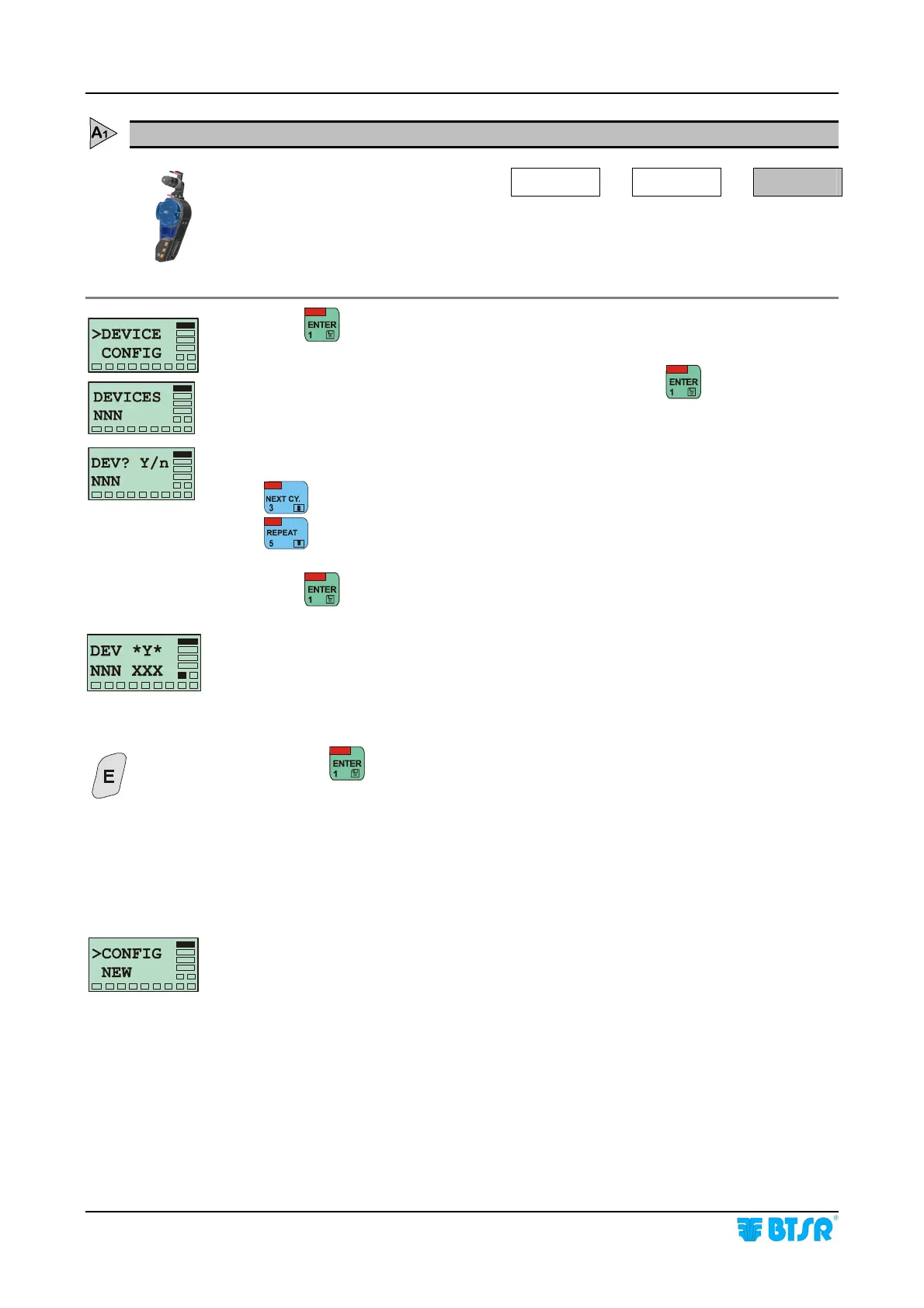
DEVICE - Numbering the KTF/100HP devices
SETUP
CONFIG
DEVICE
This function allows numbering the connected KTF/100HP devices.
During the numbering process, the SMART KTF 2000 terminal automatically
detects the type of connected device ( either KTF/100HP or KTF/RW)
Press to access the function.
NNN Indicates the number of KTF/100HP detected. Press
to continue.
NNN indicates the number of devices to be configured (up to 200)
: increases NNN
: decreases NNN
Press
once you have setup the number of devices to be configured.
NNN shows the amount of devices setup in the previous step.
XXX shows the number of the first (and subsequently the next one) device to be
numbered.
On connected KTF/100HP the front red LED starts flashing and the LCD shows
the message IDENTIFY * 100HP.
Press the
button on KTF/100HP device to which you wish assign the number
indicated by XXX.
Check that:
a) the front red LED on KTF/100HP turns off.
b) the number assigned appears on relevant KTF display.
c) XXX on SMART KTF 2000 terminal is increased by 1.
After having numbered all the connected KTF/100HP the >CONFIG screen re-
appears on the SMART KTF 2000 display and the LFA m/min indication re-
appears on KTF/100HP display.










 To Next Page