SMART KTF 2000 – KTF/RW Operation
SMART KTF 2000 3B-13 -
OFFSET - Setting the Device OFFSET
SETUP
CONFIG
OFFSET
The Offset function allows you to compensate the tolerances due to the mechanical
clamping of devices.
This Offset function operates globally on all KTF/RW devices previously
configured (DEVICE CONFIG).
For instance, if you have numbered 8 KTF/RW devices, when you start the
OFFSET CONFIG function, the display will show OFFSET 001 008; this means
that the Offset will be performed on 8 devices (1 to 8). If you want to program the
offset only on a selected range of devices, you may freely choose such range prior
to start the operation.
If you wish to perform the Offset on a single device you may choose to do it directly
on the device itself (see P3 Programming Level, on KTF/RW Manual, page 3.13).
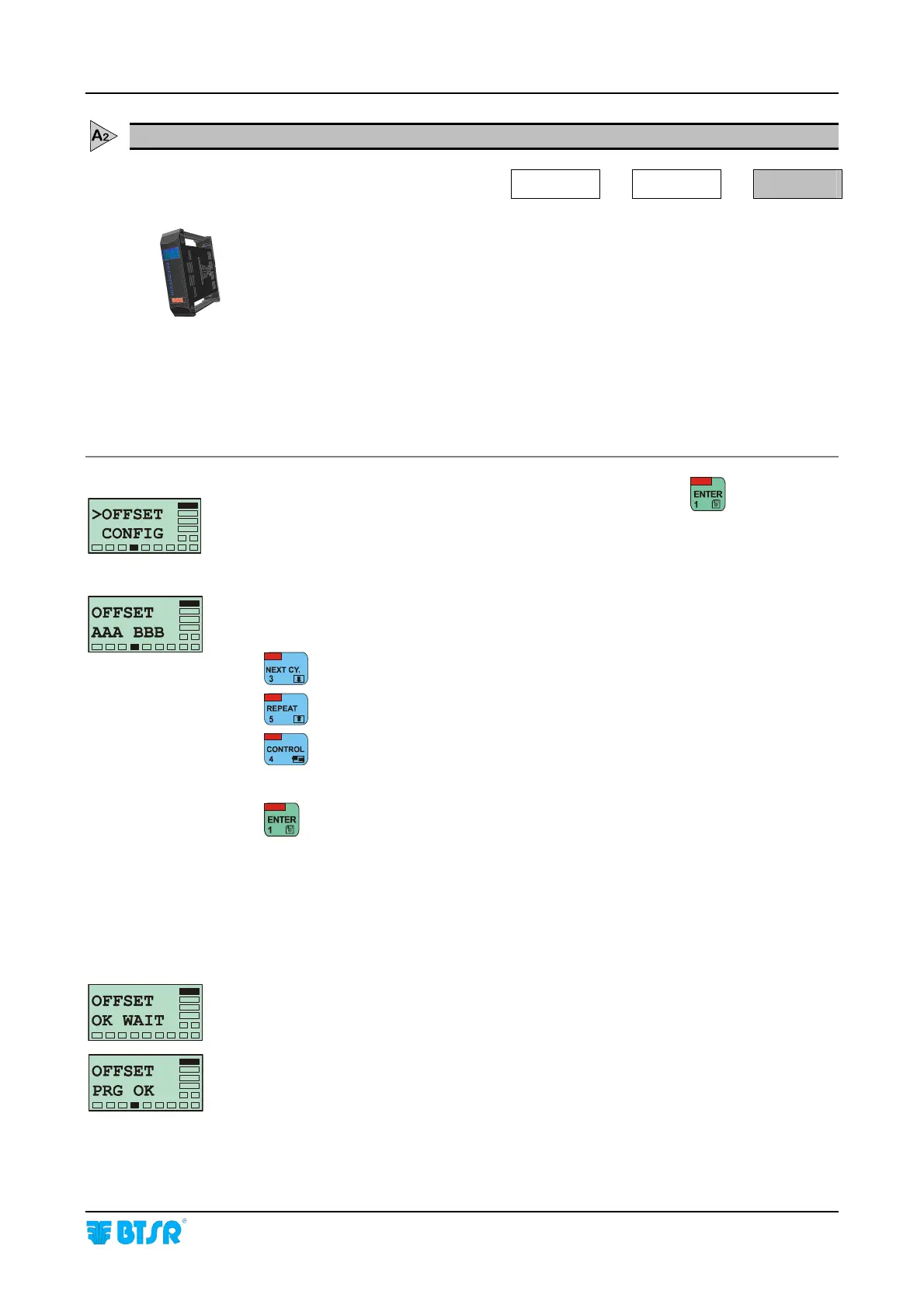
Once you have selected the >OFFSET CONFIG screen, press
to access the
function.
AAA = Number of first device set-up during the initial numbering.
BBB = Number of last device set-up during the initial numbering
: Increases the device number (either AAA or BBB)..
: Decreases the device number (either AAA or BBB).
: Alternatively selects AAA or BBB fields.
Once you have set-up the range of devices on which to perform the OFFSET, press
to continue.
If a KTF/RW device is not currently connected during the OFFSET function
execution, the ERR COM DEV XXX error message will be displayed, where XXX
is the number of not responding (not connected) device.
If the function is carried out correctly, the display will briefly show the OFFSET
OK WAIT and OFFSET PRG OK screens, then the >OFFSET CONFIG screen
will re-appear.










 To Next Page